
Stop fighting email-to-SMS limitations
Email-to-SMS Limitations (and How to Fix Them)

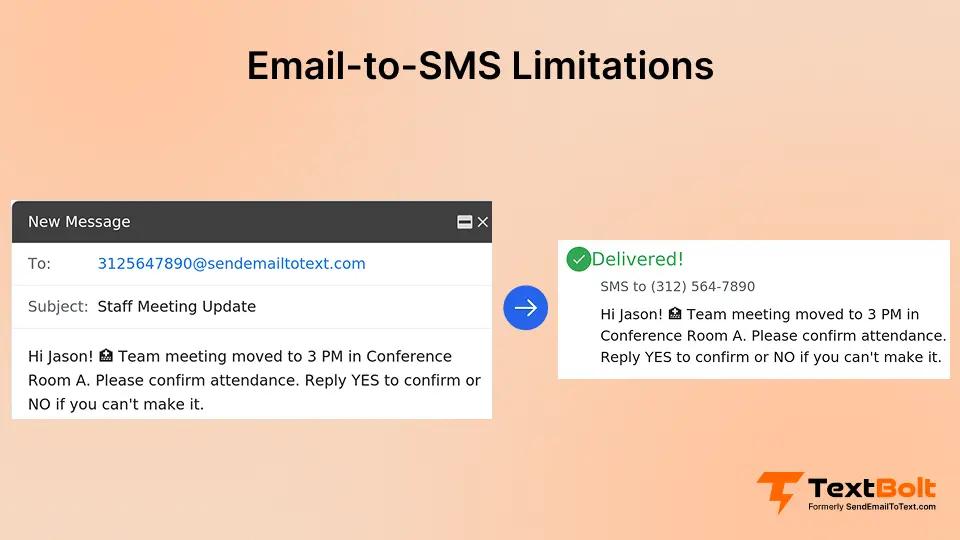
You send an appointment reminder via email-to-SMS. The message never arrives. Or it shows up 6 hours later from a random email address, truncated mid-sentence. Your patient misses the appointment, and you lose $200 in revenue.
Free carrier gateways have serious reliability issues that disrupt business communication. According to research from Mobile Ecosystem Forum, unregistered messaging sees delivery rates as low as 60-70%, while spam filtering might blocks legitimate business messages sent through consumer gateways.
This guide walks you through the specific email-to-SMS limitations of free carrier gateways, why they exist, and practical fixes you can implement today. Understanding these limitations helps you choose the right solution. And if you were using carrier gateways, AT&T, Verizon, and T-Mobile have already shut down these services entirely.
What is Email-to-SMS?
Email-to-SMS (also called email-to-text) lets you send text messages by emailing a special address format. The concept is simple: instead of using a phone to text, you send an email that gets converted to SMS and delivered to the recipient’s mobile device. This email-to-SMS guide explains how the process works, common address formats, and typical business use cases.
Example: Sending an email to 5551234567@txt.att.net delivers your message as a text to phone number 555-123-4567.
Carriers originally built free email-to-SMS gateways as a consumer convenience feature. You could text your friend from your computer without logging into a separate messaging app. Simple, free, and easy.
Businesses adopted these free carrier gateways for the same reason. Front desk staff could send appointment reminders from email without learning new software. Medical offices, schools, and service companies built entire workflows around carrier gateways like txt.att.net, vtext.com, and tmomail.net.
The core email-to-SMS concept remains valuable for business communication. But the free carrier gateways that businesses relied on come with significant drawbacks. Modern business email-to-SMS platforms solve these limitations by adding proper infrastructure, carrier relationships, and compliance frameworks that free gateways lacked.
Your Carrier Gateway is Gone – Your Workflow Doesn’t Have To Be
TextBolt maintains your email-to-SMS workflow while adding the reliability and compliance carrier gateways never had. Most businesses switch in under 30 minutes.
What are the Limitations of Email-to-SMS?
Free carrier gateways (like txt.att.net, vtext.com, and tmomail.net) were never designed for business use. As a result, they come with restrictions that can break your workflow, damage your professional reputation, and leave customers without critical information.
The good news? Modern business email-to-SMS services solve these problems by using proper carrier relationships and compliance infrastructure. Here are the seven biggest limitations of free carrier gateways and how professional services address them:
1. Character Limits and Message Truncation
Standard SMS has a hard limit of 160 characters per message. If you use emojis, special characters, or non-English text, that limit drops to just 70 characters due to Unicode encoding. When you exceed these limits, messages get truncated or split.
Free carrier gateways typically cut off your message at the character limit with no warning and no indication that content was lost. Professional business email-to-SMS services handle this better by intelligently segmenting long messages across multiple text segments while maintaining SMS character limit requirements. Links and special characters consume character count faster than plain text.
Example: Your appointment reminder reads “Your dental cleaning is tomorrow at 2pm at 123 Main St. Please arrive 10 minutes early to complete paperwork. If you need to reschedule, call 555-123-4567.” A free gateway cuts off at “call” and the phone number never arrives. Your patient has no way to contact you.
Solution
Use a business email-to-SMS platform with proper message segmentation that automatically handles long messages without awkward breaks. Professional services split messages intelligently across segments while maintaining readability. Alternatively, keep messages concise and structured under 160 characters.
2. Carrier Blocking and Gateway Shutdowns
AT&T shut down txt.att.net on June 17, 2025. Verizon and T-Mobile discontinued their free gateways (@vtext.com and @tmomail.net) in August 2025. These weren’t temporary outages. The free consumer services are permanently gone.
Carriers killed these free gateways due to massive spam abuse. Unregulated messaging attracted spammers who flooded the system. In response, carriers increasingly treated free gateway messages as low-priority, spam-filtered traffic. Legitimate business messages from these gateways got caught in the same filters blocking actual spam.
This doesn’t affect properly registered business email-to-SMS services. Modern platforms maintain direct carrier relationships and use 10DLC, sms compliance law for registration to verify business identity.Carriers trust and prioritize these registered services.
When free gateway messages got blocked, you received no error notification. The email appeared to send successfully on your end, but the text never reached the recipient.
Example: You send 50 appointment reminders through a free gateway thinking they delivered. Zero actually reached patients because the carrier flagged your messages as spam. You have no idea until appointments are missed and revenue is lost.
Solution
Migrate to 10DLC-compliant business messaging if you haven’t already. Registered business messaging bypasses consumer spam filters because carriers verify your business identity and purpose. This ensures delivery rates up to 98% versus the 60-70% typical for unregistered free gateways.
3. Unreliable Delivery and Delays
Free carrier gateways treated email-to-SMS as the lowest-priority traffic on their networks. Your messages would wait in the queue behind everything else. During network congestion, texts from free gateways could be delayed by minutes or hours. Sometimes they never arrived at all.
Business email-to-SMS services use direct carrier connections with higher priority routing. This ensures consistent delivery timing. Free gateways provided no delivery confirmation, leaving you blind to whether messages arrived, when they arrived, or if they failed completely.
Example: You send emergency alerts about office closures at 6 am through a free gateway. Your team members show up at 8 am anyway because the message arrived at 9:30 am, after they’d already left home. Emergency alerts that arrive after the emergency are useless.
Solution
Use business messaging platforms with real-time delivery tracking and confirmation receipts. You know exactly when each message arrives. If delivery fails, you’re notified immediately so you can take action. Professional services eliminate the guesswork.
4. Sender ID and Professional Appearance Issues
Free carrier gateway messages display from random email addresses, not your business name or number. Recipients see “unknown sender” or garbled text like “5551234567@txt.att.net” as the sender. You have zero control over how your sender name appears with free gateways.
Business email-to-SMS services provide dedicated business phone numbers that display consistently. This creates brand recognition and trust. Your messages look professional and legitimate, not like spam.
Free gateway sender IDs destroy trust. Your messages look identical to spam. Recipients can’t distinguish your legitimate appointment reminder from the dozens of junk texts they receive daily.
Example: Your patient receives “Appointment tomorrow 2pm” from an unknown email address through a free gateway. They assume it’s spam and delete it immediately. They miss the appointment. You lost $200 in revenue because your message looked unprofessional.
Solution
Use a dedicated business phone number that displays consistently on every message. Recipients recognize and trust messages from your business number. Professional appearance drives higher open rates and response rates. Email-to-SMS from Outlook and Gmail maintains workflow simplicity while adding professional business sender IDs.
5. Content Restrictions and Link Blocking
Carriers aggressively filtered messages containing links sent through free gateways, especially shortened URLs like bit.ly or tinyurl. These were red flags for spam. Your legitimate appointment confirmation link would get your entire message blocked when sent through free gateways.
Business email-to-SMS platforms maintain carrier relationships and domain whitelisting that allow business links to pass through safely. They also handle link formatting properly to avoid truncation issues.
Certain keywords triggered automatic filtering on free gateways. Words related to money, urgency, or promotional language could flag your message as spam even when you were sending legitimate business communication. You had no visibility into which words triggered blocks, so you were guessing blindly.
Example: You include payment reminders with secure links so patients can prepay online.The carrier blocks it as suspicious when sent through a free gateway. Patients can’t pay, you lose revenue, and you have no idea why the system isn’t working.
Solution
Use platforms designed for business links with proper formatting and carrier approval. These platforms maintain relationships with carriers and whitelist business domains. Avoid URL shorteners entirely in business SMS. Professional services handle link delivery reliably.
6. Rate Limits and Volume Caps
Free gateways typically limit you to 10-30 messages per minute. Some impose daily sending caps as well. These restrictions make bulk messaging impossible through free carrier gateways. When you need to send 200 appointment reminders Monday morning, you’re stuck manually babysitting the process.
Business email-to-SMS platforms provide proper throughput for bulk sending. They handle volume without artificial throttling because they maintain direct carrier relationships with appropriate sending capacity.
Free gateways offer no queuing or scheduling features. You can’t prepare messages in advance or automate sends. Every batch requires manual intervention, creating workflow bottlenecks and consuming staff time.
Example: You need to send 200 appointment reminders Monday morning. At 20 messages per minute through a free gateway, that’s 10 minutes of sitting at your computer manually sending in batches. And that assumes the gateway doesn’t throttle you further or block you entirely for “suspicious activity.”
Solution
Business messaging platforms handle bulk sends automatically with proper throughput. Send 200 messages in seconds, not minutes. Schedule messages in advance from Gmail and let the system handle delivery timing automatically.
7. No Team Access or Audit Trail
Free carrier gateways tie to a single email account. That creates a single point of failure. When that person is out sick, on vacation, or leaves the company, texting stops. Nobody else can access the system without sharing email passwords, which violates basic security practices.
Modern business email-to-SMS services provide team-based access where multiple staff members can send from their own email accounts using a shared business number. This eliminates single points of failure.
Free gateways provide no record of who sent what message. No audit trail exists for compliance documentation. You can’t prove a message was sent if a patient claims they never received their appointment reminder. This creates liability issues, especially in healthcare.
Example: Your front desk manager who handles all patient reminders goes on vacation. You realize nobody else can access the texting email used with your free gateway. Appointment reminders stop for an entire week. No-shows spike 40% because nobody received reminders. You lose $22,500 in revenue from 50 missed appointments.
Solution
Multiple healthcare staff can text patients from their own email accounts using a shared business number. Complete audit trail shows who sent what and when. When someone leaves or is unavailable, other team members continue sending without disruption. Professional services build team resilience into the system.
TextBolt solves this by giving each staff member their own sending capability while maintaining centralized message history. When your office manager goes on vacation, appointment reminders continue seamlessly because any authorized team member can send from their email.
These Limitations Don’t Exist With TextBolt
Professional email-to-SMS built for business reliability. 10DLC compliance, dedicated business numbers, team access, and up to 98% delivery rates – all from your existing email.
Why do These Limitations Exist?
Understanding why free carrier gateways have so many problems helps explain why professional business services work better.
1. Free Gateways were Never Meant for Businesses
Email-to-SMS started as a free consumer feature in the early 2000s. Carriers designed it for personal convenience, like texting a friend from your computer while checking email. Low volume, casual use, no commercial expectations.
Carriers never intended these free gateways for commercial use at scale. The infrastructure wasn’t built to handle thousands of business messages daily. The system had no vetting, no abuse prevention, and no accountability.
2. Spammers Ruined It for Everyone
Predictably, spammers exploited this free, unregulated messaging system. No sender verification meant no consequences for abuse. Free email-to-SMS became a spam paradise.
Carriers responded by devaluing the entire free gateway service:
- Added aggressive spam filters that blocked legitimate business messages
- Implemented harsh rate limits to control abuse
- Treated all free gateway traffic as suspicious
- Gave these messages the lowest priority on their networks
Your legitimate business messages got caught in the same filters blocking actual spam.
3. The Industry Shifted to Regulated Business Messaging
Meanwhile, the telecommunications industry moved to regulated business messaging standards.
A2P (Application-to-Person) messaging requires business registration, identity verification, and purpose declaration. Carriers can verify legitimate businesses and provide proper throughput and delivery rates.
10DLC compliance emerged as the standard for commercial texting. These systems separate business messaging from consumer texting entirely, giving businesses the reliability they need.
4. The Email-to-SMS Concept Still Works
The email-to-SMS concept itself remains valuable and effective for business communication. The limitations described above apply specifically to free, unregulated carrier gateways.
Modern business email-to-SMS services use the same core workflow (sending texts via email) but add the infrastructure, carrier relationships, and compliance frameworks that free gateways lacked.
| The bottom line: Free consumer gateways couldn’t meet business reliability needs. That’s why carriers shut them down. AT&T ended txt.att.net in June 2025. Verizon and T-Mobile followed in August 2025. The era of free, unregulated email-to-SMS gateways is over, but professional business email-to-SMS services continue to thrive. |
Understanding why free gateways failed helps you choose the right replacement for your business needs.
For a deeper dive into how modern platforms handle messaging, features, compliance, and delivery, see our guide on email-to-SMS software.
Choosing the Right Email-to-SMS Solution
Not all email-to-SMS solutions are equal. Your needs determine which approach makes sense. Here’s how to choose:
For simple business texting (appointment reminders, alerts, notifications)
- Best fit: Email-native business messaging like TextBolt
- Why: Maintains your existing email workflow while adding reliability and compliance
- Setup: 10-30 minutes
- Learning curve: Zero (you already know email)
- Cost: $29-99/month
- Ideal for: Healthcare practices, small business teams, and IT alert systems
- Includes: 10DLC compliance, professional business number, team access, delivery tracking
For marketing automation and campaigns
- Best fit: SMS marketing platforms (EZ Texting, SimpleTexting)
- Why: Built for drip campaigns, subscriber management, promotional messaging
- Setup: 1-2 hours
- Learning curve: Moderate (new platform to learn)
- Cost: $39-500/month
- Ideal for: Retail, restaurants, marketing-focused businesses
- Drawback: Overkill for simple operational texting, requires platform training
For custom software integration
- Best fit: SMS APIs (Twilio, similar platforms)
- Why: Maximum flexibility for developers building custom features
- Setup: Weeks (requires coding and testing)
- Learning curve: High (developer resources required)
- Cost: $0.0079/message plus $5,000+ development
- Ideal for: Enterprises with dev teams, custom app integration
- Drawback: Ongoing maintenance burden, not a turnkey solution
Quick decision framework:
- Need appointment reminders from Gmail? Email-native business messaging
- Running promotional campaigns with automation? Marketing platform
- Building custom software integration? API solution
- Need to replace a shut-down carrier gateway? Email-native business messaging
The simplest path forward is usually the best. If you were using carrier gateways for operational texting (reminders, alerts, notifications), an email-native platform solves all limitations while maintaining your familiar workflow.
How to Fix Email-to-SMS Limitations
Free carrier gateways are disappearing because they were never designed for business reliability. But the email-to-SMS concept remains one of the simplest, most effective ways to send business texts. Modern services like TextBolt solve every limitation on this list while keeping your familiar email workflow.
Send texts directly from Gmail or Outlook with 10DLC compliance, professional sender ID, team access, and up to 98% delivery rates. No platform to learn, no API to maintain, no workflow disruption. Just the email-to-SMS simplicity you want with the reliability your business needs.
Why businesses choose TextBolt to fix gateway limitations
TextBolt was built specifically to replace discontinued carrier gateways while solving every limitation listed in this guide. Here’s how TextBolt addresses each problem:
- Character limits and truncation → TextBolt automatically segments long messages intelligently across multiple SMS parts while maintaining readability. You’re notified when messages exceed standard limits, preventing awkward mid-sentence cutoffs.
- Carrier blocking → TextBolt handles 10DLC registration and carrier approval automatically. Your business is verified with AT&T, Verizon, and T-Mobile, ensuring up to 98% delivery rates instead of 60-70% spam-filtered traffic.
- Unreliable delivery → Direct carrier connections with priority routing eliminate delays. Real-time delivery tracking shows exactly when each message arrives. Failed deliveries trigger immediate notifications so you can take action.
- Sender ID issues → Every message displays from your dedicated business phone number (toll-free or local). Recipients recognize your business, building trust and increasing response rates. No more “unknown sender” or garbled email addresses.
- Content restrictions → TextBolt maintains carrier relationships and domain whitelisting, allowing business links, payment URLs, and appointment booking links to deliver reliably without triggering spam filters.
- Rate limits → Send 200 appointment reminders in seconds, not manually babysitting 20 messages per minute. TextBolt handles bulk sends with proper throughput because it’s built for business volume.
- Team access → Every staff member sends from their own email account using your shared business number. Complete audit trail shows who sent what and when. When someone is out, other team members continue sending without workflow disruption.
Migration takes 15-30 minutes
Most businesses migrating from AT&T’s txt.att.net or other discontinued gateways switch to TextBolt in under 30 minutes:
- Create your TextBolt account and verify your business
- TextBolt handles 10DLC registration automatically (you don’t touch this)
- Change your email-to-SMS address from @txt.att.net to @textbolt.com
- Start sending—your workflow stays identical
Your staff continues using Gmail and Outlook exactly as before. The only difference is your messages actually deliver reliably with professional appearance and compliance built in.
Start your free trial or view pricing plans to replace free gateway limitations in 30 minutes or less.
*Delivery rates vary based on carrier policies, message content, and compliance factors.
Frequently Asked Questions
Why are carriers shutting down email-to-SMS gateways?
Carriers discontinued free consumer gateways (txt.att.net, vtext.com, tmomail.net) due to spam abuse and the shift to regulated business messaging (10DLC). AT&T shut down in June 2025. Verizon and T-Mobile followed in August 2025. Business email-to-SMS services continue operating with proper registration.
What is 10DLC compliance?
10DLC (10-Digit Long Code) is carrier-required registration for business texting. It verifies your business identity and messaging purpose, ensuring better delivery rates and preventing spam. Compliant messages achieve up to 98% delivery versus 60-70% for unregistered gateways.
Can I still use free email-to-SMS after carrier shutdowns?
No. Carriers have shut down their free gateways (AT&T in June 2025, Verizon and T-Mobile in August 2025). Free email-to-SMS no longer works. You must use a registered business messaging service to send texts via email reliably.
What happens to messages sent via discontinued gateways?
Messages sent to shut down free carrier gateways simply don’t deliver. You receive no error notification. Recipients never get your texts. This creates silent failures that damage customer communication without warning. Business email-to-SMS services with proper registration continue working normally.
Do I need a developer to replace email-to-SMS gateways?
No. Email-native platforms like TextBolt maintain your existing email workflow. Setup takes under 30 minutes with zero coding required. Just change the recipient address format. Setup takes 30 minutes maximum with zero coding required. API solutions require developers, but most businesses don’t need that complexity.
How do I migrate from AT&T email-to-text or other carrier gateways?
Migrate to TextBolt in 15-30 minutes. Register your business, verify your account, and change your email-to-SMS address from @txt.att.net (or @vtext.com, @tmomail.net) to @sendemailtotext.com. Your workflow stays identical. Follow the AT&T txt.att.net migration guide for step-by-step instructions.
What’s the most reliable alternative to carrier gateways??
10DLC-compliant business email-to-SMS services offer the best reliability. They provide carrier approval, professional business numbers, delivery confirmation, and team access while maintaining the email workflow. Email-native platforms like TextBolt add enterprise-grade features without requiring new software or complex APIs.