
- What Is Email-to-Text and Why Businesses Used It
- Why Carriers Are Shutting Down Email-to-Text
- Who Was Most Affected by the VText Shutdown
- What a Modern VText Alternative Should Deliver
- Comparison of Top 5 VText Alternatives and Competitors
- The 5 Best VText Alternatives for Businesses
- Common Challenges Businesses Face and How to Avoid Them
- Why TextBolt Is the Most Reliable Replacement for VText
- Frequently Asked Questions
Switch to a More Reliable Email-to-SMS Solution
Top 5 VText Alternatives for Businesses (Better Deliverability & Compliance)


For years, businesses relied on Verizon’s VText and carrier email-to-text gateways to send SMS alerts directly from email using addresses like phonenumber@vtext.com for notifications, monitoring alerts, and internal messaging.
Starting in late 2024, major U.S. carriers began shutting down these email-to-text gateways. Verizon started phasing out @vtext.com and @vzwpix.com in late 2024 — many users lost access overnight, and the full shutdown is expected by March 31, 2027. AT&T shut down @txt.att.net on June 17, 2025. T-Mobile’s @tmomail.net has become effectively unusable. These services were never built for modern business messaging, and carriers are choosing to kill them rather than fix them.
This guide breaks down exactly what happened, who was affected, and the top 5 VText alternatives that businesses moved to for reliable and compliant messaging.
What Is Email-to-Text and Why Businesses Used It
Email-to-text allowed messages sent from email clients or automated systems to be delivered as SMS by routing them through carrier gateways such as @vtext.com or @tmomail.net.
This approach became popular because it:
- Required no APIs or software development
- Worked with Gmail, Outlook, and legacy systems
- Enabled quick setup for alerts and notifications
- Was free or extremely low-cost
For basic use cases it worked until growing spam abuse, security risks, and outdated technology forced carriers to begin shutting these gateways down for good.
If you’re new to email-to-SMS or want a simple walkthrough, here’s a step-by-step guide on how to send email to text using modern alternatives like TextBolt.
Why Carriers Are Shutting Down Email-to-Text
Every major U.S. carrier is now in the process of retiring their email-to-text gateways. These services were never designed for modern business communication, and carriers are shutting them down rather than upgrading them citing spam abuse, security threats, and outdated technology as the reasons.
- Open gateways became a major vector for spam and SMS phishing attacks (“smishing”)
- Email sender spoofing created major security risks
- No authentication or sender verification controls
- Increasing infrastructure and abuse-management costs
- Industry shift toward regulated, compliant A2P messaging
As a result, Verizon, AT&T, T-Mobile, and Cricket Wireless are all actively discontinuing their email-to-text gateways. Verizon’s full shutdown is expected by March 31, 2027, but most users have already lost reliable access leaving thousands of businesses with broken or failing messaging workflows.
Who Was Most Affected by the VText Shutdown
The shutdown of email-to-text services affected many organizations, including:
- IT and operations teams: Automated server, network, and backup alerts were missed during outages, delaying critical responses.
- Businesses sending appointment reminders and customer notifications: Appointment reminders, service updates, and notifications failed to reach recipients, resulting in missed appointments and frustrated clients.
- HR and internal communications teams: Staff schedules, internal alerts, and urgent messages went undelivered, creating confusion and inefficiency.
- Safety and emergency alert systems: Critical notifications were delayed or lost, putting operations and personnel at risk.
- Any workflow using @vtext.com or @tmomail.net addresses: Messages simply stopped being delivered, silently breaking automated processes.
Even small failures caused operational disruptions, lost revenue, and missed alerts. Businesses that relied on VText were forced to adopt alternative solutions immediately.
Stop Losing Alerts and Messages
Don’t let missed notifications or silent failures disrupt your business.
What a Modern VText Alternative Should Deliver
After VText disappeared, companies didn’t just want a replacement, they wanted an upgrade. Here’s what a true VText alternative must provide:
- Reliable SMS delivery: Every message should reach your customer no more guessing or hoping it went through.
- Easy email integration: You should be able to send texts right from your inbox, just like before. No new systems to learn.
- Team access: Several people need to send texts from your business number, not just one person or device.
- Built in compliance: If you work in a regulated field (healthcare, finance, education), your texts need to meet industry standards.
- Full message history: You want simple logs so you can see what was sent, when, and to whom.
- Time saving tools: Templates, shortcuts, and automations make life easier for everyone. No more copying and pasting.
- Carrier independence: Your messages should go through business-approved routes, so they keep working, even if old gateways disappear.
- Strong security: TextBolt is 10DLC compliant and ensures messages are sent via verified business channels to meet industry requirements for security and reliability.
Comparison of Top 5 VText Alternatives and Competitors
| Feature | TextBolt | Salesmsg | ClickSend | TXTImpact | Notifyre |
| Email-to-SMS | ✅ | ❌ | ✅ | ✅ | ✅ |
| Business / 10DLC Number Support | ✅ | ✅ | ✅ | ✅ | ✅ |
| Team Access / Multi-User | ✅ | ✅ | ✅ | ✅ | Limited |
| Two-Way SMS via Email | ✅ | ✅ | Supported with routing setup | Supported with configuration | Limited |
| Works From Gmail / Outlook (No Coding) | ✅ | ❌ | Outlook plugin required | ❌ (requires setup and routing rules) | ❌ |
| Dedicated vText Migration Support | ✅ | ❌ | ❌ | ❌ | ❌ |
Let’s learn about each VText alternative in detail.
The 5 Best VText Alternatives for Businesses
Below is a detailed, objective breakdown of the best alternatives based on reliability, compliance, ease of use, and cost.
1. TextBolt — The Most Reliable VText Alternative
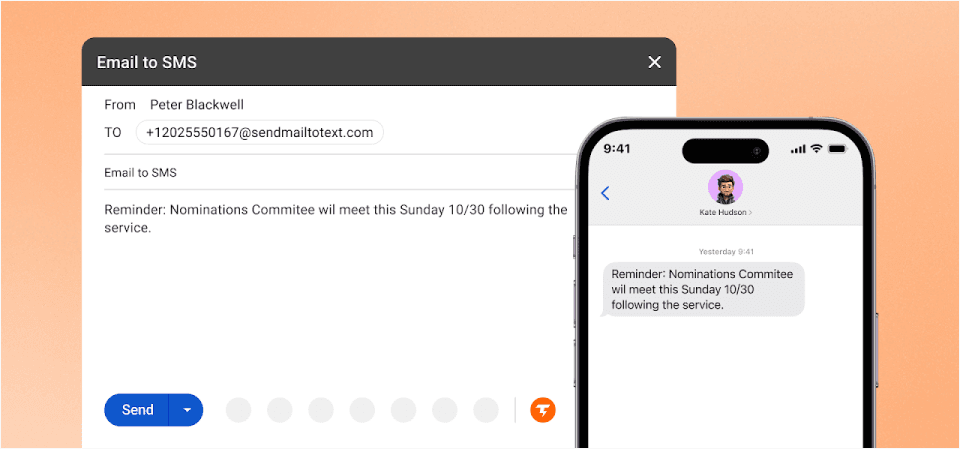
TextBolt is built specifically as a modern, business grade replacement for email to text services. It doesn’t use carrier gateways instead, it uses registered 10DLC and toll-free routes, giving businesses up to 98% delivery rates.
If you liked VText for its simplicity, TextBolt gives you the same ease of use but with far better reliability, security, and control.
Want to see how it works in real workflows? Watch demo
Why TextBolt Stands Out
- Designed for Businesses (Not Carriers): No personal numbers, no shared phones, no missed messages. Teams get one centralized business texting system straight from email.
- Up to 98% SMS Deliverability: Messages are sent through verified business routes, not carrier gateways. This eliminates silent failures, the biggest VText problem.
- 10DLC Registration Included: Every account undergoes business verification, reducing spam risk and boosting deliverability.
- Inbox Native Workflow: Send and receive texts from Gmail, Outlook, or any email provider. You can even schedule SMS from Gmail for reminders and routine business updates no new software to learn.
- How It Works — One Simple Change: Old (failing): 5551234567@vtext.com to new (TextBolt): 15551234567@sendemailtotext.com. That’s it. Same email workflow, new address, reliable delivery.
- Multi User Access With Permissions: Allow multiple staff members to send texts from the same business number without sharing a phone.
- Ready for Security & Compliance: End-to-end encryption and built in compliance means you’re ready for healthcare, finance, education, and any sensitive industry without extra hassle.
- Automated Opt Out Handling: Complies with TCPA regulations automatically.
- Message Logging for Every User: Every text is logged with details on when it was sent, so your team can easily reference past communications whenever needed. Messages stay organized, making it easy for everyone to follow up or pick up a conversation right where it left off.
- Two-Way Messaging: Full conversation support. Recipients can reply to your texts and you’ll receive them as emails.
- 30-Minute Setup: Quick implementation without IT overhead. Start sending text messages within 30 minutes of signup.
Who Uses TextBolt?
TextBolt is trusted by businesses of all sizes that need fast, dependable SMS right from their email inbox. Whether you’re scheduling appointments, sending service updates, or keeping teams connected, TextBolt streamlines communication for:
- Healthcare providers and clinics: Send appointment reminders, follow-ups, and urgent notices directly to patients.
- Schools, colleges, and educational centers: Instantly notify students and staff about closures, deadlines, and alerts.
- Maintenance and service centers: Confirm appointments, update customers on job status, and communicate service completions.
- Salons, spas, and wellness studios: Stay ahead of no shows with automated reminders and last minute notifications.
- Real estate teams and agencies: Share listing updates, schedule showings, and coordinate transactions with clients.
- Banks and financial organizations: Deliver secure alerts, transaction verifications, and important account updates.
- Insurance agencies: Speed up claims, manage renewals, and send critical policy reminders with ease.
- Service based businesses of every kind: Keep customers informed and engaged, from order updates to support tickets.
- Logistics & field teams: Dispatch workers, confirm deliveries, and coordinate field operations — all quickly, reliably.
- Retail and e-commerce: For order updates, delivery notifications, promotional offers, and customer support.
- Events and entertainment: For ticketing reminders, schedule announcements, and audience engagement.
- Restaurants and cafes: For confirming reservations, sending waitlist updates, sharing daily specials, and managing order pickups.
TextBolt is the smart choice for any business that needs a reliable way to deliver important messages, reach everyone on time, and keep workflows running smoothly no matter what industry you’re in.
TextBolt Pricing:
TextBolt pricing plans fit any business size. Each plan includes a 7 day free trial and scalable features to match your business growth.
| Plan | Monthly Price | Message Credits | Best For |
| Basic | $29/month | 500 credits | Solo practitioners, consultants |
| Standard | $49/month | 1,000 credits | Growing businesses, medical practices |
| Professional | $99/month | 2,500 credits | Busy practices, multi-locations |
| Enterprise | Custom | 5,000+ credits | Large organizations, healthcare networks |
Client Testimonial:
I trained our new receptionist in 2 minutes. Show her how to send an email? Done. Show her our texting ‘system’? Also done. Dr. Martinez- Family Practice, Phoenix
Verdict
TextBolt is a robust, user-friendly, and business-focused email-to-SMS platform that enables organizations to send professional text messages directly from their computer. With high deliverability, built-in compliance, and seamless team access, TextBolt provides an ideal solution for businesses looking to upgrade from outdated carrier gateways or manual phone texting. Its combination of reliability, swift onboarding, and operational transparency makes it a standout choice for teams that prioritize consistent communication and operational resilience without the complexity of traditional SMS apps or marketing platforms.
Send Business-Grade Texts in Minutes
Start texting from Gmail, Outlook, or your favorite email platform—no new software required and experience up to 98% delivery plus full compliance.
2. Salesmsg — Best for CRM-Driven Sales Teams
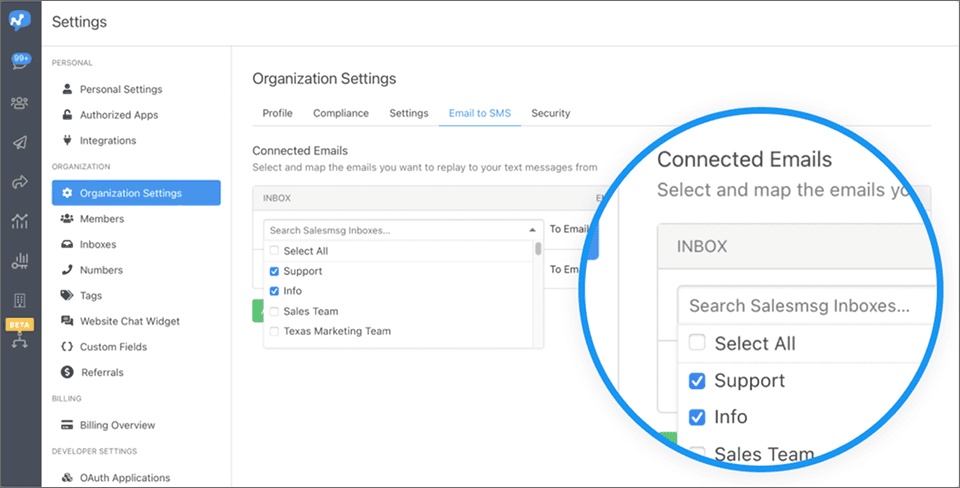
Salesmsg is a robust SMS platform designed for businesses focused on sales communications. It integrates with popular customer relationship management systems, making it an excellent choice for sales professionals engaged in lead generation, outbound outreach, and follow-up messages triggered by CRM activity.
Key Strengths
- Advanced CRM integrations connect text messaging with client profiles, opportunities, and sales pipelines.
- Multi-user access supports sales departments collaborating to engage prospects and customers.
- A straightforward, modern interface makes managing customer communication easy.
Limitations Compared to TextBolt
- Pricing increases as you add more users, which may be costly for larger teams.
- Messaging is not email native, texts are managed within the platform rather than from standard email inboxes.
- The platform is less suitable for sending high volume operational notifications, handling appointment reminders, or facilitating day to day coordination across departments.
- Salesmsg is designed specifically for sales conversations rather than general business messaging or broad team use.
Best for: Sales teams, not general business messaging.
Salesmsg Pricing:
Below is an overview of Salesmsg pricing:
| Plan | Monthly Price | Message Credits | Additional Credit Cost |
| Starter | $25/month | 500 credits | $0.045 per additional credit |
| Standard | $49/month | 1,000 credits | $0.040 per additional credit |
| Professional | $99/month | 2,500 credits | $0.037 per additional credit |
| Enterprise | $249/month | 7,500+ credits | $0.035 per additional credit |
Testimonials from Salesmsg on G2 and Capterra
Explore verified reviews on G2 and Capterra to see how users describe their experience with Salesmsg.
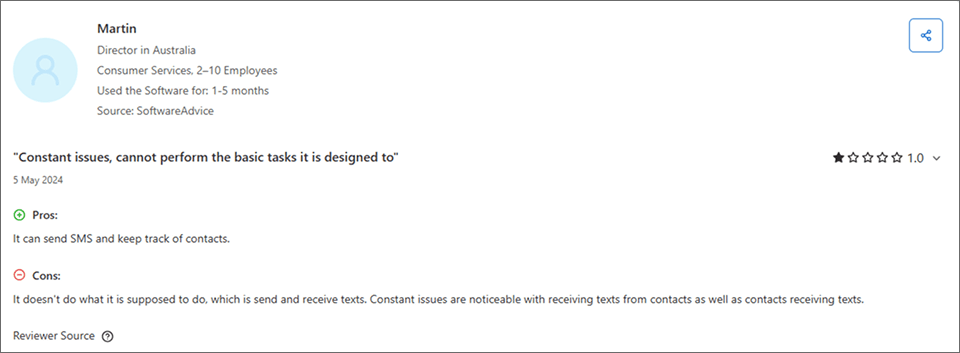
3. ClickSend — Best for Business Messaging
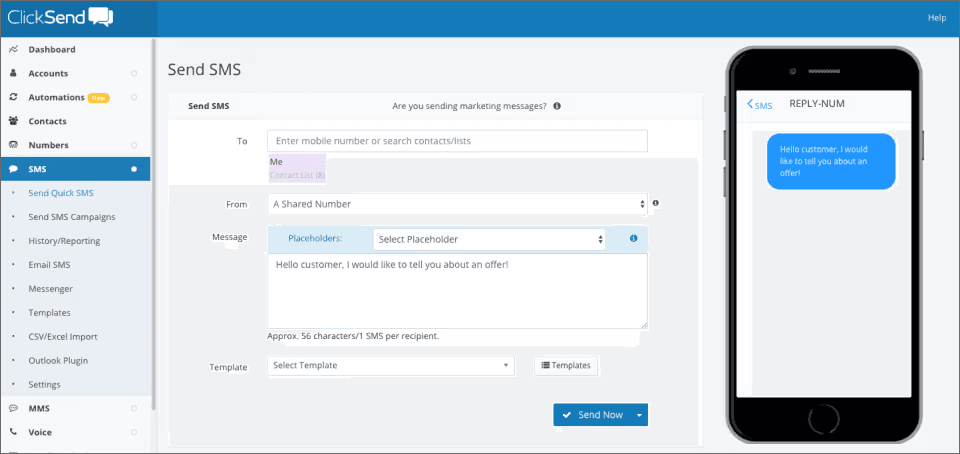
ClickSend offers an email-to-SMS gateway, letting businesses send texts from any email client via special addressing. This makes it suitable for those looking for a basic workflow similar to the discontinued Verizon VText service.
Key Strengths
- Email-to-SMS: Send SMS by emailing [phonenumber]@sms.clicksend.com
- Supports both individual and bulk messaging
- Basic logging and delivery tracking
Limitations Compared to TextBolt
- Conversation threading & inbox workflow: TextBolt allows users to view, reply to, and manage SMS conversations directly within their regular email inbox (Gmail, Outlook, etc.), providing a seamless workflow and full message threading, even for multiple users. ClickSend, while it allows replies to go back to your inbox, does not provide true threaded conversation management within email; for organized threads and conversations, you must use its dashboard interface.
- Multi-User team collaboration: TextBolt is designed for teams: it supports multiple staff members sending SMS from the same business number, allows role-based permissions, and tracks who sent each message. ClickSend supports multiple “allowed” senders, but lacks structured team roles, comprehensive multi-user audit trails, and business inbox sharing as robustly as TextBolt.
- Compliance & Business Verification: TextBolt builds in 10DLC compliance and automatic business verification, mandatory for U.S. businesses, and automates opt-out management (TCPA). ClickSend does not automatically handle 10DLC business registration or advanced compliance for regulated industries, you may need to manually configure compliance and handle verification separately for each business account.
- Audit Logging & Message Tracking: TextBolt tracks every SMS sent and received, storing detailed logs for auditing, compliance, and business continuity across users and shifts. ClickSend offers delivery status and basic logs, but its message logs and auditing capabilities are less granular, especially for businesses needing detailed user-based history.
- Migration and Support: TextBolt offers hands-on migration and onboarding guidance for businesses switching from Verizon, AT&T or other carrier gateways. ClickSend has general support but does not specify dedicated migration help for former VText/AT&T users.
Best for: Suited for simple email-to-SMS messaging and basic business alerts, but not optimized for advanced team workflows or automated compliance like TextBolt.
ClickSend Pricing:
Under 5,000 messages, each SMS costs $0.1105; from 5,000 to 50,000, it’s $0.0983; from 50,000 to 150,000, it’s $0.0881; and 150,000+ gets $0.0795 per SMS. For volumes above 250,000, businesses can contact sales for custom rates.
For a full breakdown of tiers, fees, and examples, see our ClickSend pricing guide.
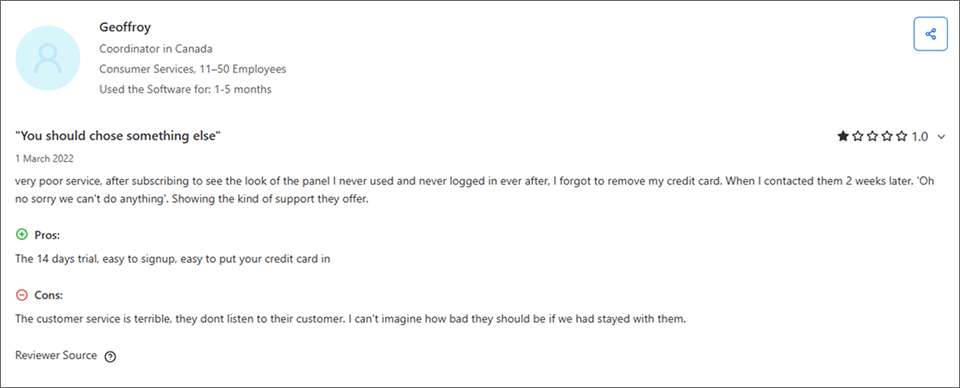
Testimonials from ClickSend on G2 and Capterra
Explore verified reviews on G2 and Capterra to see how users describe their experience with ClickSend.
4. TXTImpact — Best for SMB Messaging

TXTImpact provides a range of business texting services, including a straightforward email-to-SMS gateway. It’s designed for small and mid-size businesses that want to send SMS from their email client with minimal setup.
Key Strengths
- Allows direct SMS sending using Outlook, gmail etc.
- Simple setup and minimal technical knowledge required
- Bulk SMS capability for notifications, reminders, and alerts
- Contact management and opt-in/opt-out support
Limitations Compared to TextBolt
- Lacks advanced team inbox features, multi-user access controls, and threaded conversation management
- Compliance features (10DLC registration, business verification, automated opt-out) are more limited than TextBolt
- Message logs and audit trails are basic, making it less effective for regulated industries or collaborative workflows
- Lower scalability and enterprise support options compared to developer-focused platforms
Best for: Small businesses needing simple email-to-SMS messaging.
TXTImpact Pricing:
Below is an overview of TXTImpact pricing:
| Plan | Monthly Price | Message Credits | Additional Credit Cost |
| Starter | $29/month | 500 credits | $0.05 per additional credit |
| Standard | $49/month | 1,000 credits | $0.05 per additional credit |
| Professional | $99/month | 2,500 credits | $0.04 per additional credit |
| Enterprise | $299/month | 9,000+ credits | $0.033 per additional credit |
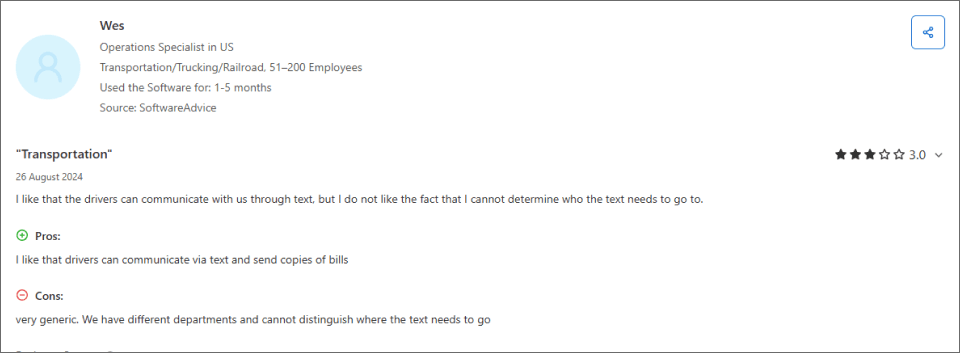
Testimonials from TXTImpact on G2 and Capterra
Explore verified reviews on G2 and Capterra to see how users describe their experience with TXTImpact.
5. Notifyre — Email-to-SMS for Basic Needs
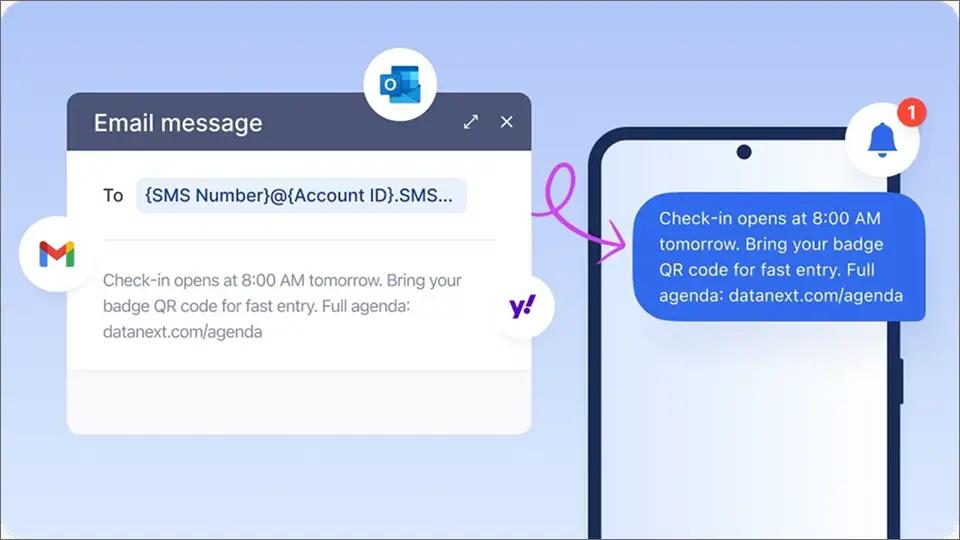
Notifyre is an email-to-SMS service that emerged as carrier gateways began shutting down. It lets businesses send text messages by emailing addresses like phonenumber@sms.us.notifyre.com, mimicking the old carrier gateway workflow.
Key Strengths
- Email-to-SMS workflow similar to the old @vtext.com format
- Claims 10DLC compliance and HIPAA readiness
- Pay-as-you-go pricing with no monthly commitment
- Supports message tracking and delivery confirmation
Limitations Compared to TextBolt
- Does not integrate natively with Gmail or Outlook — you send to Notifyre’s own email format, not from your regular inbox
- Limited multi-user team access and no role-based permissions
- No threaded conversation management within email — replies require their dashboard
- No dedicated migration support for businesses switching from Verizon, AT&T, or T-Mobile
- Basic message logging compared to TextBolt’s full per-user audit trails
- Newer service with less established track record for business-critical messaging
Best for: Businesses looking for a basic, pay-as-you-go email-to-SMS service without team collaboration needs.
Notifyre Pricing:
Below is an overview of Notifyre pricing:
- Pay-as-you-go model
- Per-message pricing varies by volume
- No monthly subscription required
Some businesses consider Google Voice as a free alternative. While it works for personal, low-volume texting, it lacks 10DLC compliance, team access, message logging, and reliable delivery for business use. Messages are frequently filtered, blocked, or delayed. It is not a viable replacement for @vtext.com in any business context.
Common Challenges Businesses Face and How to Avoid Them
Most businesses run into texting problems that only seem small until something goes wrong. Here are the most common issues:
- Using personal phones for business texting is risky. When only one person manages texts from their phone, everything can grind to a halt if they are out sick or leave the company. There is no backup, no message history, and zero compliance, the process is simply not sustainable for any growing team.
- Carrier gateways are shutting down and they were never reliable to begin with. Even before the shutdowns began, important alerts, reminders, and notifications were already being silently blocked or filtered. Now these gateways are either gone (AT&T) or actively failing (Verizon, T-Mobile). Verizon’s full shutdown is expected by March 31, 2027, but any workflow still pointing to @vtext.com, @txt.att.net, or @tmomail.net is already unreliable, with most messages failing to deliver.
- Skipping 10DLC registration hurts delivery rates. Until your business account is verified, messages can be delayed or even blocked entirely a common reason messages fail to deliver. Registration is now required for professional SMS, so it’s best to get approved before communication stops working.
- Trying to use marketing apps for daily operations will slow your team down. Most SMS marketing tools are built for blasts and promotions, not for quick appointment reminders or timely operational updates. You cannot just open your email and send a message, the process will always feel clunky. Businesses looking to capture high-intent leads instantly are now replacing slow contact forms with a simple text button, ensuring prospects get immediate attention.
- Lack of message logs prevents visibility. Without a searchable conversation history, it is almost impossible to check who was contacted or what was said. When issues come up, there is no way to quickly clear up confusion.
TextBolt solves all of these problems in one step. You can send texts right from email and anyone on the team can jump in instantly. Every message is logged, delivery is reliable and compliant, and there is no need for extra training or risky workarounds. Business messaging just works simple, secure, and ready for anything.
Why TextBolt Is the Most Reliable Replacement for VText
If you care about dependability, deliverability, and team wide communication, TextBolt is the closest match to VText, only better. You get:
- Delivers messages through carrier-approved business routes, so your texts reach customers and staff every time.
- Tracks every message your whole team can view, send, and follow up without confusion or missed responses.
- Meets all 10DLC compliance and privacy requirements, so your business is always protected from day one.
- Lets you send and receive texts directly from the email platforms your team already uses no new software or training.
- Eliminates silent failures, lost alerts, and inconsistent delivery that made VText unreliable for business.
- Built for business workflows, not just personal or marketing messaging, so your team stays connected and in control.
TextBolt isn’t just a replacement, it’s a modern upgrade that gives your business reliable, compliant, and hassle free texting from the tools you know. Start your free 7-day trial today.
Frequently Asked Questions
Why did Verizon shut down VText?
Verizon discontinued VText because of rising spam, abuse, increased carrier filtering, and reliability issues—messages were often blocked or delayed.
Is TextBolt similar to VText?
Yes, but TextBolt is much more reliable. It keeps the familiar “send email, get SMS” workflow, but adds verified delivery, compliance, and full team access.
Can I send texts directly from Gmail?
Absolutely. With TextBolt, any email you send can instantly become a business SMS.
Does TextBolt support 10DLC?
Yes. Every account undergoes 10DLC business registration for compliance and better message delivery rates.
What industries use TextBolt?
TextBolt is trusted by healthcare, schools, insurance, salons, hotels, field service, real estate, restaurants, and small businesses basically, any service based business that needs reliable SMS from email.
What if a customer replies to my text?
Replies are delivered straight to your email or TextBolt inbox.
Did T-Mobile still offer email-to-text?
No. T-Mobile’s email-to-text service (using addresses like @tmomail.net) was effectively discontinued. Message delivery became unreliable and inconsistent due to spam abuse, security concerns, and carrier filtering. Many businesses experienced silent failures or undelivered messages, which forced them to move to modern, carrier-approved SMS solutions.
Is email-to-text being discontinued?
Yes. All major U.S. carriers are actively discontinuing their free email-to-text gateways. Verizon began shutting down @vtext.com and @vzwpix.com in late 2024, with full shutdown expected by March 31, 2027 — though most users have already lost reliable access. AT&T shut down @txt.att.net in June 2025. T-Mobile’s @tmomail.net is effectively dead. These services are being retired due to spam abuse, security risks, and the shift toward regulated A2P messaging. Free carrier email-to-text is not coming back.
How is TextBolt different from Notifyre?
Both offer email-to-SMS, but TextBolt lets you send and receive texts directly from your existing Gmail or Outlook inbox — no unfamiliar email formats or new platforms. TextBolt also includes multi-user team access with permissions, full conversation threading, per-user message audit trails, and dedicated migration support for businesses moving from Verizon, AT&T, or T-Mobile gateways. Notifyre uses its own email addressing format and offers more basic team and logging features.
My IT monitoring tool (Nagios, Zabbix, PRTG) used @vtext.com for alerts. What’s the easiest fix?
With TextBolt, it’s a one-line change. Update the alert recipient from phonenumber@vtext.com to +1phonenumber@sendemailtotext.com. No API integration, no code changes, no new software. Any system that sends email can work with TextBolt immediately. Don’t wait for Verizon’s full shutdown in March 2027 — if your alerts are already failing, fix them now.