
- What Is Business-Owned SMS Messaging for Auto Shops?
- Why Do Technicians Use Personal Phones to Text Customers?
- How Does Email-to-SMS Work for Automotive Shops?
- How Does a Business SMS Number Improve Shop Operations?
- What Are Best Practices for Automotive Customer Messages?
- How Can You Take Control of Customer Texting Without Adding Complexity?
- Frequently Asked Questions
Take Control of Customer Texting
How to Stop Technicians From Using Personal Phones to Text Customers

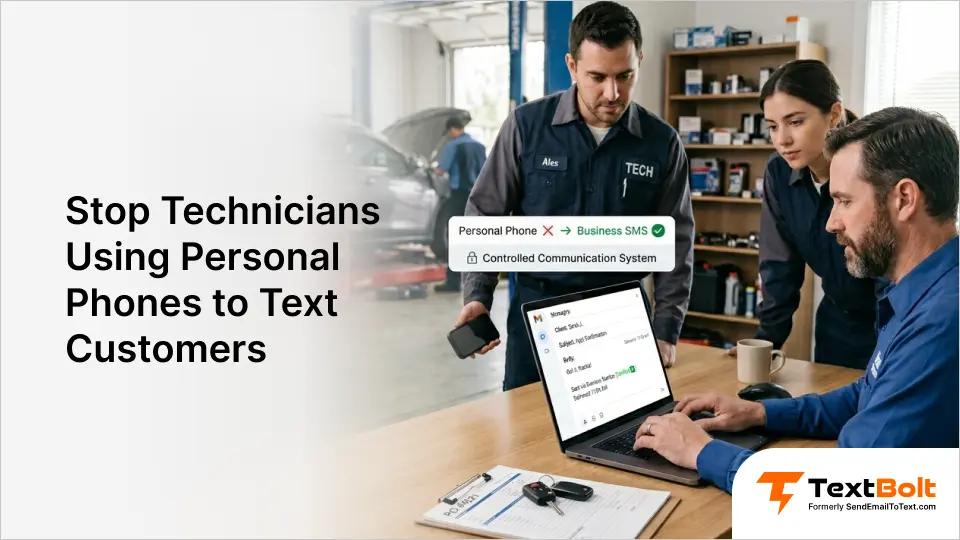
Your technicians are texting customers right now. They’re sending repair updates, asking for approval on additional work, and confirming pickup times from their personal phones.
It gets the job done, but it creates problems you might not see until it’s too late. Customer conversations live on devices you don’t own.
When a technician leaves, those conversations walk out the door with them. There’s no record, no oversight, and no control over what was said or promised.
An email-to-text service for automotive businesses gives your shop a business-owned SMS number that any team member can use from their existing email. No apps, no personal phones, and no lost customer data. Here’s how it works and why it matters.
What Is Business-Owned SMS Messaging for Auto Shops?
It’s a dedicated business phone number your entire team uses to text customers, all from their work email.
Instead of technicians texting from personal cell phones, your shop sends every message through a single professional number. The shop owns the number, the conversations, and the customer relationships.
With email-to-SMS, the process is straightforward. A service advisor composes a regular email, addresses it to the customer’s phone number using a special domain, and hits send. The customer receives a standard text message from your business number.
If a customer replies, the response comes back to the sender’s email inbox. The shop keeps full records. The customer sees a consistent, professional number every time.
This is different from handing a technician a shop phone or asking them to use their own device. There’s no single phone to lose, break, or take home.
Anyone on the team with email access can send emails through text messages on behalf of the shop.
Your Shop’s Texts Should Come From Your Shop’s Number
Stop losing customer conversations when employees leave. Try TextBolt free for 7 days.
Why Do Technicians Use Personal Phones to Text Customers?
Technicians default to personal phones because most shops have never given them a better option.
The habit doesn’t come from bad intentions. It comes from a gap between what customers expect and what the shop provides. Understanding why it happens makes it easier to fix.
1. No Official Texting System in Place
Most auto shops have a phone system for calls and maybe an email for invoices. But when a customer needs a quick update on their vehicle, calling feels slow and email feels too formal.
Technicians reach for their personal phones because nothing else exists. There’s no shop-owned texting tool, so the personal phone fills the gap by default.
The longer this goes on, the harder it becomes to change. Customers save the technician’s personal number. Repeat customers text that number directly. The shop has no visibility into any of it.
2. Personal Phones Feel Faster Than Calling
A text takes 10 seconds. A phone call takes two to three minutes, and that assumes the customer picks up.
Technicians know this. When they need to tell a customer their car is ready or ask for approval on additional work, a quick text gets a ` response.
The problem isn’t the texting itself. It’s that the shop has no record, no oversight, and no control over those conversations.
3. Customers Expect Text Updates
Today’s customers prefer text messages. Most people read a text within minutes of receiving it. When a customer drops off their vehicle, they want updates on their phone, not a voicemail they’ll check hours later- especially for time-sensitive communication like approvals and vehicle repair updates.
Technicians respond to this demand using the only tool available to them. Without a business messaging platform, personal phones become the default.
How Does Email-to-SMS Work for Automotive Shops?
Your team sends a regular email, and the customer receives a standard text message from your business number.
The process uses your shop’s existing email accounts. No new software to install, no app to download, and no training beyond what your staff already knows. Here’s the step-by-step breakdown.
Step 1: Sign Up and Get Your Business Number
Create a TextBolt account and complete business verification. You can set up TextBolt in 10 to 30 minutes. TextBolt handles 10DLC registration, which is required for business texting in the United States.
Approval typically takes up to 48 hours. Once approved, your shop has a dedicated business number ready to use.
Step 2: Compose a Regular Email
Open Gmail, Outlook, or any email client your shop uses. Write the message you want the customer to receive, like “Your vehicle is ready for pickup.”
Keep it short. Standard text messages use 155 characters per segment.
Step 3: Address It to the Customer’s Phone Number
Instead of entering an email address, type the customer’s 10-digit phone number followed by @sendemailtotext.com.
For example: 5551234567@sendemailtotext.com. That’s the only change from sending a normal email.
Step 4: Hit Send
Click send. TextBolt converts your email into an SMS and delivers it to the customer’s phone. The customer sees a text from your business number, not from a random email address or personal phone number.
Delivery status updates appear in your TextBolt dashboard within two to five minutes after sending.
Step 5: Receive Replies in Your Email Inbox
When a customer replies to the text, their response arrives in your email inbox as a regular email reply. You can continue the conversation without switching tools.
Every message, sent and received, is documented in your email account with timestamps and sender identification.
What customers see:
- A text from a professional business number
- Your message content
- The ability to reply normally
What your shop needs to get started:
- Any email account (Gmail, Outlook, or other)
- A TextBolt account with 10DLC approval
- Customer phone numbers
How Does a Business SMS Number Improve Shop Operations?
A business-owned number gives you control over customer conversations, professional appearance, and team-wide access to messaging.
The benefits go beyond looking more professional. Here’s how switching from personal phones to a business number changes daily operations at your shop.
1. Full Data Ownership and Control
When a technician texts from a personal phone, the shop has no access to those conversations. If the technician quits, gets fired, or deletes their messages, the data is gone.
With a business-owned number, every conversation belongs to the shop. Message history lives in your email accounts, not on someone’s personal device.
This matters most when a customer disputes what they were told. You have a complete record to reference.
2. Professional Customer Experience
Customers see a consistent business number every time. They don’t receive texts from random personal numbers that change when staff turns over.
This builds trust. A message from a recognized business number gets opened and read. A text from an unknown personal number often gets ignored or flagged as spam.
3. Team Coverage Without Disruption
When your service advisor is out sick or on vacation, customer communication doesn’t stop. Any team member with email access can send and receive messages from the same business number.
There’s no single point of failure. No one needs to know anyone’s phone passcode. No one needs to carry a shared shop phone.
All plans include 10 user accounts, so your whole front-office team and key technicians can participate without per-user fees.
4. Complete Audit Trail
Every text is logged in your email with timestamps, sender identification, and delivery confirmation. You know exactly who on your team sent what message and when.
When you need to verify a specific message, TextBolt’s dashboard lets you pull up the full details of any individual conversation.
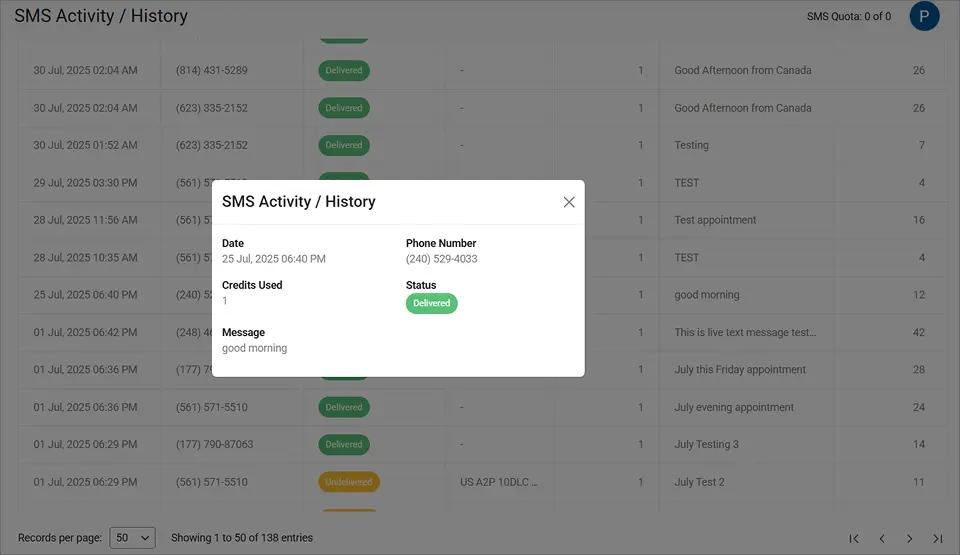
This level of detail creates accountability across your team and gives you documentation for any customer disputes about approved repairs or pricing.
Your shop also gains automatic opt-out handling. When a customer texts STOP, the system processes it. This keeps you compliant with SMS compliance laws without manual tracking.
You can boost customer engagement via SMS while maintaining complete records of every interaction, while also helping reduce missed service appointments through timely updates and reminders.
These operational gains make the case for switching clear. Here are practices that help your team get the most from business texting.
5. Compliance and Liability Protection
Personal phone texting creates compliance risks. If a customer opts out of messages, there’s no system to track that. If a dispute arises, there’s no documentation.
A business-owned number includes built-in opt-out handling. When a customer texts STOP, the system processes it automatically. Your shop stays compliant with SMS compliance laws without manual tracking.
Own Your Customer Conversations
Send professional texts from your shop’s business number. All plans include 10 users with no per-user fees.
What Are Best Practices for Automotive Customer Messages?
The most effective shop messages are short, specific, and sent at the right time.
Getting your team on a business number is the first step. Sending messages that customers actually appreciate is the next one. Here are five practices that work well for automotive shops.
1. Keep Messages Short and Specific
Text messages work best when they’re brief. Stick to one piece of information per message.
Instead of a long paragraph covering the diagnosis, estimate, and timeline, send a focused update: “Your brake inspection is complete. We found the rear pads are worn. Call us at 555-0123 to discuss options.”
Stay under 155 characters per segment when possible. This uses one message credit and keeps the full message from splitting into multiple texts.
2. Include Vehicle Details for Context
Customers with multiple vehicles need context. Always mention the vehicle in your message.
“Your 2019 Honda Civic is ready for pickup” is clearer than “Your car is ready.” It eliminates confusion, especially in households with more than one vehicle at the shop.
This small detail reduces follow-up questions and makes your shop look organized.
3. Time Messages During Business Hours
Send updates during normal business hours when customers can act on them. A “your car is ready” text at 10 p.m. creates frustration, not convenience.
Use Gmail’s built-in schedule send feature to queue messages for the next morning if you finish a repair after hours. The message arrives when the customer can actually come pick up their vehicle.
4. Use a Consistent Sender Identity
Every message should come from your business number. This is automatic when your team uses the email-to-SMS system.
Consistency matters because customers learn to recognize your number. They save it in their contacts as your shop name. Future messages get opened immediately instead of ignored.
This is one of the biggest advantages of moving away from personal phones. No more random numbers that customers don’t recognize.
5. Get Consent Before Sending
Always have customer permission before texting them. Most shops collect this during the intake process with a simple checkbox on the repair order.
Document that consent. If a customer later claims they never agreed to receive texts, your records protect you.
| Personal Phone Texting | Business Number Texting |
| Customer data on employee devices | Customer data owned by the shop |
| No message records after deletion | Permanent records in email |
| Different number for each technician | One consistent business number |
| No opt-out tracking | Automatic STOP keyword handling |
| No oversight of communications | Full audit trail with timestamps |
How Can You Take Control of Customer Texting Without Adding Complexity?
You can replace personal phone texting with a professional business number in under 30 minutes, using the email your team already knows.
Your technicians text customers because it works. The goal isn’t to stop texting. It’s to move those conversations to a system your shop controls.
With email-to-SMS, every message goes through your business number. Every conversation is documented. Every team member can participate. And if someone leaves, the customer relationships stay with your shop.
TextBolt plans start at $29 per month with all plans including 10 user accounts. There are no per-user fees, no apps to install, and no training required. Check TextBolt pricing to find the right plan for your shop.
Over 500 businesses trust TextBolt to send more than 500,000 messages with an up to 98% delivery rate.*
*Delivery rates vary based on carrier policies, message content, and compliance factors.
Frequently Asked Questions
Can technicians still text from their own devices?
Yes. They send texts from their email app on any device. The message goes through your business number, so customers see a professional sender, not a personal phone number. The shop owns all conversation records.
How long does it take to set up a business texting number?
Account creation takes 10 to 30 minutes. After that, 10DLC compliance approval takes up to 48 hours. Once approved, your team can start sending immediately from their email accounts.
What happens to customer conversations when a technician leaves?
All messages are stored in your shop’s email accounts, not on personal devices. When a technician leaves, the conversations, customer numbers, and full history stay with the business.
Do customers know the text came from an email?
No. Customers receive a standard text message from your business phone number. They reply normally, and the response arrives in your team’s email inbox. The process is invisible to the customer.
How many people on our team can send texts?
All TextBolt plans include 10 user accounts with no per-user fees. One admin and up to nine team members share a credit pool and send from the same business number.
Is there a limit on how many texts we can send per day?
TextBolt doesn’t impose daily sending limits. Your capacity depends on your email provider. Gmail allows 500 emails per day for personal accounts and 2,000 for Google Workspace accounts.