
Send Texts From Your Email in Minutes
Email-to-SMS vs SMS Dashboards for Operational Messaging

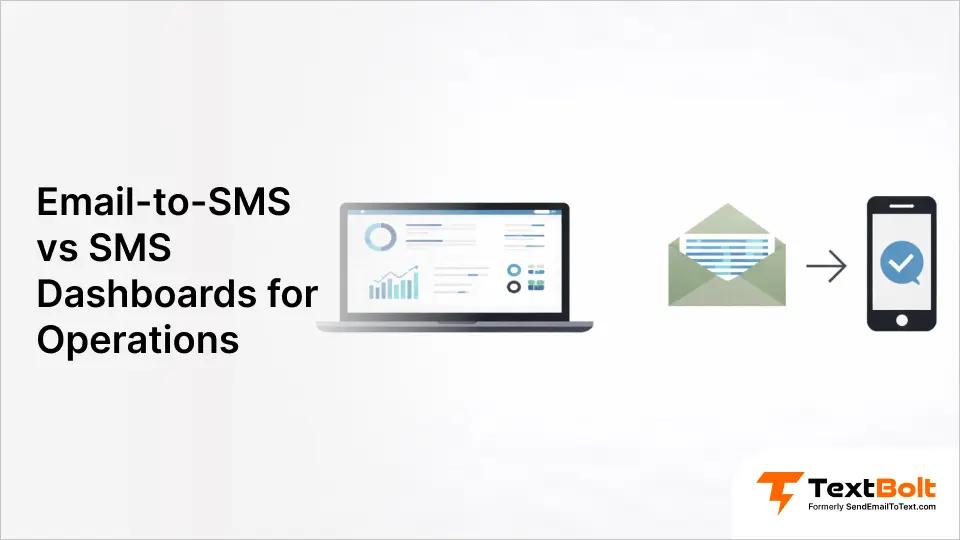
Your front desk sends 50+ appointment reminders daily. Your IT team needs instant alerts when servers go down. Your service team confirms 30+ jobs each afternoon.
Do they need another login, another dashboard, another platform training session? Or should they just send texts from the Gmail inbox they already check 100 times a day?
This guide compares two approaches to business text messaging: simple email gateway services (like TextBolt) versus feature-rich dashboard platforms (like SimpleTexting or EZ Texting). We’re focusing specifically on operational messaging—appointment reminders, system alerts, service confirmations—where workflow simplicity matters more than marketing automation features.
The right solution depends on your team size, workflow, and whether you’re running SMS marketing campaigns or just need reliable daily communications. Here’s how to choose.
What is a Dashboard SMS Platform?
A dashboard SMS platform is a dedicated web-based application you log into separately to manage text messaging. Popular platforms like SimpleTexting, EZ Texting, and TextMagic provide full-featured portals where businesses create campaigns, manage subscriber lists, and track message performance through visual dashboards.
Core features designed for marketing teams:
- Campaign management with subscriber list building and segmentation
- Advanced analytics (delivery rates, click-through rates, revenue attribution, engagement scoring)
- Visual automation builders for drip sequences and triggered campaigns
- Contact segmentation by purchase history, demographics, or engagement level
- A/B testing and conversion tracking
- E-commerce integrations for abandoned cart recovery
Primary users: Marketing teams running promotional campaigns, e-commerce businesses managing customer lifecycle messaging, and retail operations building subscriber databases.
Real-world example: A retail chain uses their SMS dashboard to manage 12,000 promotional subscribers. They log into the platform, segment customers by purchase history, create a weekend sale campaign with a trackable discount code, schedule the blast for Friday morning, and track results showing 847 clicks generating $18,500 in attributed revenue. The dashboard provides detailed analytics on which customer segments converted best.
The tradeoff for operational messaging: These marketing-focused features add complexity when your team just needs to send “Your appointment is tomorrow at 2 PM” or “Server alert: Database backup failed.” Logging into a separate dashboard, navigating campaign builders designed for marketing automation, and managing contacts in yet another platform disrupts workflow for routine operational communications.
Many dashboard platforms also offer email-to-SMS gateway features, but their primary interface remains the dashboard, requiring staff to leave their email workflow to send messages.
What is Email-to-SMS?
Email to SMS converts your regular emails into text messages without requiring a separate platform login. Services like TextBolt provide a simple gateway: you send an email to a special address format, and the recipient instantly receives your message as a standard SMS on their phone.
How the email gateway approach works:
- Compose in your existing email client (Gmail, Outlook, Apple Mail, any email app you already use)
- Address format: phonenumber@sendemailtotext.com (example: 5551234567@sendemailtotext.com)
- Write your message in the email body exactly as you normally write emails
- Hit send – recipient receives your message as SMS within seconds
The workflow advantage: You never leave your email inbox. No separate platform to log into, no new interface to learn, no dashboard credentials to remember. Your team already opens Gmail 100+ times daily—now that’s also your SMS platform.
SMS replies as emails: When recipients reply to your text, their response comes back to your email inbox as a standard email reply. Full two-way conversations happen entirely within email. No need to check a separate dashboard to see if someone responded.
Primary users who benefit most:
- Healthcare practices: Front desk staff sending 50+ daily appointment reminders while managing phones, check-ins, and EMR EMR—helping to reduce patient no-shows with consistent communication
- IT departments: On-call engineers receiving critical server alerts triggered by monitoring systems (Nagios, Zabbix, PRTG)
- Service businesses: Dispatchers confirming 30+ daily service appointments from their scheduling software
- Educational institutions: Administrators sending emergency alerts to parents without platform training
- Multi-location teams: 10+ staff members who need simultaneous SMS access without per-user licensing fees
Real-world example: A dental practice with 4 front desk staff across 2 locations needs to send appointment reminders. Instead of paying $119/month for a dashboard platform with per-user fees ($39 base + $20 × 4 users), they use TextBolt’s email gateway at $49/month flat rate. Each staff member sends reminders from their Gmail account while viewing patient charts. When patients reply “Can I reschedule?”, the response goes directly to that staff member’s email inbox. Zero training required—everyone already knows how to send an email.
The platform vs gateway difference: Dashboard SMS platforms like SimpleTexting offer email-to-SMS as a feature alongside their main dashboard interface, but their workflow still centers on logging into the platform for campaign management and analytics. Email gateway services like TextBolt make email the primary interface—the dashboard exists only for account management and delivery tracking, not for daily message sending.
Start Sending Texts from Gmail
No dashboard to learn. No platform fees. Just email phonenumber@sendemailtotext.com and your message will be delivered as an SMS. Try TextBolt free for 7 days with 10 message credits.
Email Gateway vs Dashboard SMS: Which Approach Fits Your Workflow?
The choice isn’t about which platform has more features—it’s about which approach matches how your team actually works. Here’s what matters for operational messaging teams:
| What This Means for Your Team | Email Gateway SMS (TextBolt) | Dashboard SMS Platforms (SimpleTexting, EZ Texting) |
| Where you send messages from | The Gmail or Outlook inbox you already have open all day | A separate web platform you log into specifically for texting |
| What your staff needs to learn | Nothing—they already send 50+ emails daily | New platform navigation, campaign builders, contact management interface |
| Setup time for new hires | 30 seconds to add their email address | 1-2 hours training on dashboard features and workflows |
| When someone replies to your text | Reply appears in your email inbox as a normal email thread | You must log into the dashboard to check for replies (separate from email) |
| Adding 5 team members | Included in your $49/month plan—no extra cost | Base plan $39 + ($20 × 5 users) = $139/month |
| Adding 10 team members | Still included in your $49/month plan | Base plan $39 + ($20 × 10 users) = $239/month |
| How you manage contacts | Use Google Contacts or Outlook contacts you already maintain | Build and maintain a separate contact database in the dashboard |
| Sending to a group | Select contact group in Gmail, send one email, everyone gets individual SMS | Upload list to dashboard, create campaign, send through platform interface |
| When staff member leaves | Remove their email access in 30 seconds—done | Revoke dashboard credentials, reassign conversations, update team permissions |
| Connecting to your business systems | Monitoring tools (Nagios, PRTG) and CRMs can trigger SMS via email | Requires API integration or Zapier connections for most business software |
| Tracking who sent what message | Dashboard shows: “jessica@clinic.com sent at 2:15 PM, delivered 2:15:03 PM” | Dashboard shows user activity and message attribution (with individual logins) |
| Analytics you actually need | Delivery confirmation, message history, sender identification | Campaign ROI, click-through rates, revenue attribution, subscriber engagement scores |
| Best use case | Front desk sending 50 daily appointment reminders while managing phones and check-ins | Marketing team running weekend promotion to 5,000 subscribers with discount tracking |
| Workflow context switching | Zero—stay in email where you already work | Constant—jump between email, your business software, and SMS dashboard |
| What happens during staff turnover | New person already knows email—productive immediately | Must retrain each |
Email-to-SMS vs SMS dashboards: The key differences
1. Workflow Integration: Where You Actually Send Messages
SMS Dashboards:
Dashboard platforms require logging into a separate web application every time you need to send messages. This creates workflow disruption through constant context switching—your staff jumps between their email inbox, your business software (EMR, CRM, scheduling tool), and now a third platform just for SMS.
Pain point example: You’re confirming insurance in Epic. Need to send a reminder. Exit Epic, log into the dashboard, send text, return to Epic. Three separate tools for one task.
Email-to-SMS:
Email-to-SMS lets you send from your existing email inbox. Zero context switching. No additional credentials to manage.
Example: You send the reminder while viewing the patient’s chart. Email phonenumber@sendemailtotext.com from Gmail. Message sent. Never left your inbox.
Winner for operational messaging: Email-to-SMS eliminates workflow disruption.
2. Learning Curve and Training
SMS Dashboards:
SMS dashboards require 1 hour of platform training. Your staff must learn dashboard navigation, campaign builders, and contact management. Staff turnover means retraining costs. Features designed for marketing campaigns are overkill for operational texts.
Overkill example: EZ Texting offers drip sequences, A/B testing, and subscriber segmentation. You just need to send “Your oil change is ready.”
Email-to-SMS:
Email-to-SMS has zero learning curve. If you can email, you can text. Admin setup takes 10-30 minutes, plus up to 48 hours for 10DLC approval. New hires already know email (no training needed).
Example: Your colleague covers your shift. Never use your texting system. With email-to-SMS, they just send an email. Zero training. Immediately productive.
Winner: Email-to-SMS requires no training.
3. Team Access and Collaboration
SMS Dashboards:
SMS dashboards charge per-user fees. SimpleTexting charges $20/month per user, EZ Texting charges $10/month per user. Shared login means no accountability (can’t see who sent what). Individual logins mean costs escalate fast.
Cost example: You have 4 front desk staff. SimpleTexting charges $20 per user. That’s $80/month just for team access, on top of the $39 base plan. Total: $119/month.
Email-to-SMS:
Email-to-SMS with TextBolt includes 10 user accounts on all plans (Basic, Standard, Professional, Enterprise). No per-user fees. Flat monthly rate covers the entire team. Each staff member sends from their own email. Complete audit trail in dashboard (see exactly who sent what and when).
Example: You add 10 users to TextBolt’s Standard plan ($49/month). Each is sent from Gmail. Dashboard shows “User sent message at 2:15 PM.” Zero extra cost for team access.
Winner: Email-to-SMS provides team collaboration without escalating costs.
4. Message Management and Tracking
SMS Dashboards:
SMS dashboards provide advanced marketing analytics (revenue tracking, campaign ROI, click rates). They offer subscriber segmentation and engagement metrics. Visual campaign performance dashboards. Best for measuring marketing effectiveness.
Example: Your SMS dashboard tracks that your weekend promotion generated $5,000 in sales, with a 15% click-through rate and 3% conversion.
Email-to-SMS:
Email-to-SMS dashboards show delivery status, message history, and sender identification. SMS replies come to your email inbox (no dashboard for conversations). Focused on operational needs: delivery confirmation and conversation threading. Searchable message history in Gmail with timestamps.
Example: Dashboard confirms “50 appointment reminders delivered.” Patients reply “Confirmed” or “Need to reschedule” directly to your Gmail. You respond from email. Patient receives an SMS.
Winner for marketing metrics: SMS Dashboards
Winner for operational messaging: Email-to-SMS keeps conversations in your inbox.
Keep Conversations in Your Inbox, Not Another Dashboard
SMS replies come to your email automatically. Your team stays productive without switching tools. See how TextBolt eliminates platform juggling for operational messaging.
5. Automation Capabilities
SMS Dashboards:
SMS dashboards offer powerful marketing automation (welcome sequences, abandoned cart recovery). Visual workflow builders for complex campaigns. Trigger-based drip sequences. Best for scheduled promotional campaigns.
Example: Omnisend sends a welcome text on signup, a follow-up after 3 days if no purchase, discount code after 7 days. All automated through the visual workflow builder.
Email-to-SMS:
Email-to-SMS uses Gmail native tools (Schedule Send, filters, email rules). Integrates with IT monitoring systems and business software. Trigger SMS based on incoming emails (system alerts, form submissions). Best for operational automation tied to existing workflows.
Example: Nagios detects server down, sends alert email, TextBolt converts to SMS, your on-call engineer receives text immediately. The IT system triggers SMS without manual intervention.
Winner for marketing automation: SMS Dashboards
Winner for operational automation: Email-to-SMS works with existing business systems.
6. Bulk Sending and Contact Management
SMS Dashboards:
SMS dashboards provide built-in contact list management. Advanced segmentation (purchase history, engagement level). Import/export subscriber lists. Best for managing large marketing databases.
Email-to-SMS:
Email-to-SMS integrates with Google Contacts (send to individuals or groups). Bulk select contact group, send one email, delivers individual SMS to each contact. Leverages contact management you already use. No need to duplicate contacts in separate platform.
Example: You have a “Friday Patients” group in Google Contacts (50 people). Select group, send one email, deliver 50 individual appointment reminders. Contacts stay in Gmail where you already manage them.
Winner for marketing lists: SMS Dashboards
Winner for operational contacts: Email-to-SMS uses existing contact management.
7. Cost Comparison
SMS Dashboards:
SimpleTexting costs $39/month base plus $20 per additional user. EZ Texting costs $25/month base plus $5-10 telecom surcharge plus $10 per user. Hidden costs add up fast with team access.
Real cost example: You need 4 users on SimpleTexting. Base: $39/month. Users: $20 × 4 = $80/month. Total: $119/month.
Email-to-SMS (TextBolt):
- Basic: $29/month (500 credits, 10 users included).
- Standard: $49/month (1,000 credits, 10 users included).
- Professional: $99/month (2,500 credits, 10 users included). No hidden fees, no per-user charges.
Example: Standard plan = $49/month for 1,000 messages plus 10 users. Your entire team sends texts for one flat rate.
Winner: Email-to-SMS offers predictable pricing without per-user escalation.
Choosing the Right Solution for Your Business
Choose Email-to-SMS If You Need:
- Operational messaging (appointment reminders, confirmations, system alerts)
- Team access without paying per user (10 users included on all plans)
- Zero learning curve (your staff already know email)
- No workflow disruption (send from your existing inbox, not a separate platform)
- IT system integration (monitoring tools convert email to SMS)
- Healthcare communications (HIPAA considerations for patient messaging)
- Conversation continuity (SMS replies in your email, not a separate dashboard)
- Google Contacts integration (send to groups directly from contacts you already manage)
- Predictable costs (flat monthly rate regardless of team size)
Choose SMS Dashboard If You Need:
- Marketing campaigns (promotional blasts, subscriber list building)
- Advanced analytics (revenue per campaign, A/B testing, engagement tracking)
- E-commerce integration (abandoned cart recovery, post-purchase sequences)
- Visual automation builders (complex marketing funnels with multiple touchpoints)
- Subscriber segmentation (target messages by purchase history, demographics)
For operational messaging, email-to-SMS eliminates workflow disruption while costing significantly less than SMS dashboards with per-user fees.
Streamline Operational Messaging With TextBolt
Dashboard SMS platforms excel at marketing campaigns with subscriber management, advanced segmentation, and revenue attribution analytics. If you’re running promotional SMS campaigns, building subscriber lists, or need detailed marketing automation, platforms like SimpleTexting or EZ Texting provide the tools you need.
But for operational messaging appointment reminders, system alerts, service confirmations email gateway SMS eliminates the complexity and cost that dashboard platforms introduce.
TextBolt’s email gateway approach delivers:
- Zero workflow disruption: Send texts from Outlook or Gmail while viewing patient charts, service tickets, or monitoring dashboards—never leave your existing workflow
- No platform training required: Your team already knows email, which means they already know how to send SMS through TextBolt’s gateway
- Flat-rate team access: 10 users included on all plans ($29-$99/month) with no per-user fees—save $840-$1,320 annually compared to dashboard platforms charging per seat
- Replies in your inbox: SMS responses come directly to your email as standard replies, not trapped in a separate dashboard requiring another login
- Automatic 10DLC compliance: Business verification and carrier approval handled for you, ensuring up to 98% delivery rates* without you managing complex registration
- Team resilience: When staff leave, no critical knowledge disappears—everyone knows how to send an email, and new hires are productive immediately
The migration is simple: Export your contacts, complete TextBolt’s 10-minute setup, submit business verification for automatic 10DLC approval (48 hours), and your entire team starts sending professional SMS from their email inbox. Most teams are fully operational the same-day after approval.
Ready to eliminate platform juggling? Start your TextBolt free 7-day trial with 10 message credits included. No dashboard training, no per-user fees, no workflow disruption. See pricing plans.
*Delivery rates vary based on carrier policies, message content, and compliance factors.
Frequently Asked Questions
Can email-to-SMS handle large volumes like SMS dashboards?
Yes. TextBolt supports bulk sending via Google Contacts groups. Volume limits depend on your email provider (Gmail Workspace: 2,000/day), not TextBolt. Most operational messaging stays well below these limits.
Do SMS dashboards have better delivery rates than email-to-SMS?
Both achieve high delivery with 10DLC compliance. TextBolt delivers up to 98%. Same range as major SMS dashboards. The difference is in workflow: email-to-SMS uses familiar email, and dashboards require separate logins.
Can I receive SMS replies with email-to-SMS?
Yes. TextBolt sends SMS replies directly to your email inbox as standard email replies. No dashboard login needed. SMS dashboards keep replies in their platform, requiring you to check two places.
Is email-to-SMS suitable for marketing campaigns?
Email-to-SMS works for marketing but SMS dashboards offer superior features (drip campaigns, A/B testing, revenue tracking). For operational messaging (reminders, alerts, confirmations), email-to-SMS eliminates unnecessary complexity.
What happens if staff leave? Can they still send from our business number?
With email-to-SMS, simply remove their email access. They never had dashboard credentials. SMS dashboards require revoking individual logins or changing shared passwords for team security.
Do I need technical skills to use email-to-SMS?
No. If you can send an email, you can send a text. Compose in Gmail/Outlook, address to phonenumber@sendemailtotext.com, send. SMS dashboards require platform training.