GitLab CI Pipeline Failure Text: Reach Engineers Within the 5-Minute Incident Window
Turn any GitLab CI pipeline failure into an instant text/SMS to the on-call engineer, from a 10DLC business number.
-
 Add the gateway address to a notify stage on failure
-
Text arrives on a registered 10DLC business number
-
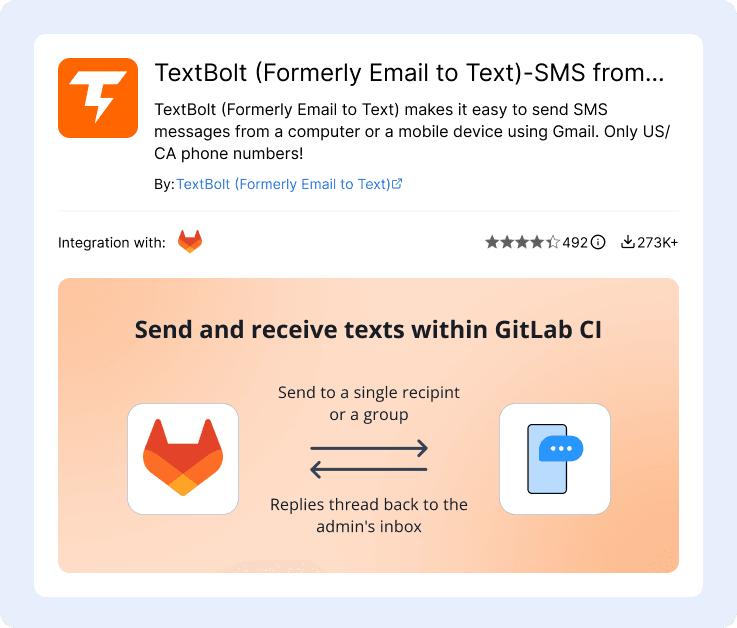
Replies thread back to the engineer’s email inbox



Adding Reliable Text on Top of Your GitLab CI Pipelines
GitLab CI ships pipeline status emails and a Slack integration, but the static recipient list, deprecated Slack channel, and alert fatigue leave gaps that block on-call response. TextBolt slots in on top of any notify stage and turns pipeline failure events into 10DLC-compliant SMS. Six challenges CI/CD engineers, release engineers, DevOps, SREs, and engineering team leads hit when they need SMS from GitLab CI.

The Official GitLab Slack Notifications Integration Is Marked Deprecated
The official Slack notifications integration is labeled deprecated on GitLab Docs. Documented reliability issues include rate-limit handling (#356896), cancelled-pipeline false positives marked as failed (#217842), and only-default-branch filtering (#18905). On top of the deprecation, Slack quiet hours, do-not-disturb, and channel mute silence pipeline failure notifications during the high-risk windows.

Pipeline Status Emails Aren’t Customizable and Hit a Static Recipient List
Per GitLab Docs, the Pipeline status emails integration sends to a comma-separated email list with no per-job, per-environment, or per-author routing. Issues #19743 (“Can I change default email notification template?”), #24841, and #53068 (“Send Email notifications at GitLab CI stage level”) have been open for years with no shipped fix. The same recipient list goes for scheduled pipelines, push pipelines, merge request pipelines, and deploy pipelines.

Custom SMS Alerts Need a GitLab Webhook + Twilio Functions Setup
GitLab’s own published guidance on SMS alerts requires configuring a GitLab webhook, writing a Twilio Function in Node.js, parsing the webhook payload, and calling Twilio Programmable Messaging. Twilio account, Twilio Functions runtime, Node.js code maintenance, Twilio API credentials in GitLab CI variables, and 10DLC campaign registration all fall on the engineering team. Same overhead applies to Vonage / Nexmo Messages alternatives.

GitLab.com’s Own SRE Process Treats Pipeline Failures as 5-Minute Incidents
Per GitLab’s own Release docs: “If you cannot resolve the failure within 5 minutes, declare an incident if needed and work to rapidly resolve it.” GitLab Duo Root Cause Analysis (AI) helps with diagnosis after a failure, but doesn’t reach the engineer in time. Email notifications hit inboxes where alert fatigue makes them invisible; Slack notifications are silenced overnight. The 5-minute window passes before the team knows.

Different Pipeline Audiences Need Different Routing, but the Default Sends Everywhere
The Pipeline status emails recipient list is static across scheduled pipelines, push pipelines, merge request pipelines, and deploy pipelines. GitLab Forum threads on “filter Slack to specific branches” and “additional emails for failed scheduled builds” are long-running community workaround requests. Engineers either get bombarded with pipeline emails (and create inbox rules to delete them) or miss the production-critical pipeline failure.

Full On-Call Platforms Are Heavyweight for Pipeline-Failure SMS
PagerDuty, Opsgenie, Zenduty, Better Stack, Grafana OnCall, and Rootly are excellent full on-call management platforms with rotation engines, escalation policies, post-mortems, runbook automation, and integrations across the SRE stack. For 5-15 person engineering teams that just need a pipeline-failure SMS to the on-call engineer, the platform-level commitment is disproportionate to the job.
How TextBolt Adds SMS to GitLab CI
TextBolt connects any GitLab CI notify stage or Pipeline status email recipient to a registered 10DLC business number so pipeline failure events become SMS. The GitLab project, .gitlab-ci.yml file, and on-call rotation stay where they are. SMS capability gets added on top, with no Twilio Function in Node.js and no webhook handler to maintain.

Send SMS from GitLab CI Pipeline Failures Instantly
Add a notify stage with when: on_failure to your .gitlab-ci.yml and call mailx or curl-to-mail with the gateway address as the recipient. The on-call engineer’s phone gets an SMS in seconds from your toll-free business number. Same workflow on freestyle pipelines, scheduled pipelines, merge request pipelines, deploy pipelines, and Auto DevOps.

10DLC-Compliant Business Number
TextBolt registers your sender identity with The Campaign Registry during onboarding. SMS routes through carrier-approved 10DLC infrastructure, not a personal cell or unregistered traffic. Up to 98% delivery rate, professional toll-free number, no carrier filtering on the recipient side. Carrier 10DLC approval typically takes 1-2 business days.

Works with Your Existing notify Stage on Failure
TextBolt is a gateway email address, not a GitLab integration or marketplace listing. There is nothing to install in your project, no Twilio Function in Node.js, no webhook handler. The notify stage your team already uses (or the Pipeline status emails recipient list) points at the gateway and the failure email becomes an SMS.

Multi-User Access for the Whole On-Call Rotation
Standard plan ($49/month) and Professional plan ($99/month) include multi-user access for up to 10 team members on one shared TextBolt account. The on-call rotation, release engineers, platform team, and engineering leads share one account and one toll-free number. No per-seat fees inside the 10-engineer cap.

Two-Way Replies to the Engineer’s Inbox
When the on-call engineer texts back to acknowledge or escalate, the reply lands as an email in the engineer’s inbox, threaded with the original GitLab CI failure notification when possible. The platform team and engineering leads see the response and can reply by sending another email. No webhook to maintain.

Beyond the Static Pipeline Status Email Recipient List
GitLab’s native Pipeline status emails sends to a single comma-separated list across all pipeline types. TextBolt sits on top of any notify stage so different pipelines can route to different SMS recipients: deploy pipelines page the on-call engineer, scheduled pipelines page the platform team, merge request pipelines page the author. Different jobs, different routing.
Performance Metrics

Up to 98%
SMS Delivery Rate

Two-Way
SMS Replies to Your Inbox

Carrier-Grade
Routes & Infrastructure

Up to 10
Team Members on Shared Account
Set Up GitLab CI SMS Notifications in About 30 Minutes
Hands-on setup takes around 30 minutes for the TextBolt account, business number, and the gateway address inside your notify stage or Pipeline status emails recipient list. TextBolt handles 10DLC business verification with The Campaign Registry on your behalf in parallel; carrier approval typically takes 1-2 business days.
01 Sign Up for TextBolt
Create your TextBolt account using your engineering team’s email. Account creation takes about 2 minutes. The account is web-based and works alongside any GitLab CI deployment (GitLab.com SaaS, GitLab Self-Managed, or GitLab Dedicated).
02 Choose a Toll-Free Business Number
Pick a dedicated toll-free number for outbound SMS. One-time $45/year setup fee. The number is the sender ID on every pipeline failure SMS, so engineers can save it in their phone’s address book and recognize the alert at 2am. Same number across all GitLab projects, group-level pipelines, and shared CI configuration.
03 TextBolt Handles 10DLC Business Verification
Provide your business details during onboarding. TextBolt handles 10DLC business and campaign registration with The Campaign Registry on your behalf. Carrier approval typically takes 1-2 business days; the rest of the setup runs in parallel.
04 Add a notify Stage with when: on_failure
In your .gitlab-ci.yml, add a notify stage that runs only when an upstream job fails. Use mailx or curl-to-mail to send to +15551234567@sendemailtotext.com. Alternatively, add the gateway address to the Pipeline status emails recipient list under Settings, Integrations.
05 Apply Across Includes and Group Templates
Define the SMS notify stage once in a shared YAML file (e.g. templates/notify.yml) and reference it from every project’s .gitlab-ci.yml via include:. Apply at the group level so every project that inherits the shared CI configuration gets pipeline failure SMS automatically.
06 Invite Up to 10 Engineers
Add the on-call rotation, release engineers, platform team, and engineering leads to the shared TextBolt account. Each engineer’s reply to a pipeline failure SMS lands in the team’s email inbox, so the whole team can see acknowledgments and follow-ups in the same email thread GitLab CI started.
Three Ways to Send SMS from GitLab CI
1. Notify Stage with when: on_failure
The canonical GitLab CI failure-notification path. Add a notify stage to your .gitlab-ci.yml with when: on_failure and a script: block calling mailx or curl-to-mail with +1[phone]@sendemailtotext.com as the recipient. The job’s failure context becomes the SMS body.
2. Pipeline Status Emails Recipient List
Open the project’s Settings, Integrations, Pipeline status emails. Add the gateway address +1[phone]@sendemailtotext.com to the comma-separated recipient list alongside the existing email addresses. Tick “Notify only broken pipelines” if you only want SMS on failures.
3. Shared CI Configuration via include:
Define the notify stage once in a shared YAML file (group-level template, organization-level template, or a centralized templates/notify.yml). Reference from every project’s include: directive. Every project that adopts the shared template gets SMS-to-on-call automatically.
GitLab CI Workflows That Send SMS Through TextBolt
Six common GitLab CI scenarios where SMS to the on-call engineer or release lead beats email-and-Slack alone. Each links a GitLab pipeline failure event to an SMS on the responsible engineer’s phone in seconds.
CI/CD Engineers Running GitLab.com or Self-Managed
Add a notify stage with when: on_failure to .gitlab-ci.yml on production-blocking jobs (release builds, deploy pipelines, integration test runs). The release engineer sees a pipeline failure SMS the moment it happens, regardless of whether the runner is on GitLab.com SaaS, on a self-managed instance, or on GitLab Dedicated.
DevOps and Platform Engineers Maintaining Shared CI Configuration
Maintain group-level and organization-level CI/CD templates referenced via include: across dozens or hundreds of projects. Define the SMS notify stage once in the shared template and every project that inherits it gets pipeline failure SMS automatically. No per-project plugin or webhook configuration.
Engineering Team Leads at GitLab Premium / Ultimate Customers
Lead engineering teams running production deploys through GitLab Auto DevOps, deploy boards, or custom .gitlab-ci.yml pipelines. Have outgrown the deprecated Slack integration and uncustomizable Pipeline status emails. TextBolt covers the SMS-to-on-call hop with up to 10 engineers on a shared account, audit trails per alert, and replies in the engineer’s email inbox.
SREs and Platform Engineers Running GitLab Self-Managed for Compliance
Run GitLab Self-Managed in air-gapped or sovereignty-constrained environments where every notification needs an audit trail and every sender needs business verification. TextBolt’s 10DLC-compliant business number, timestamped audit logs, and exportable history align with the same compliance posture that drove the GitLab Self-Managed choice.
Enterprise Engineering Organizations in Regulated Environments
Financial services, healthcare technology, and government engineering teams running GitLab Self-Managed under SOC 2, ISO 27001, or sector-specific compliance regimes. Every pipeline failure SMS lands with a registered 10DLC sender, complete audit trail, and timestamps suitable for the change-management and security review workflow.
Open-Source Maintainers Running Public Projects on GitLab.com
Public open-source projects on GitLab.com using the shared GitLab Runner pool. Add the gateway address to the maintainer team’s notify stage on critical release workflows. The full maintainer team sees release failures in seconds, regardless of who triggered the pipeline. Free Tier and paid Tier projects work the same way.

Built for Compliance and Security

10DLC Compliant

Carrier Approved

Complete Audit Trail
Three SMS Jobs to Be Done with GitLab CI
Engineering teams pick a GitLab CI SMS path based on the scope of incident response they need. Full on-call platforms cover the whole on-call program. DIY API paths cover full programmability via Twilio Functions or Vonage. TextBolt covers the pipeline-failure SMS hop for teams that just need the on-call engineer reached. Pick the one that matches the job to be done.
Full On-Call Management Platforms
For complete on-call programs
PagerDuty, Opsgenie, Zenduty, Better Stack, Grafana OnCall, and Rootly are full on-call platforms with rotation engines, escalation policies, post-mortems, runbook automation, and integrations across the SRE stack. The right fit when on-call engineering is a formal program.
-
 On-call rotation engine with escalation policies
-
Post-mortem and runbook automation
-
Free tiers exist (Opsgenie, Grafana OnCall, Rootly)
-
Best when incident response is a formal practice
-
Different scope than just pipeline-failure SMS
Recommended

$49/month (Standard plan)
Email-to-SMS gateway built for GitLab CI notify stages and Pipeline status emails. Configure the gateway address as a recipient on pipeline failure and the email becomes an SMS from your business number. Replies thread back into the engineer’s email inbox.
-
 Up to 98% delivery rate
-
10DLC-compliant business number
-
Multi-user access for up to 10 team members
-
Replies thread back to the admin’s inbox
-
Reach the engineer within the 5-minute incident window
-
No Twilio Function in Node.js, no webhook handler
DIY API Path: Twilio Functions, Vonage, or Custom SMTP
For full programmability
Twilio is a leading SMS API; combined with a GitLab webhook and a Twilio Function in Node.js, it gives engineering teams full programmability and infinite branching logic. Vonage and Nexmo Messages offer the same path with different APIs. Custom SMTP steps work too.
-
Twilio is a leading SMS API with deep documentation
-
Vonage and Nexmo offer alternative SMS APIs
-
Per-message vendor billing and 10DLC registration
-
Best when engineering owns the SMS routing logic
-
Ongoing Function code and credentials to maintain
How Engineering Teams Use TextBolt with GitLab CI
Three ways customers route SMS through GitLab CI with TextBolt: closing the deprecated-Slack reliability gap, replacing a Twilio Functions setup, and adding SMS to a shared CI template so every project inherits it.
Why GitLab CI Teams Choose TextBolt
The numbers that matter when adding SMS to a GitLab CI pipeline failure notification stack.
Up to 98%
SMS Delivery Rate
30 min
End-to-End Setup
$49/mo
Standard Plan, 10 Users
4.4★
Workspace Marketplace (493 reviews)
Frequently Asked Questions
Can GitLab CI send SMS notifications natively?
No. GitLab CI ships Pipeline status emails (a static comma-separated recipient list) and a Slack notifications integration that is currently marked deprecated on GitLab Docs. To send SMS reliably from a GitLab pipeline, point a notify stage with when: on_failure at an email-to-SMS gateway like TextBolt. Add the gateway address +1[phone]@sendemailtotext.com as the recipient and the failure email becomes an SMS from your registered 10DLC business number.
Is GitLab’s official Slack notifications integration deprecated?
Yes. The official Slack notifications integration is labeled deprecated on GitLab Docs (docs.gitlab.com/user/project/integrations/slack/). Documented reliability issues include rate-limit handling (issue #356896), cancelled-pipeline false positives marked as failed (#217842), and only-default-branch filtering (#18905). On top of the deprecation, Slack quiet hours, do-not-disturb, and channel mute silence pipeline failure notifications during the high-risk windows. TextBolt’s SMS path is independent of Slack and reaches phones directly when chat notifications are silenced.
Why can’t I customize the GitLab Pipeline Status Emails template?
GitLab’s Pipeline status emails integration sends to a static comma-separated email list with no template customization, no per-job routing, no per-environment routing, and no per-author routing. Long-standing GitLab issues #19743 (“Can I change default email notification template?”), #24841, and #53068 (“Send Email notifications at GitLab CI stage level”) have been open for years with no shipped fix. TextBolt sits on top of any notify stage so different pipelines can route to different SMS recipients without waiting for GitLab to ship template customization.
How do I send SMS from GitLab CI without setting up Twilio Functions?
Add a notify stage with when: on_failure to your .gitlab-ci.yml with a script: block calling mailx or curl-to-mail. Use +1[phone]@sendemailtotext.com as the recipient. There is no Twilio account, no Twilio Functions runtime, no Node.js Function code, no webhook handler, and no Twilio API credentials in GitLab CI variables. The notify stage’s failure context becomes the SMS body.
Does this work with shared CI/CD configuration via include?
Yes. Define the SMS notify stage once in a shared YAML file (group-level template, organization-level template, or a centralized templates/notify.yml) and reference it from every project’s .gitlab-ci.yml via include:. Every project that adopts the shared template inherits the SMS-on-failure behavior automatically. Apply at the group level so every project under the engineering group benefits with no per-project configuration.
How is TextBolt different from PagerDuty, Opsgenie, or Zenduty for GitLab CI?
PagerDuty, Opsgenie, Zenduty, Better Stack, Grafana OnCall, and Rootly are full on-call management platforms with rotation engines, escalation policies, post-mortems, and integrations across the SRE stack. They’re the right fit when on-call engineering is a formal program. TextBolt covers a different, lighter job: just the SMS-to-on-call hop for the pipeline failure. The two approaches each cover different SMS jobs and tend to be picked alongside, not instead of, TextBolt: small engineering teams pick TextBolt; mature SRE programs pick an on-call platform and may still use TextBolt for the lighter notification surface.
Is sending SMS from GitLab CI with TextBolt 10DLC compliant?
Yes. TextBolt registers your sender identity with The Campaign Registry as part of onboarding, so SMS sent from GitLab CI through TextBolt routes through carrier-approved 10DLC infrastructure. This satisfies FCC business SMS requirements. Carrier 10DLC approval typically takes 1-2 business days, separate from the 30-minute hands-on setup. TextBolt is not HIPAA compliant; healthcare prospects with PHI requirements should contact sales for Enterprise options.
Can the on-call engineer reply to the SMS, and where does the reply go?
Yes. When the on-call engineer texts back to acknowledge or escalate, the reply arrives as an email in the engineer’s email inbox, threaded with the original GitLab CI failure notification when possible. The team lead and platform team see acknowledgment in the same email thread the pipeline failure email started. No webhook required.
Does this work with GitLab Self-Managed and GitLab Dedicated?
Yes. The TextBolt gateway address works the same way on GitLab.com SaaS, GitLab Self-Managed, and GitLab Dedicated. Any notify stage that can send email (via mailx, curl-to-mail, or Pipeline status emails) can email the gateway address. For air-gapped GitLab Self-Managed installations, the runner needs outbound SMTP access to the TextBolt gateway; check with your network team. The 10DLC business number, audit trail, and multi-user access work identically across all three deployment types.
How long does it take to set up GitLab CI SMS notifications with TextBolt?
About 30 minutes of hands-on configuration: TextBolt account creation, toll-free number selection, and adding the gateway address to a notify stage or Pipeline status emails recipient list. Carrier 10DLC business verification runs in parallel and typically takes 1-2 business days. Once your number is approved, the on-call team gets a pipeline failure SMS the next time a job fails.
How much does it cost to send SMS from GitLab CI with TextBolt?
Basic plan starts at $29/month for 500 SMS credits and a single user. Standard plan is $49/month for 1,000 credits with multi-user access for up to 10 team members on a shared account. Professional plan is $99/month for 2,500 credits with the same 10-user shared access. Enterprise plans cover 5,000+ credits with custom team sizes. There is a one-time $45/year setup fee for the toll-free business number. Annual plans include a 20% discount.
Reach the On-Call Engineer Within the GitLab 5-Minute Incident Window
Send compliant business SMS from GitLab CI pipeline failures in about 30 minutes. Multi-user access, two-way replies in the engineer’s inbox, audit-ready logs.