
- What Are SMS Notifications Triggered from Email?
- Why Businesses Need Email-Triggered SMS Alerts
- Common Ways to Trigger SMS from Email
- How to Set Up Email-Triggered SMS with TextBolt
- Step 1: Install TextBolt From Google Workspace and Connect Gmail
- Step 2: Complete Business Verification
- Step 3: Set Up Rules For Which Emails Should Trigger SMS
- Step 4: Choose Who Receives Each SMS alert
- Step 5: Write SMS Just Like an email
- Step 6: Send Instantly or Schedule For Later
- Step 7: Receive Replies Directly in Gmail
- Best Use Cases for Email-to-SMS Notification Triggers
- Best Practices for Effective Email-to-SMS Notifications
- How TextBolt Makes It Easier Than Other Options
- Turn Every Important Email Into an Instant SMS Alert
- Frequently Asked Questions
Send SMS Without Leaving Gmail
How to Trigger SMS Notifications from Email: The Complete Business Guide

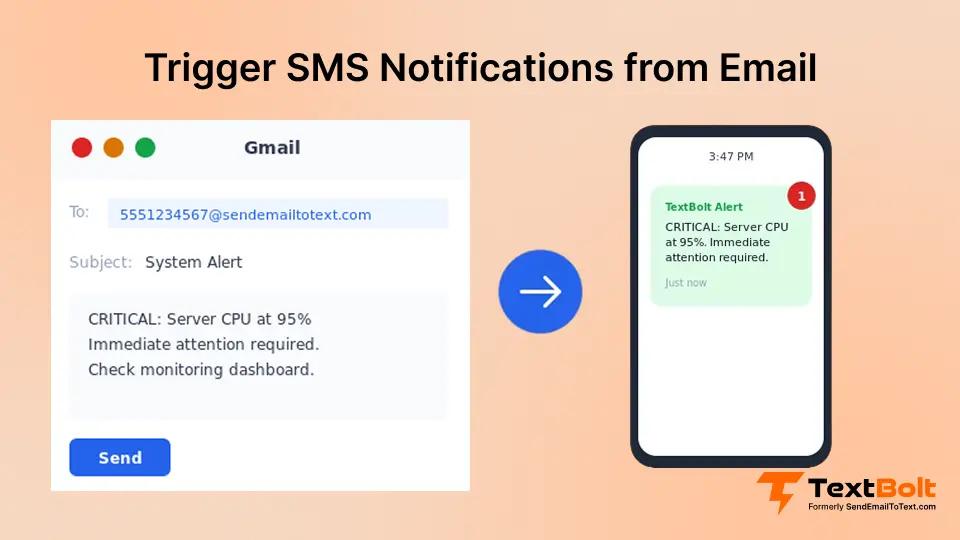
Email inboxes are crowded with promotions, newsletters, system alerts, customer questions, billing emails, and reports.
The result? Important messages get hidden, leading to delayed actions, missed deadlines, and frustrated customers.
That’s why thousands of businesses are now turning key emails into instant SMS notifications. It’s faster, more visible, and ensures nothing critical gets ignored.
With TextBolt, you can trigger SMS notifications directly from Gmail with no dashboards, no coding, no switching screens. If you use Gmail and can’t afford to miss urgent messages, this guide is for you. Let’s get started.
What Are SMS Notifications Triggered from Email?
Email-triggered SMS notifications are text messages that get sent automatically when a specific email event occurs. Instead of manually texting someone every time you need to send an alert, you configure a system that monitors your email and converts relevant messages into SMS.
The trigger can be almost anything: receiving an email with “CRITICAL” in the subject line, sending an appointment reminder, or forwarding a monitoring alert. When the trigger condition is met, the system converts your email content into an SMS and delivers it to the recipient’s phone.
This approach offers several key advantages over manual texting:
- Automation: Once configured, triggered SMS runs without human intervention
- Speed: Alerts reach recipients within seconds of the trigger event
- Reliability: No relying on someone to remember to send the text
- Scalability: Send to one person or hundreds using the same workflow
- Documentation: Email records provide an audit trail of every triggered notification
The concept isn’t new. For years, businesses used carrier email gateways like @txt.att.net and @vtext.com to trigger SMS from email. If you’re new to this approach, our guide on how to send email to sms covers the fundamentals. However, those free carrier services are shutting down in 2025, leaving businesses scrambling for alternatives.
Now let’s look at why triggered SMS notifications have become essential for modern businesses.
Why Businesses Need Email-Triggered SMS Alerts
Before diving into implementation, it’s worth understanding the specific challenges that make triggered SMS notifications so valuable. If any of these scenarios sound familiar, you’re not alone.
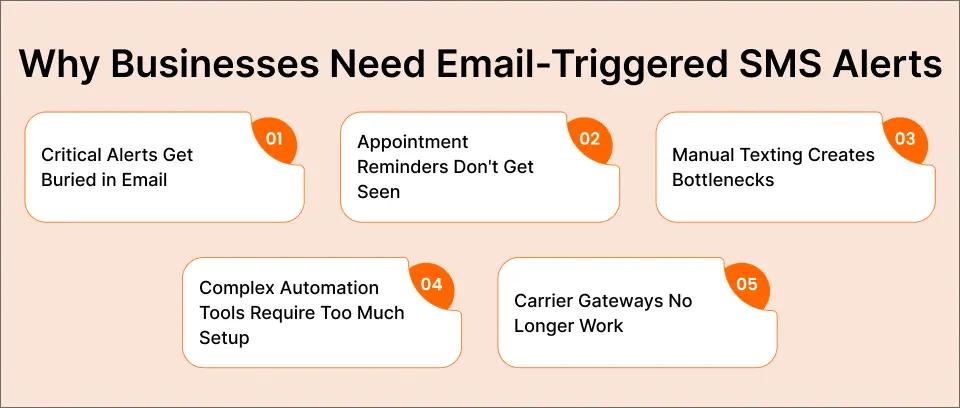
Challenge 1: Critical Alerts Get Buried in Email
Your monitoring system sends an alert at 2:47 AM. The on-call engineer’s phone buzzes with an email notification, but they’ve silenced email alerts because of the constant stream of low-priority messages. By morning, a minor issue had become a major outage.
The impact: According to the ITIC 2025 Hourly Cost of Downtime Survey, 91% of enterprises report that a single hour of downtime costs over $300,000, with 41% reporting losses between $1 million and $5 million per hour. A single missed alert can cost businesses thousands before anyone even knows there’s a problem.
Challenge 2: Appointment Reminders Don’t Get Seen
You send email reminders 24 hours before appointments. Patients and clients say they never received them, when really the emails are sitting unread in cluttered inboxes or spam folders.
The impact: A 2025 randomized controlled trial published in BMJ Quality & Safety confirms that text message reminders significantly improve appointment attendance rates. According to the MGMA 2025 patient no-show survey, 27% of practices report increasing no-show rates, with industry estimates placing the annual cost to the U.S. healthcare system at $150 billion.
Challenge 3: Manual Texting Creates Bottlenecks
Your team relies on one person’s phone to send critical text alerts. When that person is out, on lunch, or simply busy, urgent messages don’t go out. The business texting capability becomes a single point of failure.
The impact: Operational delays, missed opportunities, and customer frustration accumulate every time your designated texter isn’t available.
Challenge 4: Complex Automation Tools Require Too Much Setup
You’ve looked at solutions like Zapier, IFTTT, or API-based platforms. They can trigger SMS from email, but they require connecting multiple accounts, learning new interfaces, and ongoing maintenance.
The impact: IT teams spend hours configuring integrations instead of focusing on core responsibilities. Non-technical staff can’t set up or modify workflows themselves.
Challenge 5: Carrier Gateways Are Disappearing
If your business relied on free carrier email-to-text gateways, you’ve already felt this pain. AT&T discontinued their service on June 17, 2025, and Verizon and T-Mobile also shut down their services. The free, simple solution is gone.
The impact: Thousands of businesses lost their triggered SMS capability overnight and now need reliable alternatives.
The good news? Modern email-to-SMS services like TextBolt solve all of these challenges without requiring complex automation platforms or coding skills.
Never Miss Critical Emails Again
Turn important emails into instant SMS alerts so your team can act fast directly from Gmail.
Common Ways to Trigger SMS from Email
Several methods exist for triggering SMS notifications from email. Each has trade-offs in terms of cost, complexity, and reliability. Here’s how the main options compare:
Method 1: Carrier Email Gateways (No Longer Viable)
How it worked: Send an email to [phonenumber]@txt.att.net or similar carrier domain, and the carrier would deliver it as SMS.
Current status: AT&T shut down this service in June 2025. Verizon and T-Mobile followed in August 2025. This method is effectively dead for business use. For businesses affected by these shutdowns, see our AT&T email to text competitors guide.
Why it failed: With these legacy methods no longer viable, businesses have shifted to a modern approach: sending SMS notifications from work email, which allows teams to trigger critical alerts instantly without relying on carrier gateways or complex setups.
Method 2: API-Based Solutions (Twilio, MessageBird)
How it works: Developers write code that monitors email (via IMAP or webhooks) and calls an SMS API to send triggered messages.
Pros:
- Maximum flexibility and control
- Can handle complex logic
Cons:
- Requires developer resources ($5,000+ implementation cost)
- Ongoing code maintenance
- Non-technical staff can’t modify workflows
- API credentials and security management
Best for: Enterprises with dedicated development teams and complex requirements.
Businesses comparing SMS APIs with email-to-SMS approaches often find major differences in setup effort, maintenance, and overall complexity.
Method 3: Email-to-SMS Services (TextBolt)
How it works: Register your email address with the service, then send emails to a special format like [phonenumber]@sendemailtotext.com. The service converts your email to SMS and delivers it.
Pros:
- Works from existing email (Gmail, Outlook, any client)
- No coding or complex setup required
- Team members can send from their own accounts
- 10DLC compliant for reliable delivery
- 30-minute setup time
- Up to 98% delivery rate
Cons:
- Monthly subscription cost (starting at $29/month)
- Not free (but carrier gateways weren’t reliable anyway)
Best for: Businesses that want triggered SMS without learning new platforms or hiring developers.
Comparison Table: SMS Trigger Methods
| Feature | Carrier Gateway | API (Twilio) | TextBolt |
| Works with Gmail | N/A (Discontinued) | With development | Yes (native) |
| Setup Time | N/A | Days/weeks | 30 minutes |
| Technical Skill Required | N/A | High | None |
| Delivery Rate | Was 30-40% | 95%+ | Up to 98% |
| 10DLC Compliant | No | Yes | Yes |
| Team Access | N/A | Custom development | Included |
| Monthly Cost | Free (when it worked) | Variable | $29-99 |
| Ongoing Maintenance | N/A | High | None |
The bottom line: For most businesses, an email-to-SMS service like TextBolt provides the best balance of simplicity, reliability, and cost-effectiveness for triggered SMS notifications.
How to Set Up Email-Triggered SMS with TextBolt
Setting this up is simple. After a quick one-time setup, your important emails can start triggering SMS alerts automatically.
Step 1: Install TextBolt From Google Workspace and Connect Gmail
Install the TextBolt add-on from the Google workspace marketplace and grant the necessary permissions.
If you use Outlook, you can learn how to send SMS from Outlook using the same email-to-SMS approach.
Step 2: Complete Business Verification
Create your TextBolt account, add your basic business details, and complete verification so your SMS sending is approved and compliant.
Step 3: Set Up Rules For Which Emails Should Trigger SMS
Use simple Gmail filters or labels (by sender, subject, or keywords) together with TextBolt so only specific types of emails like alerts, bookings, or payment issues are turned into SMS notifications.
Step 4: Choose Who Receives Each SMS alert
Decide whether the SMS should go to you, an on-call teammate, a specific department, or even a customer, and map each rule to the right phone number or group.
Step 5: Write SMS Just Like an email
Type a short, clear message in Gmail the same way you would write an email, and send it via TextBolt so it arrives on the recipient’s phone as a text.
Step 6: Send Instantly or Schedule For Later
Trigger alerts immediately for urgent issues or schedule them for a later time if the message is time based but not critical.
Step 7: Receive Replies Directly in Gmail
When someone replies to your SMS, their response comes back into Gmail as a normal email thread, so you can keep the whole conversation in one place without opening another tool.
Best Use Cases for Email-to-SMS Notification Triggers
Triggering SMS from email is most powerful when it supports real, everyday workflows. Here are some of the best places to use it.
- Appointment-based businesses (clinics, salons, consultants): Convert booking confirmations, reschedules, and reminders from email into SMS so clients see them quickly and are less likely to miss appointments.
- Schools and institutes (alerts and schedule changes): Turn important school emails like emergency alerts, holiday announcements, fee reminders, or last‑minute timetable changes into SMS so parents and students don’t miss updates.
- Logistics and service providers (delivery updates, job dispatch): Use email-to-SMS triggers for new jobs, route changes, and delivery status updates, so drivers and field staff get real-time instructions on their phones.
- Financial services and insurance (renewals, approvals, leads): Send SMS alerts when new leads arrive by email, policies are up for renewal, or payments fail, helping teams respond faster and avoid revenue loss.
- Online stores and eCommerce (order and payment alerts): Turn key store emails—like high-value orders, failed payments, refunds, and delivery issues—into SMS notifications so staff can act before customers get frustrated.
Best Practices for Effective Email-to-SMS Notifications
Keeping your email-to-SMS alerts simple and focused makes them much more useful.
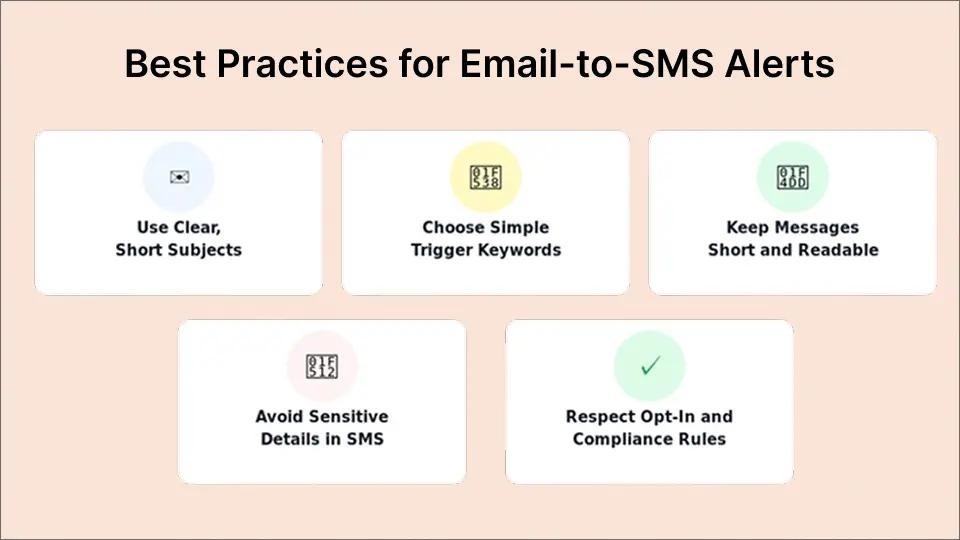
- Use clear, short subjects: Write subjects that say exactly what the alert is about (for example, “New booking,” “Payment failed,” or “Server down”), because this text often appears at the start of the SMS.
- Choose simple trigger keywords: Use easy-to-spot words in subject lines or labels, like “URGENT,” “HIGH PRIORITY,” or “FAILED PAYMENT,” so your Gmail filters and TextBolt rules can reliably pick up the right emails.
- Keep messages short and easy to read: Put the most important detail and action first, avoid long paragraphs, and stay roughly within 160–300 characters so the SMS is quick to scan on a phone.
- Avoid very sensitive details in SMS: Don’t include full card numbers, passwords, or highly private information in texts; let SMS alerts flag the issue and handle details in secure systems.
- Respect opt-in and compliance rules for customer alerts: If SMS notifications go to customers, make sure they’ve agreed to receive texts and can easily opt out, following local messaging and privacy guidelines.
How TextBolt Makes It Easier Than Other Options
TextBolt is designed to handle all of this from Gmail, without adding another tool for your team to manage.
- No extra dashboard everything happens in Gmail: Your team sends and receives SMS from the Gmail inbox they already use, instead of logging into a separate platform.
- Flexible, rule-based automations: Combine Gmail filters (by sender, subject, or labels) with TextBolt so only important emails—like bookings, incidents, or payment issues trigger SMS alerts.
- Higher delivery rates than carrier gateways: TextBolt uses business-grade 10DLC and toll-free routes instead of fragile carrier email-to-text, giving more consistent delivery for critical alerts.
- Team-wide visibility and logs: Because everything lives in Gmail, teams can see conversation history, alerts, and replies, which makes it easier to track who responded and what happened.
- Replies land back in Gmail, not another inbox: When someone replies to an SMS, the message shows up as an email thread in Gmail, so you never have to check a second system for responses.
Automate SMS Alerts for Any Email
Send and receive SMS inside Gmail with verified business routes and up to 98% delivery rates.
Turn Every Important Email Into an Instant SMS Alert
Email alone is easy to miss, especially when inboxes are crowded and your team is busy. Triggering SMS notifications from Gmail helps your most important emails turn into fast, visible alerts on the right phone, at the right time.
With TextBolt, you get reliable SMS delivery, two-way replies in Gmail, and simple rules that turn the right emails into instant texts without changing how your team works. Start your 7 day free trial of TextBolt and begin triggering instant SMS notifications from your Gmail inbox in just a few minutes.
Frequently Asked Questions
What does “trigger SMS notifications from Gmail” mean?
It means automatically converting important emails into text messages. Using TextBolt, emails that match your chosen rules (such as sender, subject, or keywords) are sent as SMS alerts directly from Gmail to a phone number.
Do I need technical skills or coding to set this up?
No. TextBolt works directly inside Gmail and uses simple Gmail filters or labels. There’s no coding, no API setup, and no technical configuration required.
Do recipients need an app to receive these SMS?
No. Recipients just need a mobile phone that can receive standard text messages, no special app or login is required.
Is TextBolt compliant and secure?
TextBolt uses verified business messaging routes and supports compliant sending practices; you are still responsible for collecting consent and following local rules like TCPA-style guidelines.
Can customers reply to notifications?
Yes. Replies to a TextBolt SMS can come back into Gmail as normal email threads, allowing full two-way conversations from your inbox.
Why isn’t my recipient getting the text message?
There are several reasons why SMS delivery can fail, even with a reliable platform. Common issues include invalid phone numbers, recipient opt-out status, carrier filtering, or message content flags. Learn what causes sms delivery failures and how to troubleshoot in our detailed delivery guide.