
- Why Consider Alternatives to TextMagic?
- What to Look for in a TextMagic Alternative
- How We Analyze and Select These Alternatives
- Comparison of Top TextMagic Alternatives
- The 7 Best TextMagic Alternatives for 2026
- 1. TextBolt: Best for Email-Native Business Texting
- 2. SimpleTexting: Best for SMS Marketing Campaigns
- 3. SlickText: Best for E-Commerce and Audience Growth
- 4. Textedly: Best Budget-Friendly Option
- 5. EZ Texting: Best for Beginners
- 6. ClickSend: Best for Multi-Channel Communication
- 7. Twilio: Best for Developers and Custom Builds
- How to Choose the Right TextMagic Alternative
- Why TextBolt is the right TextMagic alternative for Your Business
- Frequently Asked Questions
TextBolt — A simpler alternative to TextMagic
7 Best TextMagic Alternatives for Reliable Business Messaging in 2026


Businesses rely on SMS for urgent and time-sensitive communication, but not every platform is built specifically for email-to-text messaging. While TextMagic is a popular option, many teams start looking for alternatives due to pricing, complexity, or features that go beyond what they actually need.
If your primary use case is sending alerts, notifications, and system messages from email to SMS, choosing the right tool becomes even more important. The best TextMagic alternatives focus on reliability, fast delivery, simple setup, and predictable costs.
In this guide, we break down the 7 best TextMagic alternatives for email to SMS messaging, such as TextBolt, SimpleTexting, SlickText, and Textedly, among others. Compare key features, use cases, and limitations to help you find the right solution.
Why Consider Alternatives to TextMagic?
TextMagic has served the SMS market for years with its straightforward pay-as-you-go model. Credits never expire, and there’s no monthly commitment. That flexibility attracts small businesses testing SMS marketing.
But TextMagic reviews on G2 and Capterra tell a different story for growing teams. Here are the most common issues driving businesses to find a TextMagic competitor:
Delivery Delays and Reliability Issues
Users consistently report that text delivery can be unpredictable. Messages sometimes take longer than expected to reach recipients, which creates problems for time-sensitive communications like appointment reminders or urgent alerts.
For businesses relying on SMS for critical notifications, delayed delivery isn’t just an inconvenience. It’s a dealbreaker.
Pricing That Scales Poorly
TextMagic’s pricing looks attractive at first glance. But as your messaging volume grows, costs add up quickly without the volume discounts that monthly plans offer.
At $0.049 per message, sending 1,000 texts costs $49. Compare that to platforms offering 1,000 messages for $29-39/month with additional features included.
Outdated Interface and Limited Features
The TextMagic dashboard feels dated compared to modern SMS platforms. Users frequently mention:
- Limited team collaboration features
- Basic automation workflows that can’t compete with alternatives
- No AI features for content generation
- Clunky user experience that slows down workflows
According to user reviews, TextMagic scores 4.5/5 for bulk messaging but falls short on automation and team features. If these limitations sound familiar, it’s time to explore alternatives.
What to Look for in a TextMagic Alternative
Before choosing a TextMagic replacement, consider what matters most for your business:
Essential Criteria
- Reliable delivery: Up to 98% delivery rates with 10DLC compliance
- Easy setup: Get started in minutes, not days
- Team access: Multiple users without per-seat charges
- Two-way messaging: Receive replies, not just send broadcasts
- Built-in compliance: TCPA and carrier requirements handled automatically
Industry-Specific Needs
- Healthcare providers need HIPAA-compliant messaging for patient communications and appointment reminders.
- Marketing teams need automation, drip campaigns, and subscriber management tools.
- IT departments need alert systems that integrate with monitoring tools like Nagios or Zabbix.
- Small businesses need simple pricing and workflows that don’t require training.
How We Analyze and Select These Alternatives
We evaluated each TextMagic alternative against six key dimensions:
- Pricing transparency: No hidden fees or surprise charges
- Delivery reliability: Actual performance and carrier relationships
- Setup simplicity: Time from signup to sending first message
- Multi-user support: Team collaboration capabilities
- Integration options: Connections with existing tools
- Customer support quality: Response times and helpfulness
Each alternative receives an honest assessment based on these criteria, including real limitations, not just marketing claims.
Comparison of Top TextMagic Alternatives
| Platform | Starting Price | Best For | Email-to-SMS |
| TextBolt | $29/month | Email-native teams | Yes |
| SimpleTexting | $39/month | SMS marketing | No |
| SlickText | $29/month | E-commerce growth | No |
| Textedly | $29/month | Budget-conscious | No |
| EZ Texting | $25/month | Beginners | No |
| ClickSend | $0.0090/SMS | Multi-channel | Yes |
| Twilio | $0.0083/SMS | Developers | No |
The 7 Best TextMagic Alternatives for 2026
1. TextBolt: Best for Email-Native Business Texting
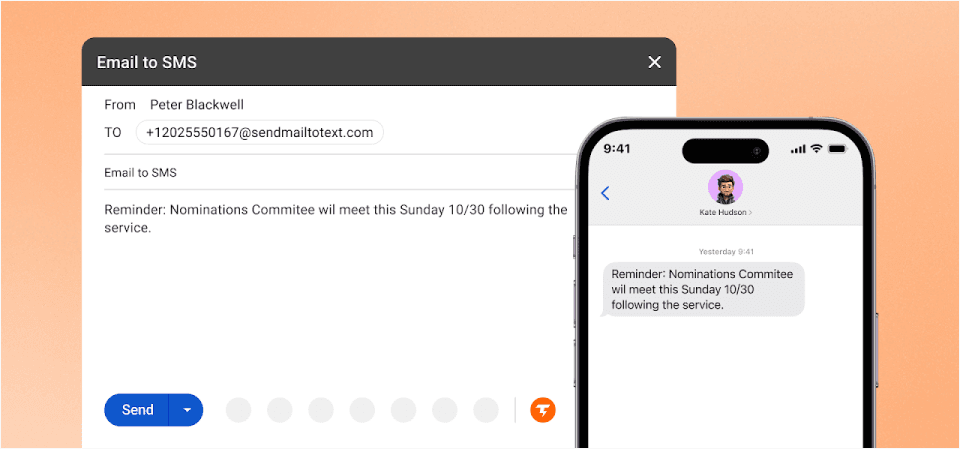
If your team already lives in Gmail or Outlook, TextBolt eliminates the need to learn new software entirely.
Here’s what makes TextBolt different: you send texts by sending emails. Address an email to [phonenumber]@sendemailtotext.com, and your message arrives as an SMS. No dashboards, no apps, no training.
TextBolt vs TextMagic Comparison
Here’s a TextBolt vs TextMagic comparison giving you an overview of how TextBolt stacks over TextMagic in terms of features, setup time, delivery rates, and compliance.
| Feature | TextBolt | TextMagic |
| Email-native workflow | Yes | Limited gateway |
| Team members included | Unlimited | Extra cost |
| Setup time | 30 minutes | 1-2 hours |
| Delivery rate | Up to 98% | Variable |
| 10DLC compliance | Included | Manual setup |
| Two-way messaging | Yes (to email) | Yes (dashboard) |
| Learning curve | None | Moderate |
Key Capabilities
- Email-native workflow: Your team already knows how to use it
- Unlimited team members: Anyone can send texts from their email account
- Up to 98% delivery rate: 10DLC compliant for carrier-approved messaging
- Professional business number: Messages appear from your business, not random addresses
- Complete audit trail: Every message logged with timestamps
- Two-way messaging: Replies come back to your email inbox
- 30-minute setup: No developers or IT department required
Pros and Cons
| Pros | Cons |
| Zero learning curve | No built-in drip campaigns |
| Unlimited team access | Requires email access |
| Works from any email client | No mobile app (uses email) |
| Replies in your inbox |
Who Uses TextBolt?
Healthcare practices send appointment reminders from their front desk. IT departments trigger alerts from monitoring systems. Small businesses keep their entire team in the loop without sharing a phone.
If you’ve ever asked “What happens when Sarah calls in sick and she’s the only one who can text patients?”, TextBolt solves that problem.
TextBolt Pricing
TextBolt pricing fits businesses of any size, from solo users to high-volume teams. All plans include Gmail-based SMS, delivery tracking, and opt-out compliance.
| Plan | Monthly Cost | Credits | Best For |
| Basic | $29/month | 500 | Solo practitioners |
| Standard | $49/month | 1,000 | Growing businesses |
| Professional | $99/month | 2,500 | Multi-location operations |
| Enterprise | Custom | 5,000+ | Large organizations |
Best For: Teams that want SMS without learning new software. If your workflow runs through email, TextBolt fits seamlessly.
Explore Why Teams Choose TextBolt Over TextMagic
Unlike TextMagic’s clunky dashboard, TextBolt works from the tools you already use. No training sessions. Just send an email and your text goes out.
2. SimpleTexting: Best for SMS Marketing Campaigns
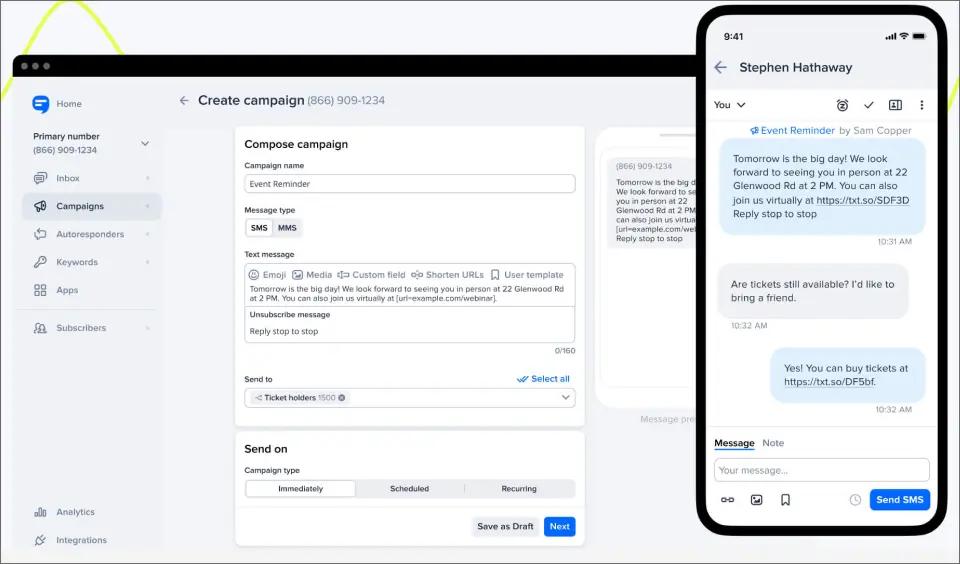
SimpleTexting delivers exactly what the name promises: straightforward SMS marketing for small-to-medium businesses. It’s a solid TextMagic competitor for teams focused on promotional messaging.
Key Capabilities
- AI message generator for content creation
- Unlimited contacts and keywords on all plans
- Free compliance messages (opt-in/out handling)
- Mobile app with full functionality
- Contact segmentation for targeted campaigns
- Drip campaign automation
Pros and Cons
| Pros | Cons |
| All features on every plan | $20/month per additional user |
| Strong automation tools | Higher starting price |
| User-friendly interface | Some delivery delays reported |
For a complete cost breakdown, see our SimpleTexting pricing analysis.
Best For: Businesses wanting comprehensive SMS marketing without feature gating. Looking at other options? See our SimpleTexting alternatives comparison.
3. SlickText: Best for E-Commerce and Audience Growth

SlickText focuses on building and engaging SMS subscriber lists. Their audience growth tools make them a favorite among e-commerce brands and marketers looking for a TextMagic replacement.
Key Capabilities
- Multiple opt-in methods (forms, pop-ups, QR codes)
- AI Compose for message creation
- Drip campaign automation
- MMS support for rich media
- Text-to-join keywords
- Advanced subscriber segmentation
Pros and Cons
| Pros | Cons |
| Excellent list-building features | Costs increase at scale |
| Free plan available | Limited native integrations |
| Strong e-commerce focus | Advanced features locked to higher tiers |
Best For: E-commerce businesses focused on growing their SMS subscriber base.
4. Textedly: Best Budget-Friendly Option

Textedly offers affordable SMS marketing with a straightforward approach. Their text-to-pay feature sets them apart for service businesses seeking a low-cost TextMagic alternative.
Key Capabilities
- Mass SMS and MMS support
- Automated conversation triggers
- Free incoming messages
- Text-to-pay functionality
- Link shortening tools
- Geographic data collection
Pros and Cons
| Pros | Cons |
| Lower entry price | Slow customer support |
| Simple interface | Limited automation |
| Text-to-pay included | Basic analytics |
Best For: Budget-conscious businesses that need basic SMS functionality without premium pricing.
5. EZ Texting: Best for Beginners
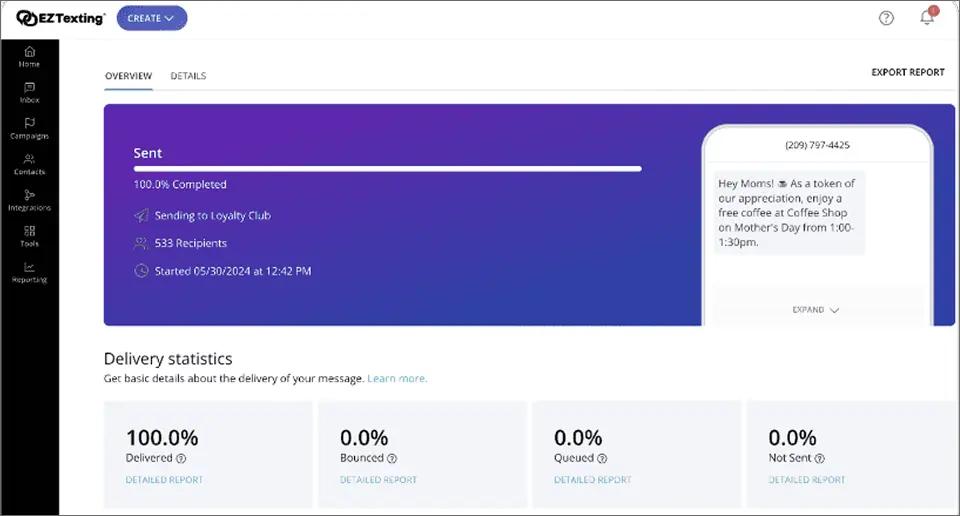
EZ Texting lives up to its name with an intuitive interface designed for SMS beginners. Their AI-powered compose feature helps create messages quickly. For a detailed comparison, see our EZ Texting alternatives guide.
Key Capabilities
- Multiple number types (10DLC, toll-free, short codes)
- Unlimited contacts on all plans
- AI-powered message composer
- Team inbox for collaboration
- Smart Contact Cleaner
- Age verification for compliance
Pros and Cons
| Pros | Cons |
| Lowest entry pricing | Pricing confusing at scale |
| AI writing assistance | Credit system adds up |
| Flexible number options | Interface complexity grows |
Best For: Small businesses new to SMS marketing who want guided setup and hand-holding.
6. ClickSend: Best for Multi-Channel Communication
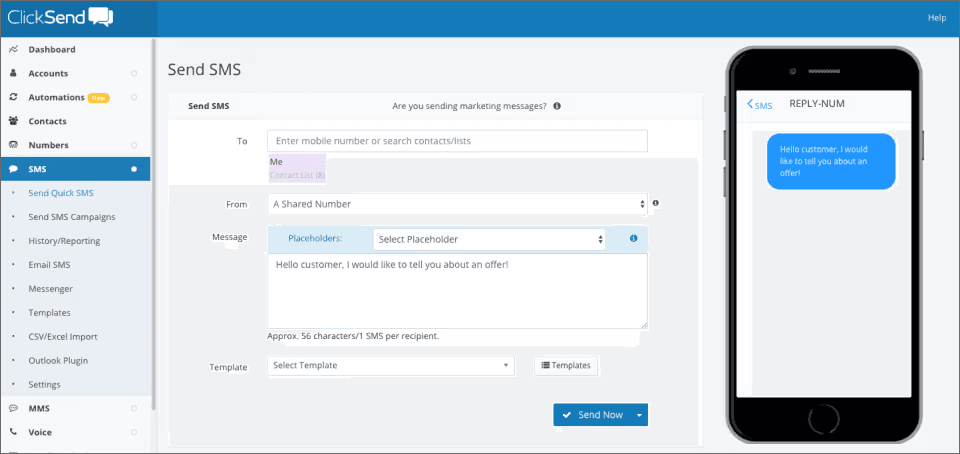
ClickSend offers more than SMS. Their platform includes voice, email, fax, and even direct mail alongside text messaging. See how TextBolt compares to ClickSend for email-to-SMS workflows.
Key Capabilities
- SMS, MMS, voice, email, fax, direct mail
- Simple dashboard interface
- API for developers
- Link tracking and analytics
- Global SMS delivery
- Integrations with Slack, Salesforce, and Shopify
Pros and Cons
| Pros | Cons |
| True multi-channel platform | Interface feels dated |
| Pay only for what you use | Occasional performance issues |
| Lower per-message rates at volume | Complex pricing structure |
Best For: Businesses needing multiple communication channels in one platform with pay-as-you-go flexibility.
7. Twilio: Best for Developers and Custom Builds

Twilio powers SMS for thousands of applications through its programmable APIs. This is not a plug-and-play solution. It’s a toolkit for building custom messaging experiences. Compare TextBolt vs Twilio if you want simplicity over customization.
Key Capabilities
- SMS, MMS, WhatsApp APIs
- Programmable voice and video
- Conversations API for unified messaging
- Studio visual editor for workflows
- Multi-language SDK support
- Global carrier network
Pros and Cons
| Pros | Cons |
| Lowest per-message rates | Requires developer resources |
| Complete customization | Costs escalate with scale |
| Enterprise-grade scaling | No user-friendly dashboard |
Best For: Development teams building custom messaging applications who have technical resources to implement and maintain the solution.
How to Choose the Right TextMagic Alternative
Not every SMS platform is built for the same purpose. While TextMagic offers a broad set of messaging features, businesses that mainly rely on email to SMS often need something simpler, faster, and more predictable. Here are the key factors to consider when evaluating a TextMagic alternative.
1. Focus on Email-to-SMS, Not Bulk Marketing
Many SMS platforms are designed for marketing campaigns, contact lists, and promotional messaging. If your primary use case is sending alerts, reminders, or system notifications, this can add unnecessary complexity.
Platforms like TextBold are purpose-built for email to SMS. Such platforms allow you to forward emails directly to phone numbers or SMS gateways without additional workflows or automation rules.
2. Ease of Setup and Integration
A good TextMagic alternative should work with your existing systems out of the box. Look for tools that support simple SMTP or email forwarding so you can start sending SMS messages with minimal configuration.
Avoid platforms that require API-heavy implementations if your team only needs email-triggered SMS notifications.
3. Reliability and Delivery Speed
Email to SMS is often used for time-sensitive messages like system alerts, appointment updates, or operational notifications. Delivery delays or message failures can defeat the purpose entirely.
When comparing alternatives, prioritize providers with strong delivery reliability, clear status reporting, and consistent performance across regions.
4. Transparent and Predictable Pricing
Some TextMagic alternatives bundle email to SMS under complex pricing tiers or add extra charges for features you may never use. This can make costs difficult to predict as usage grows.
Look for a platform with straightforward pricing that aligns with your messaging volume and does not require long-term commitments or hidden add-ons.
5. Support for Transactional Messaging Use Cases
Email to SMS is commonly used for transactional communication, not promotional outreach. This includes alerts, confirmations, reminders, and internal notifications.
The right TextMagic alternative should clearly support these use cases and not be optimized only for marketing or bulk campaigns.
6. Scalability Without Added Complexity
As your business grows, your messaging volume may increase. The platform you choose should scale smoothly without forcing you into advanced features or enterprise plans prematurely.
A focused email to SMS solution makes it easier to grow while keeping your messaging workflows simple and reliable.
Need a More Affordable TextMagic Alternative? Try TextBolt
TextBolt gives you full email to SMS functionality without the overhead or complexity. Ideal for alerts, reminders, and operational notifications.
Why TextBolt is the right TextMagic alternative for Your Business
Finding the right TextMagic alternative comes down to how you actually use SMS in your business. If your goal is to send reliable alerts, notifications, and updates from email, a platform built specifically for email to SMS will always deliver better results than an all-in-one messaging tool.
TextBolt is designed specifically for businesses that rely on email to SMS for critical communication. Instead of bundling email to text into a broader messaging suite, TextBolt keeps the experience straightforward and dependable.
With TextBolt, you can convert emails into SMS messages in seconds, integrate easily with existing systems, and send alerts without managing campaigns, contact lists, or complex workflows. This makes it a strong choice for teams that want speed, clarity, and control over their messaging.
Start a free trial of TextBolt today and experience a simpler, faster, and more efficient way to send emails to SMS notifications.
Frequently Asked Questions
Which TextMagic alternatives are best for healthcare?
For HIPAA-compliant messaging, consider Textline or Text Request (not covered in detail here but worth exploring for healthcare-specific needs). TextBolt provides HIPAA-conscious messaging through its pass-through architecture. Consult your compliance team for specific requirements.
Can I send texts from an email like TextMagic?
Yes. TextBolt specializes in email-to-SMS, letting you send texts directly from any email. ClickSend also offers email-to-SMS gateway functionality, though with a more complex setup.
Which platform has the best delivery rates?
TextBolt reports up to 98% delivery rates with 10DLC compliance. All platforms using proper 10DLC registration will see higher delivery than older carrier gateways.
How long does it take to switch from TextMagic?
Most platforms allow CSV export of your contacts. Migration typically takes 30 minutes to 2 hours, depending on your list size and how much historical data you want to preserve.