
- What Is Textedly?
- Textedly at a Glance: Quick Facts
- Textedly Platform Ratings
- Textedly Features: What You Actually Get
- Textedly Pricing: What You’ll Actually Pay
- Textedly Pros and Cons
- Is Textedly Good for Your Business?
- Textedly vs TextBolt: Feature Comparison
- Why Businesses Choose TextBolt Over Textedly
- Final Verdict: Is Textedly Worth It?
- Frequently Asked Questions
Move Beyond Basic SMS Tools
Textedly Reviews: A Complete Guide to Features and User Feedback

When evaluating a business texting platform, feature lists and pricing pages only tell part of the story. Real user reviews reveal how a tool performs in day-to-day use, where it delivers value, and where it creates friction for growing teams.
Textedly is a widely used SMS marketing platform, especially among small businesses getting started with bulk messaging. However, user feedback across review sites often highlights a mix of positives and recurring concerns related to pricing, usability, and scalability.
This article compiles and analyzes Textedly reviews to help you understand what users appreciate about the platform and where it falls short in real-world scenarios. We look at common praise, frequent complaints, and patterns that emerge as businesses scale their texting efforts.
If you are considering Textedly or comparing it with other email-to-SMS solutions, this review will help you make a more informed decision based on actual user experiences rather than marketing claims.
What Is Textedly?
Textedly is a cloud-based SMS marketing platform designed for small businesses, nonprofits, and solopreneurs prioritizing affordability and ease of use over advanced features. Founded in 2015, it emphasizes simplicity letting first-time SMS marketers launch campaigns without technical expertise or coding knowledge.
The core strength: Low cost with built-in payment processing. Textedly’s standout feature is text-to-pay via Stripe integration, allowing customers to make purchases directly through SMS without leaving the text conversation. This sets it apart from competitors in the budget SMS space.
The core trade-off: Affordability in exchange for delivery reliability, team collaboration, and modern workflow integration.
Textedly occupies a specific niche in the SMS marketing landscape:
- More accessible than: Twilio, Plivo (no API coding required)
- More affordable than: EZ Texting, SimpleTexting, SlickText
- Less feature-rich than: Marketing-focused platforms with templates and scheduling
Textedly at a Glance: Quick Facts
| Feature | Details |
| Founded | 2015 |
| Starting Price | $29/month |
| 10DLC Compliance | Yes (registration fees $4-$44) |
| Two-Way Messaging | Yes |
| Team Access | $10/month per additional user |
| Best For | Small businesses, nonprofits, text-to-pay collection |
| Not Ideal For | Mobile-first users (no app), variable-volume senders |
| Free Trial | 14 days with 50 messages, no credit card required |
Quick comparison: TextBolt starts at $29/month with 500 messages, includes free team member access (up to 10 on the Standard plan), and credits never expire.
Textedly Platform Ratings
Before diving into the specifics, here’s how Textedly performs across major review platforms. These aggregate scores tell part of the story, but the real insights emerge when you examine the patterns within individual reviews.
| Platform | Rating | Reviews |
| G2 | 4.6/5 | 400+ reviews |
| Capterra | 4.5/5 | 200+ reviews |
| Trustpilot | 3.4/5 | 1000+ reviews |
The takeaway: The gap between G2/Capterra (4.5-4.6) and Trustpilot (3.4) is significant. G2 and Capterra capture reviews from active, satisfied users. Trustpilot attracts frustrated customers dealing with billing disputes, cancellation issues, and refund denials.
This reveals a clear pattern: Textedly works well for users whose needs align with its affordable SMS marketing focus. It creates friction for users needing delivery reliability, team collaboration, or email integration.
At TextBolt email to sms gateway, we’ve built our platform to solve the pain points that appear repeatedly in negative Textedly reviews credit expiration, lack of team features, and dashboard context-switching. These aren’t minor issues; they directly impact business efficiency.
Users satisfied with Textedly’s affordability stay and review positively. Users needing teams, delivery speed, or email workflows migrate silently to better-fit platforms. That’s market efficiency, not platform failure.
Textedly Features: What You Actually Get
1. Mass Text Messaging
The core functionality allows you to send bulk promotional messages to your contact lists with personalization options. You can schedule messages for optimal delivery times, create drip campaigns, and segment your audience based on custom criteria.
What works well: Users consistently praise the straightforward campaign creation process. One G2 reviewer noted that the platform is “highly user-friendly with an intuitive interface,” while a Capterra user described it as “easy to understand, even for first-time users.”
Limitations to consider: The credit-based system means costs can escalate quickly for high-volume senders. Unlike some competitors, Textedly’s unused credits expire at the end of each billing cycle. If you’re messaging 5,000 contacts monthly with variable volumes, you’ll need to carefully calculate whether Textedly’s per-message cost makes sense compared to platforms offering rollover credits.
2. Two-Way SMS Conversations
Full conversational texting allows customers to respond to your messages, with all replies appearing in the Textedly dashboard. This enables real-time customer engagement rather than one-way broadcasting.
What works well: The two-way messaging addresses a common pain point—ensuring customer responses don’t fall through the cracks. Businesses can maintain ongoing conversations without switching to a separate platform.
Limitations to consider: Unlike solutions that integrate directly with existing email workflows, Textedly requires you to monitor a separate dashboard. If your team already lives in Gmail or Outlook, adding another platform creates friction. For businesses preferring email-to-text workflows, alternatives exist that eliminate this context-switching.
3. Text-to-Pay Integration
One feature that genuinely sets Textedly apart: built-in payment processing via Stripe. Customers can pay directly via text message, making it valuable for service businesses collecting deposits, nonprofits accepting donations, and healthcare practices collecting copays.
What works well: Users who leverage this feature appreciate its simplicity. Collecting payments via text removes friction from transactions. The fee structure (2.90% + $0.30 per transaction) is competitive with standard payment processing rates.
Limitations to consider: Text-to-pay is only available on higher-tier plans (Plus and above). If payment collection is your primary use case, verify it’s included in your plan before committing. Also note that not all competitors offer this feature—if you don’t need it, you may be paying for functionality you won’t use.
4. Drip Campaigns and Automation
For businesses wanting to automate their messaging, Textedly offers drip campaigns. You can set up multi-message sequences that trigger based on time delays after opt-in, specific subscriber actions, or scheduled dates.
What works well: The automation capability helps nurture leads without manual intervention. Setting up basic drip sequences is straightforward, and the visual campaign builder doesn’t require technical expertise.
Limitations to consider: Textedly’s automation is basic compared to platforms like SlickText or SimpleTexting. If you need advanced conditional logic, A/B testing, or sophisticated branching, you’ll find Textedly’s options limited. For complex automation needs, consider whether the simplicity trade-off makes sense.
5. AI Message Creation
Textedly has added basic AI tools to help craft messages. The feature assists users who struggle with writing compelling SMS copy within character limits.
What works well: For businesses new to SMS marketing, AI assistance speeds up content creation. It’s particularly valuable for overcoming the blank-page problem when you’re unsure what to write.
Limitations to consider: The AI tools are basic compared to competitors like EZ Texting’s AI Compose. Generic AI-generated text can feel impersonal, and savvy recipients often recognize templated language. Use it as a starting point, not a final draft.
6. Integrations
Textedly connects with several popular business tools including Salesforce, HubSpot, Slack, Zapier, Shopify, Mailchimp, Facebook Lead Ads, and Google Sheets.
What works well: The Zapier integration extends Textedly’s reach to thousands of apps, allowing workflow automation without custom development. Native integrations with major CRMs cover common use cases.
Limitations to consider: The native integration list is shorter than some competitors. If you rely on specific tools not directly supported, you’ll need Zapier as a middleman—which adds complexity and potential points of failure.
Textedly Pricing: What You’ll Actually Pay
Pricing transparency matters when evaluating any software. Here’s the complete breakdown of Textedly pricing.
Current Textedly Pricing (2026)
| Plan | Monthly Price | Messages if billed annually | Keywords | Cost/Credit |
| Basic | $29 | 600/month | 1 | $0.048 |
| Bronze | $49 | 1,200/month | 1 | $0.041 |
| Plus | $79 | 2,400/month | 2 | $0.033 |
| Enterprise | $125 | 4,200/month | 3 | $0.030 |
| Elite | $169 | 6,000/month | 4 | $0.028 |
| Business | $299 | 12,000/month | 6 | $0.025 |
Higher tiers continue up to $5,520/month for 360,000 messages.
TextBolt Pricing Comparison
| Plan | Monthly Cost | Annual Cost | Messages Included | Team Members | Credit Expiration |
| Basic | $29/month | $23.20/month | 500 | 1 | Never |
| Standard | $49/month | $39.20/month | 1,000 | Up to 10 | Never |
| Professional | $99/month | $79.20/month | 2,500 | Up to 10 | Never |
| Enterprise | Custom | Custom | 5,000+ | Unlimited | Never |
Key differences: TextBolt includes team members free in (Standard+), credits never expire, and there are no hidden telecom fees.
Hidden and Additional Costs in Textedly
Beyond the base subscription, factor in these expenses:
- Monthly telecom surcharge: $8 added to EVERY paid plan
- Extra messages: $30 for 500 texts ($0.06/message—higher than in-plan rates)
- Extra keywords: $10 per keyword per month
- Additional team members: $10 per user per month
- 10DLC registration: $4-$44 one-time fee (required for business texting)
- Text-to-pay transaction fee: 2.90% + $0.30 per payment
Textedly Pros and Cons
What Users Like About Textedly
1. Exceptional Ease of Use
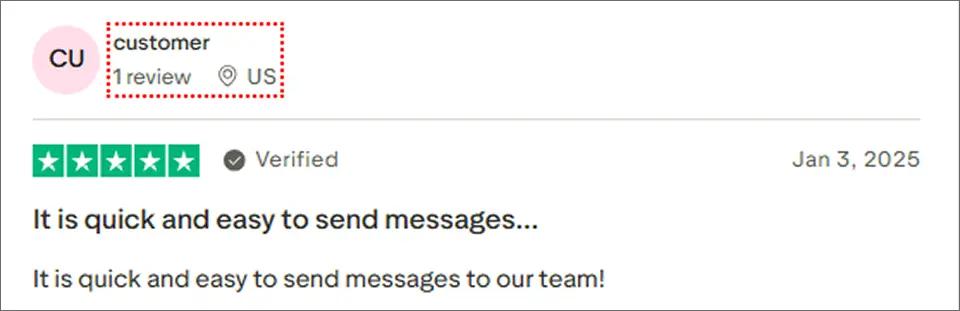
The most consistent positive feedback describes Textedly’s clean, intuitive interface. Users report: “Highly user-friendly” and “easy to understand, even for first-time users.”
For small businesses without dedicated marketing teams, this accessibility matters. You can launch your first campaign within minutes of signing up.
2. Affordable Entry Point
Budget-conscious organizations appreciate starting at $29/month. The 14-day free trial with 50 messages lets you test the platform without financial commitment.
3. Easy Mass Texting Setup
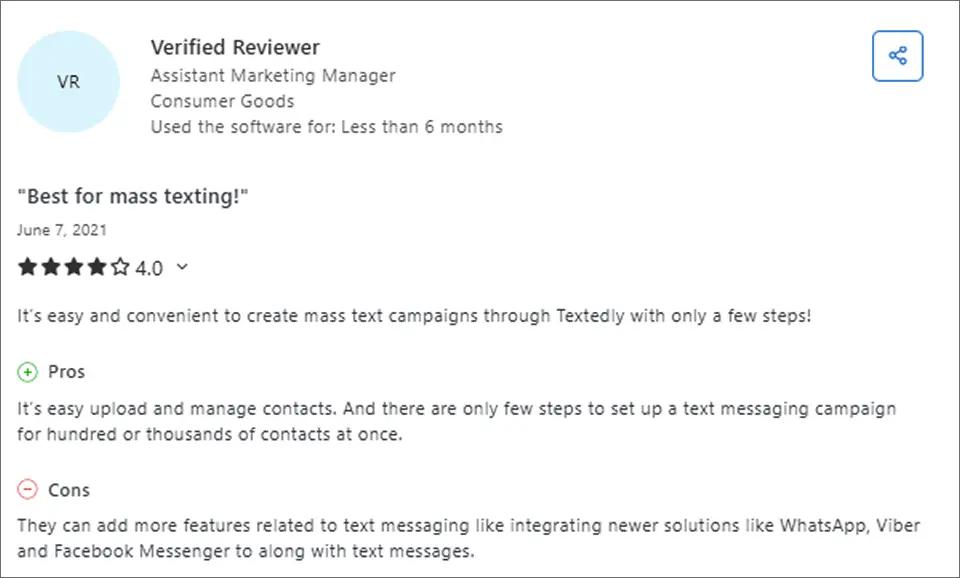
Users appreciate how simple it is to upload and manage contacts, and create mass text campaigns in just a few steps, even for hundreds or thousands of recipients.
4. Comprehensive Campaign Management
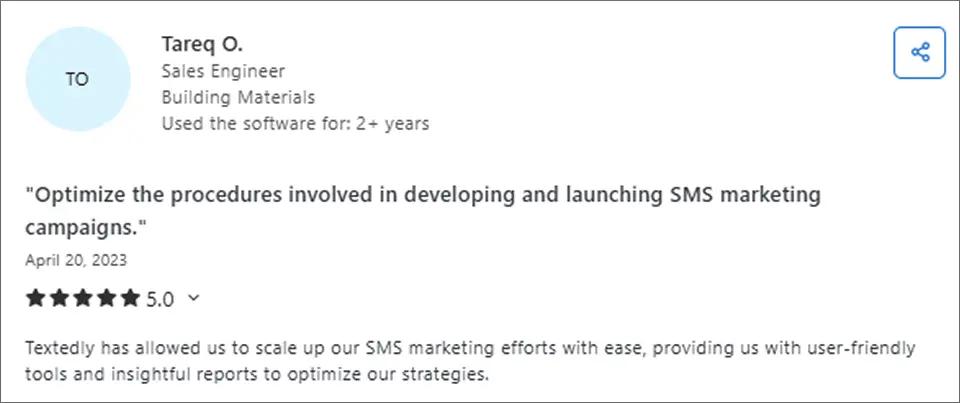
Textedly offers a robust set of tools for creating, managing, and optimizing SMS marketing campaigns. Features like customizable templates, drag-and-drop design, audience segmentation, and detailed reporting help businesses reach both small and large customer groups effectively while tracking engagement and improving future campaigns.
Common Textedly Complaints and Issues
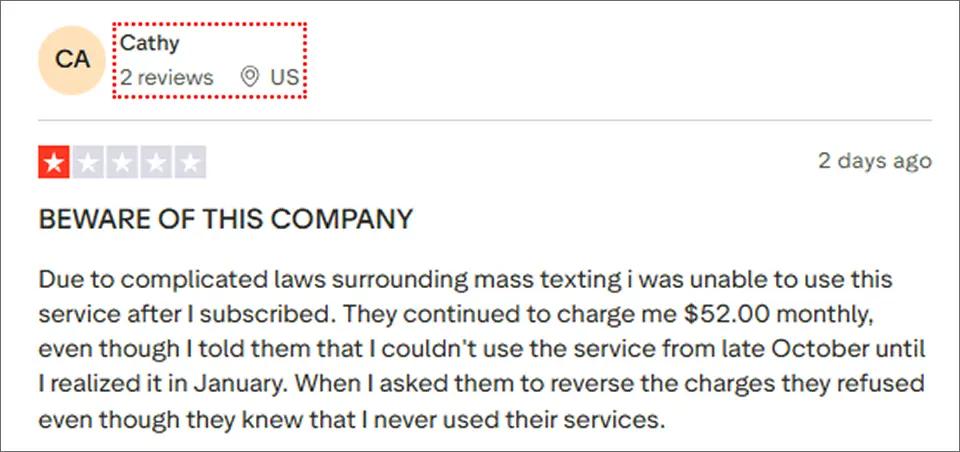
1. Limited Refund Options
Some users report that the platform is not user-friendly, and canceling a subscription can be difficult. Refunds are not offered if the service doesn’t meet expectations, which can lead to frustration and billing concerns.
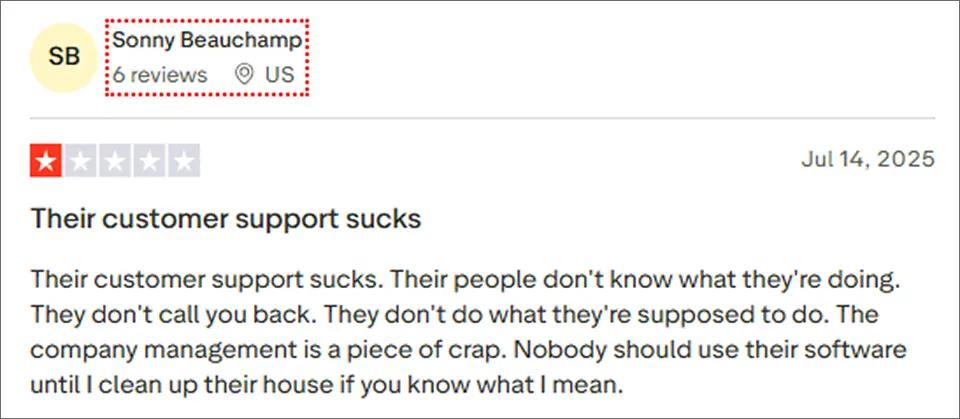
2. Declining Customer Support Quality
Some users report poor customer support, citing unresponsiveness, lack of guidance, and unresolved issues. This can create challenges for businesses that rely on timely assistance for their SMS campaigns.
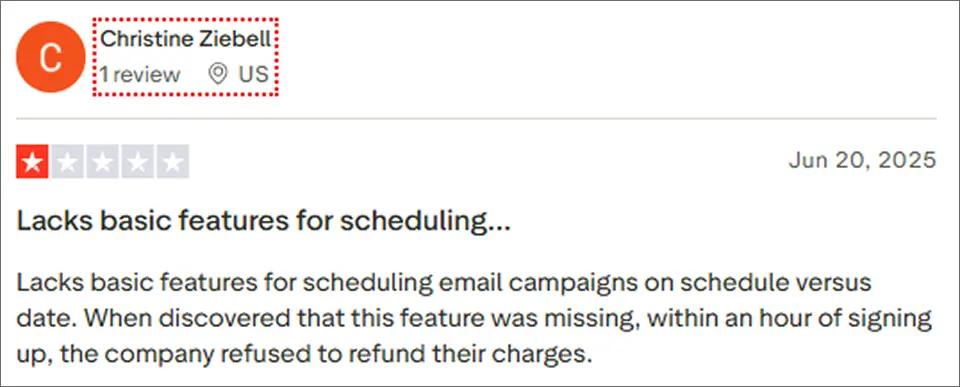
3. Limited Scheduling Features
Some users report that Textedly lacks basic scheduling options for campaigns, and the company may refuse refunds if users discover missing features shortly after signing up. This can be a drawback for businesses needing precise campaign timing and flexibility.
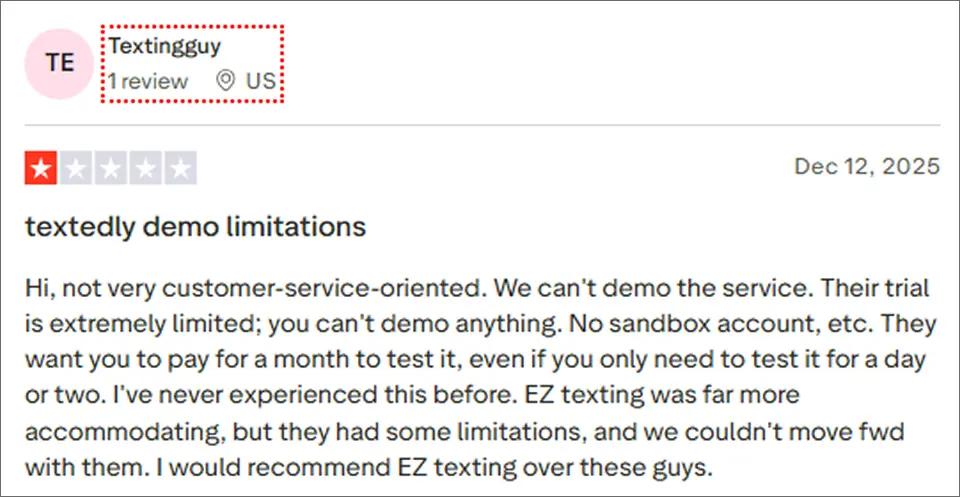
4. Limited Demo and Trial Restrictions
Some users report that Textedly’s trial is very limited, with no sandbox account or full-feature demo available. Businesses may need to pay for a full month just to test the platform, making it harder to evaluate before committing.
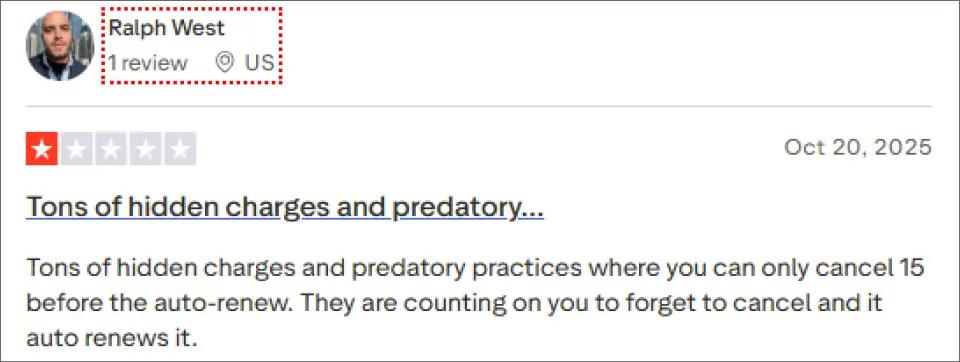
5. Hidden Fees Add Up
The $8 monthly telecom surcharge, $10/user fees, and overage charges frustrate users who expected the advertised price to be their actual cost. As one reviewer put it: “The $29 plan isn’t really $29 once you add the mandatory fees.”
Looking for a Smarter Textedly Alternative?
TextBolt helps teams send and manage business texts from email with better usability and predictable costs.
Is Textedly Good for Your Business?
When to Use Textedly
- You’re new to SMS marketing and prioritize ease of use over advanced features
- Text-to-pay functionality is essential for your business model
- You primarily run promotional/marketing campaigns rather than time-critical alerts
- You’re a single user or small team (1-2 people) without complex collaboration needs
- You prefer visual dashboard interfaces over email-based workflows
- You have predictable monthly messaging volumes that align with credit allotments
- Budget is your primary concern and you can work around limitations
When to Look for Alternatives
- You need mobile app access to manage campaigns on the go
- Your team has multiple users (costs add up quickly at $10/user)
- You send time-sensitive messages where delivery delays matter (alerts, reminders)
- You require extensive customer support or training resources
- Pricing predictability matters for your budget planning
- You need advanced automation or AI-powered features
- You prefer email-native workflows without learning new dashboards
- Your message volumes vary significantly month to month (credits expire)
- You want credits that don’t expire
- You need robust documentation for self-service troubleshooting
Textedly vs TextBolt: Feature Comparison
For a complete breakdown, see our detailed Textedly vs TextBolt comparison.
| Feature | Textedly | TextBolt |
| Send SMS from Email | No (dashboard only) | Yes (Gmail, Outlook) |
| Starting Price | $29/month | $29/month |
| Hidden Fees | $8+ telecom surcharge | None |
| Team Access | $10/user extra | Included |
| Setup Time | 15-30 minutes | Under 10 minutes |
| Learning Curve | New dashboard to learn | Zero (uses existing email) |
| 10DLC Compliance | Partial (fees vary) | Full (included) |
| Delivery Rate | Up to 98% | Up to 98% |
| Two-Way Messaging | Yes | Yes |
| Credits Expire | Yes (monthly) | Never |
| Text-to-Pay | Yes (Stripe) | No |
| Best For | Bulk SMS + payments | Email-native workflows |
Why Businesses Choose TextBolt Over Textedly
Unlike Textedly’s dashboard-based approach, TextBolt lets you send SMS directly from your existing email. Here’s why mostly Google Workspace users have made the switch.
1. Zero Learning Curve
Your team already knows how to send email. With TextBolt, that skill translates directly to SMS. No new dashboards, no training sessions, no adoption friction.
Unlike Textedly: You don’t need to log into a separate platform or learn new workflows.
2. No Hidden Fees
TextBolt pricing is transparent. No $8 monthly telecom surcharges. No per-user fees eating into your budget. What you see is what you pay.
Unlike Textedly: Your actual cost matches the advertised price.
3. Credits Never Expire
Unused TextBolt credits roll over indefinitely. Seasonal businesses don’t lose credits during slow months.
Unlike Textedly: You keep what you pay for, period.
4. Team Access Included
Multiple team members can send texts from their own email accounts from standard plans without additional per-user fees.
Unlike Textedly’s $10/user charge: Team collaboration is built into the price.
5. Works From Anywhere
Send texts from Gmail on your phone, tablet, or desktop. No dedicated mobile app needed because email works everywhere.
Unlike Textedly’s desktop-only limitation: True mobility without waiting for an app that may never come.
Why Businesses Choose TextBolt Over Textedly
TextBolt removes extra user fees and workflow friction by turning email into SMS. A better option for teams that text customers every day.
Final Verdict: Is Textedly Worth It?
Textedly earns its solid G2 rating (4.6/5) through genuine strengths: exceptional ease of use, affordable entry pricing, and unique text-to-pay functionality. For small businesses and nonprofits running occasional marketing campaigns, the platform delivers on its core promises.
However, the credit expiration policy, lack of mobile app, declining support quality, and hidden fees create friction for many businesses. If you’re a small operation running promotional campaigns and don’t mind the dashboard approach, Textedly works adequately.
For businesses with different needs, alternatives exist.
When to Choose Textedly
- Text-to-pay via Stripe is essential for your business
- You’re running primarily promotional/marketing texts
- You’re new to SMS and want a simple dashboard interface
- You work exclusively from desktop computers
- You have a small team (1-2 users maximum)
When to Choose TextBolt
- You’re sending time-sensitive messages (appointments, alerts)
- You want to work from existing email (Gmail/Outlook)
- You have variable messaging volumes (no expiring credits)
- You need reliable delivery (up to 98%)
- Your team has multiple members who need access
- You’re migrating from carrier gateways (AT&T, Verizon, T-Mobile)
- You need support outside limited business hours
Frequently Asked Questions
Can I send SMS directly from Gmail or Outlook using Textedly?
No, Textedly requires logging into its dashboard. TextBolt allows sending texts directly from Gmail or Outlook.
Does Textedly charge hidden fees?
Yes, additional costs include $8 telecom surcharge, $10/user per month, extra keyword charges, and 10DLC registration fees. TextBolt is fully transparent.
Which platform is better for time-sensitive messages?
TextBolt is ideal for alerts, appointments, and operational messaging. Textedly may face delivery delays due to dashboard-based workflows.