
- What AS/400 Can and Cannot Do Today
- The After-Hours Alerting Problem
- How TextBolt Fits the AS/400 World
- Concrete Example: Overnight Batch-Job Failure
- Another Example: System Health and Security Alerts
- Why This Is Ideal for Legacy, In-House AS/400 Systems
- Example: Silent Batch Success Versus Noisy SMS Failures
- Why This Beats Native SMS on IBM i
- How to Think About This Architecturally in an Insurance and Finance Context
- Adding SMS to AS/400 the Simple Way
- Frequently Asked Questions
Add Texts to AS/400 Alerts
Why AS/400 Still Matters in Insurance and Finance

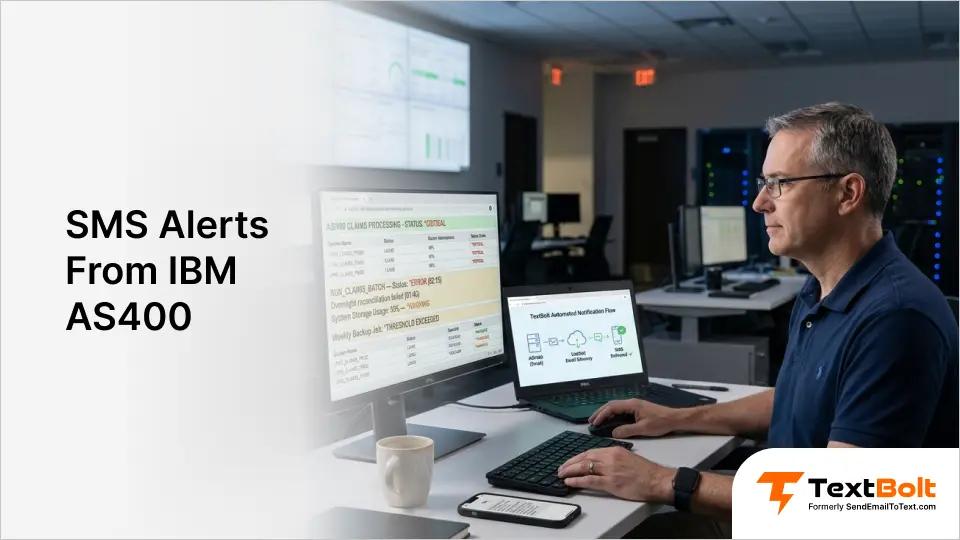
The IBM AS/400 (now IBM i / iSeries) is one of the most persistent legacy platforms in enterprise IT. In insurance and finance, it often powers:
- Core policy and claims-management systems
- General-ledger and transaction-processing backends
- Main databases (DB2 on i) that feed modern web and cloud apps
Because regulations, data-sovereignty needs, and the cost of migration are high, many organizations keep these AS/400 systems on-prem, in-house, and unchanged for years.
At the same time, operations teams still need real-time awareness of critical events: batch-job failures, overnight processing problems, system-health warnings, security alerts, and more. The problem is that the AS/400 can usually only send email alerts after hours, and someone then has to be on-watch to read them.
What AS/400 Can and Cannot Do Today
On modern IBM i environments, you can:
- Configure event notifications (system-level alerts) to be sent by email or SNMP
- Use monitoring tools that generate email alerts when batch jobs fail, disks are full, or security events fire
- Integrate AS/400 data into analytics platforms over CDC, Kafka, or JDBC without exposing the entire stack to the cloud
But what you typically cannot do easily:
- Natively send SMS from the AS/400 without adding external integrations
- Introduce modern SMS APIs or SDKs into the core OS/400-based environment without complex cross-platform plumbing
- Move sensitive policy or payment data out of the AS/400 while still keeping it consistent with internal policies and regulations
The result: critical alerts sit in email inboxes, often only checked the next morning, while the business wants immediate SMS alerts to on-call staff.
The After-Hours Alerting Problem
Consider a typical insurance or finance workflow:
- Overnight batch jobs run on the AS/400:
- End-of-day claims processing
- Premium-reconciliation jobs
- Database-backup or ETL jobs that sync data to reporting systems
- If a job fails or takes longer than expected, the system can:
- Write a log
- Send an email alert to a support mailbox or NOC
In practice, though:
- Emails land in:
- Exchange or Office 365 inboxes
- Shared “support-team” mailboxes
- Ticketing tools that don’t push SMS by default
- Someone has to be logged in or watching Outlook or Teams to see the alert
- If the failure happens at 2 a.m., the on-call engineer might not see it until morning
This is where SMS would be ideal: a text message to the on-call phone at the moment the email alert is sent. Most insurance and finance teams treat these moments as system downtime alerts where minutes of delay translate to hours of customer-facing impact.
But wiring SMS directly into AS/400 is hard:
- You don’t want to open the OS/400 to cloud APIs
- You don’t want to install vendor-specific SDKs on the legacy box
- You don’t want to rewrite CL or RPG programs just to get SMS
How TextBolt Fits the AS/400 World
TextBolt is an email-to-SMS gateway that converts standard email messages into carrier-compliant SMS, including 10DLC in the U.S.
For an AS/400 environment, that means:
- Your AS/400 keeps doing exactly what it already does: sending email alerts
- You route some of those emails through TextBolt by changing the destination address
- TextBolt converts the email into an SMS and delivers it to the on-call engineer’s phone
There is:
- No SDK inside the AS/400
- No code change to CL, RPG, or batch jobs
- No direct integration with Twilio or other SMS APIs on the IBM i side
You just turn existing email alerts into SMS by adding a TextBolt-style email address to the recipient list. A one-time 10DLC business verification (typically 1-2 business days) clears your sender before the first text goes out. The dedicated toll-free business number carries a $45/year fee.
For a closer look at the email-to-SMS pattern, see how TextBolt lets you send text with no SDK and no code changes.
Stop Letting AS/400 Alerts Sleep in Inboxes
Add a TextBolt-powered email address to your batch-job recipient list and your on-call engineer gets the text the moment the job fails. No CL or RPG changes, no SDKs on the IBM.
Concrete Example: Overnight Batch-Job Failure
Let’s walk through a realistic scenario in an insurance company that runs a claims-processing batch job overnight on AS/400.
Step 1: AS/400 Sends an Email Alert
Today, your AS/400 job flow looks like this:
- Job
RUN_CLAIMS_BATCHruns at 2 a.m. - If it fails or exceeds a threshold, a CL program or system-monitoring script:
- Writes to a log
- Sends an email to
batch-ops@insurer.com
- That email reaches the NOC mailbox or ticketing system, but it may not reach the on-call engineer until morning
Your AS/400 doesn’t “know” SMS, it only knows SMTP.
Step 2: Keep Existing Email, Add SMS Via TextBolt
With TextBolt, you don’t rewrite the CL program or the monitoring script. Instead, you:
- In your TextBolt account, configure:
- A sender ID (for example, “Claims Processing”)
- 10DLC-compliant registration (if in the U.S.)
- Decide which alerts should be sent as SMS:
- Critical failures (job status
*ERROR) - Jobs that exceed runtime thresholds
- Critical failures (job status
- In the AS/400, keep the original email address:
batch-ops@insurer.com
- Add a TextBolt-powered address as an additional recipient:
15551234567@sendemailtotext.com(on-call engineer)
Now, when the job fails:
- The AS/400 still:
- Logs the error
- Sends an email to
batch-ops@insurer.comand15551234567@sendemailtotext.com
- The on-call engineer’s phone receives an SMS like:
[Claims Processing]
RUN_CLAIMS_BATCH failed at 02:15
Status: *ERROR
Job: RUN_CLAIMS_BATCH
System: AS400-Legacy
- The email inbox still gets the same alert, for record-keeping and audit
No CL or RPG code changed. No SMTP client recoded. The AS/400 still just sends an email. For DB2-on-i environments, the same pattern works for database failure alerts when an overnight replication or backup job exits non-zero.
Another Example: System Health and Security Alerts
Modern IBM Power and IBM i environments can be configured to send email notifications for system-level events, including disk-full warnings, security-related events, and hardware problems.
In many financial institutions, these alerts are sent to:
- Internal NOC mailboxes
- Ticketing systems
- Email-based monitoring dashboards
But again, if the alert lands at 1 a.m. and the NOC is asleep, the response time is hours, not minutes.
With TextBolt:
- You keep the existing system-level email notification configuration:
- Email addresses like
hw-alert@bank.com
- Email addresses like
- You add TextBolt-powered addresses for critical scenarios:
15559876543@sendemailtotext.com(on-call infra engineer)15553334444@sendemailtotext.com(security-response lead)
- When the system detects a problem:
- It sends an email to those addresses
- TextBolt converts those emails into SMS
Now, even purely system-generated alerts from AS/400 or IBM Power can trigger SMS without touching the OS/400 stack.
Why This Is Ideal for Legacy, In-House AS/400 Systems
For insurance and finance organizations that run AS/400 on-prem, TextBolt solves a very specific class of problems:
- No cloud exposure for core AS/400 code. You don’t open the legacy stack to Twilio-style APIs or cloud SMS gateways. The AS/400 still only talks SMTP over your internal network.
- No SDKs or vendor-specific libraries on the IBM i. You avoid installing Twilio-compatible CL or RPG wrappers or third-party utilities on the production box.
- No reengineering of batch jobs. You keep your existing CL and RPG job-control, monitoring scripts, and email-generation logic. You only update the recipient list.
- Compliance-aware architecture. Sensitive data never leaves the AS/400 for SMS. Only the alert content (job name, status, timestamps) is sent via email-to-SMS. We recommend consulting your compliance team to confirm TextBolt fits your specific regulatory requirements.
- Easy expansion to multiple teams. You can add SMS for:
- Operations
- Security
- DBAs
- Business-unit contacts (for critical-batch outcomes)
All by changing email addresses, not code.
Example: Silent Batch Success Versus Noisy SMS Failures
A common pattern in legacy environments is:
- Successes are logged but not actively notified
- Failures require immediate attention
You can enforce this with TextBolt:
- For success:
- Only email to
batch-ops@insurer.com(no TextBolt address)
- Only email to
- For failure:
- Email to:
batch-ops@insurer.com15551234567@sendemailtotext.com
- Email to:
Again, no code change inside the AS/400. The decision to send SMS lives entirely in:
- Your monitoring logic (which email address to use), or
- Your job-scheduler (HCL Launch, Control-M, or IBM-i-native schedulers)
Why This Beats Native SMS on IBM i
You may have seen products that claim to bring native SMS messaging to IBM i, often by integrating Twilio directly into the OS/400-based environment.
Those solutions are powerful, but they come with trade-offs:
- They require installing vendor-specific utilities on the IBM i
- They often require credential management and API-level configuration inside the legacy stack
- They can introduce new dependencies, versioning, and support contracts
With TextBolt, you push all that complexity out of the AS/400:
- AS/400 only knows SMTP
- TextBolt knows SMS and 10DLC
- Your operations team can tweak SMS recipients, sender IDs, and schedules without touching the AS/400
This is especially valuable when:
- The AS/400 is in a highly locked-down, change-controlled environment
- Change-approval boards are slow
- You want SMS with minimal blast radius to the core system
How to Think About This Architecturally in an Insurance and Finance Context
From an architecture point of view, using TextBolt with AS/400-generated email alerts looks like this:
- Layer 1, AS/400 (IBM i):
- Batch jobs, CL and RPG programs, and system monitoring send email alerts
- No SMS logic, no API keys, no outbound HTTP calls
- Layer 2, Email / SMTP:
- Corporate email gateway (Exchange, Office 365, or on-prem SMTP server) routes alerts to:
- Internal mailboxes
- Ticketing systems
- TextBolt-powered addresses
- Corporate email gateway (Exchange, Office 365, or on-prem SMTP server) routes alerts to:
- Layer 3, TextBolt / SMS gateway:
- Receives email-style SMS destinations (for example,
15551234567@sendemailtotext.com) - Converts them into 10DLC-compliant SMS
- Delivers them to operator phones with up to a 98% delivery rate*
- Receives email-style SMS destinations (for example,
This separation keeps:
- Data inside the AS/400
- Control over alert content in your existing procedures
- SMS delivery complexity outside the legacy stack
*Delivery rates vary based on carrier policies, message content, and compliance factors.
Adding SMS to AS/400 the Simple Way
Many insurance and finance organizations run critical systems on IBM AS/400 because the data is too sensitive, too regulated, or too expensive to move. At the same time, the business wants real-time SMS alerts when things go wrong after hours.
TextBolt lets you get there without:
- Adding SMS SDKs to the AS/400
- Rewriting CL or RPG code
- Exposing the core legacy stack to cloud SMS APIs
You keep your AS/400 sending email alerts exactly as it does today, and simply augment it with TextBolt-powered email-SMS addresses. The result:
- Critical batch-job failures and system-health alerts reach on-call phones instantly
- Your AS/400 remains unchanged, compliant with internal policies, and in-house
- You get modern SMS-style response without a modernization project
For legacy AS/400 environments in insurance and finance, that’s a rare win: SMS responsiveness without touching the box.
Frequently Asked Questions
Does TextBolt require code changes to my AS/400 CL or RPG programs?
No. The AS/400 keeps sending email exactly as it does today. You add a TextBolt-powered address (for example, 15551234567@sendemailtotext.com) to the existing recipient list in your monitoring scripts or job-scheduler config. CL programs, RPG programs, and the IBM i operating system remain unchanged.
Is TextBolt 10DLC compliant for U.S. financial institutions?
Yes. TextBolt registers your business and campaign with The Campaign Registry on your behalf, and your SMS routes through carrier-approved 10DLC infrastructure. A one-time business verification typically takes 1-2 business days. The dedicated toll-free business number carries a $45/year fee.
How long does it take to set up TextBolt for AS/400 alerts
About 30 minutes of hands-on configuration: account creation, toll-free number selection, and adding the TextBolt-powered email address to your existing AS/400 monitoring recipient list. TextBolt handles 10DLC business verification in parallel, which typically takes 1-2 business days.
Can the on-call engineer reply to a TextBolt SMS, and where does the reply go?
Yes. Replies land as email in the inbox of the address that originated the alert email (your batch-ops mailbox, or whichever address the AS/400 used to send the email). The audit trail stays in email, which fits the change-controlled environments most AS/400 shops operate in.
How much does TextBolt cost for AS/400 alerting?
Basic plan is $29/month for 500 SMS credits and a single user. Standard plan is $49/month for 1,000 credits with multi-user access for up to 10 team members. Professional plan is $99/month for 2,500 credits with the same 10-user shared access. Enterprise plans cover 5,000+ credits with custom team sizes. The toll-free business number carries a $45/year fee. Annual plans include a 20% discount.