
- Why Silence After Appointments Erodes Patient Trust
- Why Patients Don’t Trust Silence Anymore
- How Email-to-Text Updates Rebuild Patient Trust Without Overwhelming Staff
- How Healthcare Practices Use Email-to-Text to Rebuild Patient Trus
- How to Start Rebuilding Patient Trust with Email-to-Text Updates
- Common Concerns About Using Email-to-Text to Rebuild Patient Trust
- 1. Does Texting Normal Results Take Too Much Staff Time?
- 2. What If Patients Reply with Medical Questions via Text?
- 3. How Does Email-to-Text Compare to Patient Portal Notifications?
- 4. Is Email-to-Text HIPAA Compliant for Healthcare Communication?
- 5. What If Test Results Change After We Send a Normal Update?
- How TextBolt Helps Healthcare Providers Rebuild Patient Trust
- Frequently Asked Questions
Keep Patients Informed in Real Time
How Can You Rebuild Patient Trust by Sending Text Updates from Your Email?

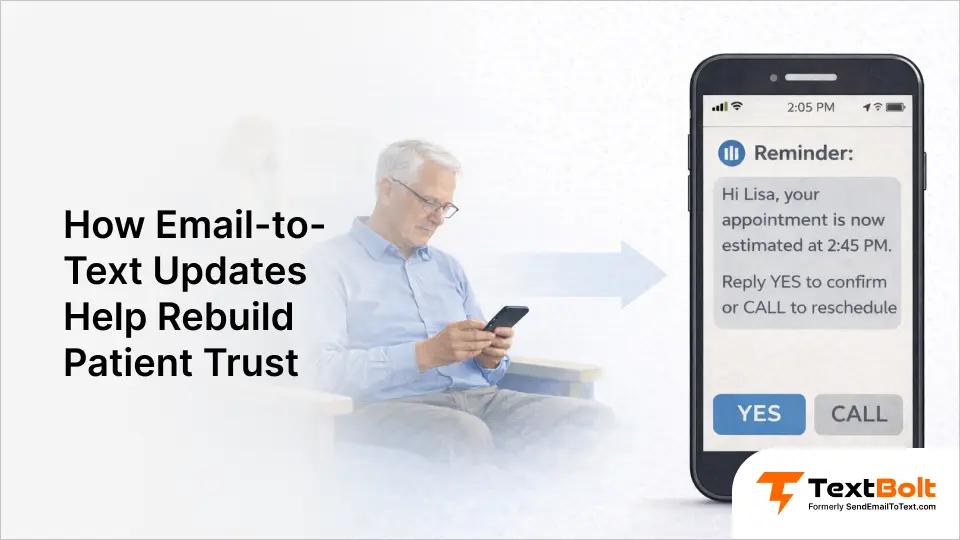
Most healthcare practices face a communication problem that creates unnecessary patient anxiety. Patients complete lab work, imaging, or specialist visits and then hear nothing for days. They don’t know if the results arrived, whether the doctor reviewed their case, or if silence means something is wrong.
This creates an impossible choice: call every patient with normal results and overwhelm your already-stretched staff, or maintain efficient workflows while patients assume the worst in the silence.
The solution is sending proactive text updates at key moments when patients are waiting and worrying. Brief status messages eliminate uncertainty, prevent anxious calls to the front desk, and rebuild patient trust through demonstrated care. These updates work through the email system your staff already uses, requiring no new software, no training sessions, and no workflow disruption.
Here’s how to rebuild patient trust through proactive transparency without adding administrative burden.
Why Silence After Appointments Erodes Patient Trust
Patients complete tests, procedures, or visits and then hear nothing. Days pass without updates about results, next steps, or status. This silence creates predictable patterns of anxiety and distrust that damage the patient relationship.
Days of Silence After Appointments Create Patient Anxiety
Uncertainty creates stress. Patients wonder if the results came back. They question whether the doctor reviewed their case. They worry that silence means bad news—because the old “no news is good news” approach no longer resonates with modern patients who expect proactive communication.
This anxiety affects their daily life while waiting for information that should have been communicated proactively. Every day without an update amplifies their worry: “Did they forget about me? Should I call? Is something seriously wrong?”
You can’t rebuild patient trust if patients think you forgot them.
Feeling Forgotten and Abandoned
When days pass without updates, patients interpret silence as indifference. They question whether anyone is thinking about their care. The unintended message they receive: “You don’t matter enough for a status update.”
Patients feel alone during vulnerable health moments. They completed their part (showed up, gave blood, sat through the scan) and now feel abandoned in the aftermath. These communication gaps make it nearly impossible to rebuild patient trust once damaged.
The Real Cost of Lost Patient Trust to Your Practice
Patient dissatisfaction from poor communication shows up everywhere:
Google reviews: “Never heard back about my results. Had to call three times.”
Patient churn: They switch to practices that communicate better. One negative experience costs years of patient relationships.
Call volume explosion: Front desk staff field 20+ calls weekly from anxious patients asking “Are my results in?” Each call takes 5-10 minutes—that’s 100-200 minutes of staff time answering questions that shouldn’t need to be asked.
Revenue impact: Patients who feel abandoned don’t return. They don’t refer family members. They book future appointments elsewhere. One communication failure can cost your practice thousands in lost lifetime patient value.
Patients now expect proactive communication. According to research by Solutionreach, about half of patients prefer communicating via text post-pandemic. Practices that stay silent lose patients to competitors who communicate.
Why Patients Don’t Trust Silence Anymore
The traditional “no news is good news” approach assumes patients understand how medical practices work. This assumption creates a widening gap between practice expectations and patient needs. What staff see as efficient workflows, patients experience as neglect. Understanding why this gap exists helps practices rebuild patient trust through better communication strategies.
Medical Staff Assumed Patients Know the Communication System
Your team knows the workflow. Labs get reviewed within 3-5 days. Normal results don’t require follow-up calls. Patients should assume everything is fine if they don’t hear anything.
Patients don’t know this unwritten rule. They assume someone will proactively tell them when results arrive. Days of silence feel like neglect, not standard procedure.
The expectation gap widens: what practices consider “efficient” (only calling about problems) equals what patients experience as “being forgotten.” You can’t rebuild patient trust using assumptions patients don’t share.
Patient Portals and Emails Create the Illusion of Communication
Some practices do send updates through patient portals or email. Portal messages sit unread because patients only check portals when booking appointments. Emails get buried under 50+ other messages daily.
The practice believes they communicated. The patient never saw the message.
This creates a dangerous disconnect: staff think “we sent it,” patients think “nobody told me.” Portal notifications have less than 20% open rates, while SMS achieves 98% open rates. Existing channels don’t actually rebuild patient trust because patients don’t see the messages.
The channel mismatch is the problem. You’re communicating through systems patients don’t actively monitor during anxious waiting periods. This is why healthcare providers are moving toward text messaging to reach patients where they actually pay attention.
Calling Every Patient About Normal Results Is Impossible
Calling every patient with normal results takes hours. Each call requires 5-10 minutes when you factor in greetings, the actual conversation, and post-call documentation. If you make 40 calls daily, that’s 2-3 hours of dedicated time where staff can’t multitask effectively.
Staff already overwhelmed with current responsibilities can’t spend entire mornings calling 30 patients to say “everything’s fine.” So it doesn’t happen. Patients stay uninformed.
The throughput is limited by human conversation speed. Even the most efficient caller can only complete 12-20 calls per hour. This creates a staffing bottleneck when volume increases—more calls require proportionally more staff hours in a linear scaling pattern that’s unsustainable.
Need a scalable way to rebuild patient trust without phone calls? That’s where email-to-text updates change everything. The transition from phone-based to text-based updates mirrors the broader shift in how businesses are replacing manual workflows with automated text messaging.
Ready to Eliminate Patient Anxiety Through Proactive Updates?
Stop losing trust in silence. TextBolt delivers status updates patients actually see. 30-minute setup from your existing email.
How Email-to-Text Updates Rebuild Patient Trust Without Overwhelming Staff
The job isn’t just sending updates—it’s rebuilding patient trust while respecting your team’s limited time. Email-to-text updates accomplish both by delivering messages patients actually see (98% open rates vs. <20% for portals), using tools your staff already knows.
No new software. No training sessions. No workflow changes. Staff compose updates exactly like normal emails. Patients receive them as SMS. The entire process takes 30 seconds per patient instead of 5-10 minutes per call.
1. Send Text Updates Directly from Gmail, Outlook, or Any Email Client
Staff composes messages like any normal email. Instead of addressing to someone@email.com, they address to 5551234567@sendemailtotext.com. The message delivers as SMS to the patient’s phone.
No new software needed. Works with Gmail, Outlook, Apple Mail, or any email platform your practice already uses. No training required—your team already knows how to send email. No workflow disruption—staff sends from the same desk, same computer, same email client they use for everything else.
Up to 10 staff members can send messages with no per-user fees. Whether you’re using Epic, Cerner, Athenahealth, NextGen, eClinicalWorks, or any other EMR system—if it can send emails, it works with this approach. Learn the complete process in our step-by-step guide on how to send email to text.
The product differentiator: unlike standalone SMS platforms requiring separate logins and dashboards, this method integrates into your existing email workflow. Staff doesn’t switch between systems or remember new passwords. They stay in Gmail or Outlook where they already work all day.
Example message: “Hi [Name], your lab results from last week came back. All values are normal. Dr. Johnson will go over details at your follow-up. Questions? Call us at 555-0123.”
This is the same approach medical practices use to let multiple staff text patients without creating single-point-of-failure scenarios where only one person knows how to send updates. When you rebuild patient trust through team-based communication, any staff member can send updates when the primary person is unavailable.
For practices using Google Workspace, the Gmail text integration makes this even more seamless with native email client support and contact group functionality.
2. Target Key Moments When Patients Need Reassurance Most
Focus on moments when patients are waiting and worrying. After lab work gets processed. After imaging studies are reviewed. After specialist referrals are sent. These are moments when silence creates the most anxiety.
Identify transparency moments by analyzing where your front desk currently fields the most “did you forget me?” calls:
- After lab results processed: “Your lab results from last week came back…”
- After imaging studies reviewed: “Dr. Chen reviewed your chest X-ray…”
- After specialist referrals sent: “Referral to Dr. Martinez (cardiology) was sent yesterday…”
- After medication changes ordered: “New prescription sent to Main Street Pharmacy…”
- After procedure scheduling: “Surgery confirmed for June 15 at 7 AM…”
Rebuild patient trust at moments of highest anxiety—when patients are actively worrying whether anyone remembered them. These are the same critical moments where practices see the highest volume of anxious phone calls.
Example: “Hi [Name], Dr. Chen reviewed your chest X-ray. No concerns found. Continue with the current treatment plan. See you next month.”
Why this works:
- Patient knows results arrived (eliminates “did they forget?” anxiety)
- Patient understands doctor reviewed them (eliminates “nobody looked” worry)
- Patient sees basic outcome (eliminates “silence means bad news” fear)
- Patient knows next steps (eliminates “what do I do now?” confusion)
Result: Anxiety disappears. Trust builds through demonstrated care. This is exactly what healthcare providers need to coordinate staff faster and keep patients informed simultaneously.
3. Update Patients About Normal Results, Not Just Problems
Current reality: most practices only contact patients when problems arise. This teaches patients that silence means either “they forgot about me” OR “something’s wrong but they’re not telling me yet.”
Better approach: send updates when everything is normal too. When patients consistently receive proactive updates regardless of findings, they stop assuming the worst when they hear nothing (eventually).
This changes what silence means over time. With consistent proactive communication, patients learn your practice communicates whether results are good or concerning. They develop confidence that if something important happened, you’ll tell them
Example: “Hi [Name], referral to Dr. Martinez (cardiology) was sent yesterday. They should contact you within 3 business days to schedule. Haven’t heard by Friday? Call us at 555-0123.”
What this accomplishes:
- Patient feels cared for (someone actively reviewed their case)
- Brief update took 30 seconds to send
- Prevented a 10-minute anxious phone call to front desk
- Created documented proof of communication
- Trust building: consistent proactive updates train patients that your practice doesn’t forget them
The time investment is minimal—30 seconds versus 5-10 minutes for phone calls. And unlike phone calls, staff can compose these updates while doing other work since email doesn’t require dedicated attention the way phone conversations do.
This proactive approach to normal results is part of a broader strategy to notify patients about schedule changes, results, and updates through channels they actually monitor.
4. Write Brief Messages That Reassure Without Overwhelming
Keep messages short and clear. State what happened, the basic outcome, and next steps. Don’t include detailed medical explanations—those belong in appointments or patient portals where you can provide proper context.
Texts serve as transparency signals. The goal is to rebuild patient trust by showing someone is thinking about their care—not to replace clinical conversations or provide comprehensive medical information via SMS.
Good message structure:
- What was done: “Your lab results came back” / “Dr. Smith reviewed your X-ray”
- Basic status: “All normal” / “No concerns found” / “Referral sent”
- What happens next: “Discuss at follow-up” / “Specialist will call you” / “Continue current plan”
- Contact option: “Questions? Call 555-0123”
Similar to customer satisfaction strategies in other industries, timing and clarity matter more than message length in healthcare communication.
Example message template:
Hi Jennifer, referral to Dr. Martinez (cardiology) was sent yesterday. They should contact you within 3 business days to schedule. Haven’t heard by Friday? Call us at 555-0123.
Why this example works:
- Patient knows referral didn’t fall through cracks (eliminates worry #1)
- Patient has timeline expectations (eliminates “how long should I wait?” confusion)
- Patient knows what to do if expected call doesn’t happen (eliminates helplessness)
- No ambiguity, no anxiety, no unnecessary follow-up calls
Trust building: proactive tracking shows practice is thinking about their care journey beyond just the immediate appointment. When you rebuild patient trust through consistent, timely updates like these, patients feel supported rather than forgotten during vulnerable hand-off moments.
Transform Silence into Reassurance
Your staff already composes emails. TextBolt turns those emails into SMS patients actually read. No new software to learn.
How Healthcare Practices Use Email-to-Text to Rebuild Patient Trus
The following examples reflect common transparency workflows observed in healthcare practices. These are illustrative scenarios showing how different specialties use email-to-text updates to rebuild patient trust. Outcomes vary based on practice size, patient population, and implementation consistency.
1. Family Medicine Practice Reduces Anxiety Calls with Lab Result Updates
Dr. Patel’s family medicine practice processes 40-50 lab orders weekly. Before proactive updates, front desk fielded numerous daily calls from patients asking if results were back.
The problem they needed to solve:
- 15-20 calls daily: “Are my results in yet?”
- Each call: 5-10 minutes (lookup + explanation + reassurance)
- Staff time consumed: 75-200 minutes daily on result-inquiry calls
- Patient dissatisfaction: “Why didn’t anyone tell me?”
Implementation: Medical assistant sends text when doctor reviews results using the same email-to-text approach that reduces patient no-shows. Brief status update takes 30 seconds per patient.
Message example:
Hi John, Dr. Patel reviewed your lab work from last week. All values normal. Will discuss in detail at your 6/20 appointment. Questions? 555-0123.
Method: Send from Gmail using contact groups organized by “labs pending review”
Observed results:
- Call volume for result inquiries decreased by ~60%
- Patient satisfaction scores improved
- Google rating increased from 4.2 to 4.7 stars
- Patients mentioned in reviews: “appreciated being kept informed”
- Staff reclaimed ~90 minutes daily for other tasks
- Successfully helped rebuild patient trust without adding staff hours
The key insight: when you rebuild patient trust through proactive communication, you simultaneously reduce the reactive communication burden (anxious phone calls) on your team.
2. Imaging Center Eliminates Patient Worry with Same-Day Text Updates
Regional imaging center struggled with patient anxiety between scan and results communication. Patients assumed the worst when they heard nothing for days.
The problem they needed to solve:
- Patients leaving anxious: “When will I know if something’s wrong?”
- 30+ daily calls: “Has the radiologist looked at my scan yet?”
- Staff couldn’t answer (results pending provider review)
- Patient anxiety drove frequent calls days after scans
- Referral volume declining (patients choosing competitors with better communication)
Implementation: Text patients within 24 hours of radiologist review with basic status. Detailed discussion happens with ordering physician, not imaging center. This approach aligns with how practices send urgent patient updates to keep people informed during waiting periods.
Message example:
Hi Maria, your MRI from yesterday has been reviewed by our radiologist. Report sent to Dr. Williams. They’ll discuss findings at your appointment. Questions about scheduling? 555-0123.
Method: Radiologist assistant sends batch updates from Gmail after daily review queue
Observed results:
- Patient anxiety calls reduced by ~70%
- Referral volume from physicians increased (providers appreciated closed-loop communication)
- Patients reported positive communication experiences in surveys
- Staff saved 2+ hours daily previously spent reassuring anxious patients
- Successfully helped rebuild patient trust during vulnerable waiting periods
The imaging center found that to rebuild patient trust, they didn’t need to provide detailed medical information—just confirmation that someone reviewed the scan and next steps were in motion.
3. Multi-Specialty Clinic Closes Referral Gaps with Proactive Tracking
Large multi-specialty practice loses patients in referral gaps. Patient sees primary care. Referral gets sent to specialist. Patient never hears if referral was processed. Three weeks later, patient still hasn’t heard from specialist. Trust in primary care erodes.
The problem they needed to solve:
- Referral “black hole”: Patients don’t know if anything happened
- 25+ weekly calls: “Did you send my referral?”
- Frustrated returns: “Nothing happened with my referral!”
- Patient assumption: “My doctor forgot about me”
- Specialist offices never received some referrals (fax failures, wrong numbers)
Implementation: Text when referral is sent (immediate confirmation) with specialist name, expected timeline, and follow-up instructions. This mirrors best practices for HIPAA-compliant patient texting that keeps patients informed without exposing sensitive information.
Message example:
Hi David, your referral to Dr. Martinez (cardiology) was sent today via secure fax. They typically call within 3-5 business days to schedule. Haven’t heard by next Monday? Call us at 555-0123 and we’ll follow up.
Follow-up text if needed:
Hi David, following up on your cardiology referral. Have you heard from Dr. Martinez’s office yet? If not, please call us at 555-0123 so we can track it down.
Method: Care coordinator sends from Gmail using referral tracking spreadsheet
Observed results:
- Referral completion rate improved from ~70% to ~92%
- Patients appreciate proactive tracking (“finally felt supported”)
- Fewer frustrated returns to primary care
- Specialist offices appreciate fewer “where’s my referral?” calls
- Three-location practice uses shared account with separate email addresses per location
- Successfully helped rebuild patient trust during vulnerable hand-off moments
The multi-specialty clinic discovered that to rebuild patient trust during referrals, they needed to communicate at the moment of action (when referral is sent) rather than waiting for patients to call weeks later asking what happened.
For practices managing complex workflows across multiple providers and locations, understanding how to coordinate healthcare staff faster with text messaging becomes essential to maintaining consistent patient communication.
How to Start Rebuilding Patient Trust with Email-to-Text Updates
Implementing email-to-text updates doesn’t require IT staff, complex integrations, or workflow overhauls. The process takes 30 minutes from signup to sending your first test message.
Set Up Email-to-Text in 30 Minutes (Business Verification Included)
Complete business verification, configure the [phonenumber]@sendemailtotext.com addressing format, and test with your own number. Add up to 10 team members (included in Standard+ plans). 10DLC registration processes in background (1-2 business days) while you start using the service immediately.
What you need:
- Practice business information (name, address, EIN)
- Gmail, Outlook, or any email account
- List of phone numbers for initial test patients
- Credit card (no charges during 7-day trial)
Follow our complete setup guide that walks through every step. The setup process is designed for healthcare practices that need to send patient texts without extensive training if your staff can send email, they can send text updates.
Identify Your Top 3 Patient Anxiety Moments
Ask front desk staff: “What do patients call about most?” Common high-anxiety moments include lab results pending, imaging review pending, and specialist referral tracking.
Example for family practice:
- Lab results pending (20 calls/week)
- Specialist referrals sent (12 calls/week)
- Prescription sent to pharmacy (8 calls/week)
Start where your front desk currently fields the most “did you forget me?” calls. This is the same strategic thinking practices use to confirm patient message delivery during critical moments.
Create Standard Message Templates for Common Updates
Lab Results – Normal:
Hi [Name], your [test type] results from [date] came back. All values are within normal range. Dr. [Name] will discuss details at your [next appointment date]. Questions? Call us at [phone].
Imaging – No Concerns:
Hi [Name], Dr. [Name] reviewed your [imaging type] from [date]. No concerns found. Continue with your current treatment plan. See you at your next appointment on [date].
Referral Sent:
Hi [Name], your referral to Dr. [Specialist Name] ([specialty]) was sent [when]. They typically call within [timeframe] to schedule. Haven’t heard by [date]? Call us at [phone] and we’ll follow up.
Save templates in Gmail using canned responses or TextExpander. These templates follow the same principles practices use when sending appointment reminders via email brief, clear, actionable.
Train Your Team on the 2-Minute Email-to-Text Process
Training script (60 seconds):
- Open Gmail like normal
- Instead of emailing someone@email.com, address to 5551234567@sendemailtotext.com
- Whatever you write in the email body becomes the text message
- Hit send—patient receives SMS
- When they reply, it comes back to your email inbox
For practices using Google Workspace, refer staff to our Gmail text integration guide for tips on organizing contacts and batch messaging.
This minimal training requirement is why practices can stop staff from using personal phones to text patients the business solution is actually easier than the workaround.
Set Clear Expectations About Text Communication with Patients
Template for first text:
Hi [Name], we’ll now send appointment reminders and important updates via text. For questions, please call us at [phone]. Reply STOP to opt out anytime.
Train staff on boundaries: Texts for status updates, phones for medical consultations. When patients reply with medical questions, respond: “Please call us to discuss in detail.”
What to include in patient communications:
- Explanation: “We’re now sending proactive updates via text”
- Purpose: “So you don’t have to wonder if we received your results”
- Boundaries: “For questions, please call [phone]”
- Opt-out: “Reply STOP anytime to opt out”
For specific guidance on consent and regulatory requirements, review our guide on SMS compliance laws for healthcare.
When patients understand that texts are for updates (not medical consultations), they appreciate the proactive communication while knowing when to call for discussions. This clarity helps rebuild patient trust by setting appropriate expectations from the first interaction.
Common Concerns About Using Email-to-Text to Rebuild Patient Trust
Healthcare providers considering email-to-text updates often have similar concerns about time investment, patient behavior, and compliance. Here’s how the approach addresses each concern—and why it works better than alternatives.
1. Does Texting Normal Results Take Too Much Staff Time?
The concern: “We’re already overwhelmed. How can we add texting every patient to our workload?”
The reality: Text takes 30 seconds per patient. Phone call takes 5-10 minutes per patient. For 20 patients: texting = 10 minutes total, calling = 100-200 minutes total. Staff can send texts while doing other work (email doesn’t require dedicated attention like phone calls). Result: 10 minutes sending updates prevents 60+ minutes of incoming “are my results in?” calls. Net time saved: 50+ minutes daily that staff can spend on patient care instead of phone tag.
2. What If Patients Reply with Medical Questions via Text?
The concern: “If we start texting patients, won’t they expect medical advice via text?”
The approach: Set expectations in first message (“For questions, call us at [phone]”). Train staff on response template: “Please call us to discuss in detail—we want to give your question the attention it deserves.” Don’t engage in clinical discussions via text. Keep texts for status updates only. Patient replies land in email inbox, making it easy to redirect appropriately. Goal: rebuild patient trust through transparency updates, not replace clinical conversations.
3. How Does Email-to-Text Compare to Patient Portal Notifications?
The portal problem: Patients only check portals when booking appointments. Portal notifications sit unread for days. Requires login (additional friction). Open rates: <20% for portal notifications.
The email-to-text advantage: SMS open rates: 98% (patients actually see the message). No login required. Immediate visibility (read within 1-3 minutes average). Best practice: Use portals for detailed documentation, use texts for “check your portal” alerts or brief status updates. Text: “Your lab results are ready in your patient portal. Log in at [link] to view. Questions? Call 555-0123.” Text drives portal engagement because patients know something’s waiting. Result: rebuild patient trust through immediate notification, maintain comprehensive documentation in portal.
4. Is Email-to-Text HIPAA Compliant for Healthcare Communication?
TextBolt’s approach: Direct transmission architecture (messages pass through, not stored on servers). No PHI storage—only phone number and message content processed during transmission. Business verification included (10DLC registration for carrier approval). Audit trail: every message tracked in your email system.
What TextBolt does NOT do: Store patient health information. Maintain message archives on servers. Access your EMR or patient records. Handle any PHI beyond phone number and message text during transmission.
Compliance best practices: Get written consent for text communications (include in intake forms). Include opt-out instructions in every message. Keep messages brief and general (detailed info stays in portals). Use secure patient portals for sensitive results. Document consent in patient record.
Important: TextBolt provides communication pathway, not storage. Each healthcare organization has unique compliance needs—consult your compliance team to ensure any communication tool fits your requirements.
5. What If Test Results Change After We Send a Normal Update?
The concern: “What if we text ‘everything’s normal’ but later find something wrong?”
The approach: Each update reflects information known at that moment. “Results reviewed today, everything normal” is accurate when sent. New information = new communication. If follow-up tests reveal concerns weeks later, that’s new information requiring new update. Medical reality: results interpretation can evolve with additional context. Being proactive with current status doesn’t prevent future updates when circumstances change.
Email-to-text creates audit trail showing exactly what was communicated and when. If situation changes, you have proof of appropriate communication at each decision point. This helps rebuild patient trust through transparency at each moment while maintaining clinical flexibility.
How TextBolt Helps Healthcare Providers Rebuild Patient Trust
Communication gaps after appointments destroy the patient trust you’ve worked hard to build. Patients complete tests and hear nothing for days. They feel forgotten. They assume the worst. They call your front desk repeatedly. They leave negative reviews. They switch to practices that communicate better.
The solution isn’t calling every patient—your staff doesn’t have 3 extra hours daily. The solution is sending text updates from your existing email. Brief, reassuring messages at key moments show patients someone is actively managing their care. No new software. No training. No workflow disruption.
Here’s how TextBolt helps to win patient trust:
- Send from Gmail, Outlook, or any email platform Works with what your staff already uses daily. No new software to learn or login to remember. Send from desk computer, laptop, or phone. Zero learning curve: if your team can send email, they can send texts to rebuild patient trust.
- Works with your existing EMR system Epic, Cerner, Athenahealth, NextGen, eClinicalWorks, Allscripts. Dentrix, Eaglesoft, Open Dental (dental practices). SimplePractice, TherapyNotes (mental health). AVImark, Cornerstone, IDEXX (veterinary). If it can send emails, it works with TextBolt. Learn more about our healthcare text messaging solutions.
- Multi-provider coordination made simple Each provider can have their own number (drsmith@, drpatel@). Unified management across all providers. Separate numbers for different specialties or locations. Perfect for group practices and multi-location clinics.
- Team collaboration built-in Up to 10 staff members included (no per-user fees). Any team member can send updates from their email. Complete message history shared across team. Seamless coverage when staff is out (no single point of failure).
- Messages patients actually see Up to 98% delivery rates (vs. <20% portal open rates). Patients read texts within 1-3 minutes average. SMS is the communication channel patients check most. Result: Your updates actually rebuild patient trust because patients actually see them.
- Two-way messaging through email Patient replies land directly in your email inbox. No separate dashboard to check. Respond via email—delivers as SMS to patient. Complete conversation history in familiar email interface.
- Complete audit trail for compliance Every message automatically tracked with timestamp. Delivery confirmation for each text. Proof of communication for documentation. HIPAA-focused: direct transmission, no PHI storage on TextBolt servers. Searchable message history in your email system. View our delivery rates disclosure for complete transparency.
- Google Contacts integration Already managing patients in Google Contacts? Perfect. Send bulk updates to contact groups (Dr. Smith’s patients, lab follow-ups, etc.). Organize patients by appointment type, provider, or follow-up needs. Update once, message many.
Setup takes 30 minutes. Start rebuilding patient trust through proactive transparency.
What’s included in your free trial:
- 7 days full access to all features
- 10 free text message credits
- Complete setup assistance (email support@textbolt.com)
- Multi-user access (Standard+ plans)
- Google Contacts integration
- Two-way messaging
- Complete audit trail
Why we ask for credit card: Prevents spam accounts (protects our platform and your patients). Enables instant service activation after trial. You won’t be charged until after your 7-day trial ends.
Start Your Free 7-Day Trial | View Pricing
Questions? Email support@textbolt.com.
Delivery rates vary based on carrier policies, message content, and compliance factors.
Frequently Asked Questions
What if we send updates for normal results and something is wrong later?
Each update reflects information known at that moment. “Results reviewed, everything normal today” is accurate when sent. If follow-up tests reveal concerns weeks later, that’s new information requiring new communication. Being proactive with the current status doesn’t prevent future updates when circumstances change.
Which test results need proactive email-to-text updates?
Focus on tests patients actively worry about: recent lab work, imaging studies, biopsy results, specialist referrals, and post-procedure follow-ups. You may not need updates for routine monitoring labs where patients aren’t anxiously waiting. Start where your front desk fields the most “did you forget me?” calls.
How much time does each email-to-text update take to send?
30 seconds per patient. For 20 patients: 10 minutes total using contact groups. Compare to phone calls: 20 calls × 5 minutes = 100 minutes minimum. Time saved: 90+ minutes daily for higher-value activities.
Do patients actually prefer text updates over phone calls?
For non-urgent communication, yes. 50% of patients prefer text post-pandemic (Solutionreach). 80% want to receive SMS from healthcare providers. Texts don’t interrupt their workday and eliminate phone tag. Phone calls remain appropriate for complex discussions, bad news, or situations requiring back-and-forth conversation.
Can we schedule email-to-text messages to send automatically?
Yes. Gmail: click arrow next to Send, select “Schedule send.” Outlook: click “Send later.” Use for sending appointment reminders at optimal times or batching weekend updates to send Monday morning.
What happens when an email-to-text message fails to deliver?
Dashboard shows delivery status within 2-5 minutes. Common failures: invalid phone number, patient blocked number, carrier issues. When message fails: check number accuracy, verify patient hasn’t opted out, try resending, or follow up via phone. Complete message history stays in your email system for documentation. See our troubleshooting guide for solutions.
How should staff handle medical questions sent via text reply?
Simple logistics are OK via text (office hours, directions). Medical questions should redirect to phone: “Great question—please call 555-0123 so we can explain thoroughly.” Don’t attempt clinical advice via text. Goal: rebuild patient trust through transparency updates, not replace clinical conversations.