
- EZ Texting at a Glance: Quick Facts
- EZ Texting Platform Ratings
- What Is EZ Texting?
- EZ Texting Features: What You Actually Get
- Who EZ Texting Is Built For
- EZ Texting Pricing Breakdown
- EZ Texting Pros and Cons
- Is EZ Texting Good for Your Business?
- EZ Texting vs TextBolt: Feature Comparison
- Why Businesses Choose TextBolt Over EZ Texting
- Final Verdict: Is EZ Texting Worth It?
- Frequently Asked Questions
Ready to Simplify Your Business Texting?
EZ Texting Reviews: A Complete Guide to Features and User Feedback

SMS marketing has become a multi-billion-dollar industry, with the U.S. SMS marketing market is projected to reach about $12.6 billion and roughly 80% of businesses use SMS software to communicate with customers. EZ Texting, one of the oldest platforms in the space since 2004, promises an easy-to-use solution for business text messaging.
EZ Texting, founded in 2004 and now serving over 230,000 businesses, positions itself as the beginner-friendly option in this crowded market. The platform promises an intuitive interface, robust features, and the reliability that comes with two decades of experience.
But does longevity translate to a better product in 2026? At TextBolt, we hear from businesses every week who are evaluating SMS platforms or looking to switch from EZ Texting. To help you make an informed decision, we analyzed over 900 user reviews across G2, Capterra, Trustpilot, and Business.com.
What we discovered was a nuanced picture: genuine praise for ease of use and templates sits alongside persistent complaints about credit expiration policies, scaling costs, and support limitations. This comprehensive review examines what real users say about EZ Texting—the good, the frustrating, and the deal-breakers—to help you decide if it’s the right fit for your business communication needs.
EZ Texting at a Glance: Quick Facts
| Feature | Details |
| Founded | 2004 |
| Starting Price | $25/month |
| 10DLC Compliance | Yes (A2P registration included) |
| Two-Way Messaging | Yes |
| Team Access | Team Access$10/month per additional user |
| Best For | SMBs new to SMS marketing, template-heavy campaigns |
| Not Ideal For | High-volume senders, healthcare (no HIPAA), international |
| Free Trial | Free Trial – 14 days with 100 credits |
Quick comparison: TextBolt starts at $29/month with 500 messages, includes free team member access (up to 10 on Standard), and credits never expire.
EZ Texting Platform Ratings
Before diving into the specifics, here’s how EZ Texting performs across major review platforms. These aggregate scores tell part of the story, but the real insights emerge when you examine the patterns within individual reviews.
| Platform | Rating | Reviews |
| G2 | 4.5/5 | 600+ reviews |
| Capterra | 4.4/5 | 100+ reviews |
| Trustpilot | 3.3/5 | 219 reviews |
The takeaway: The difference between G2/Capterra ratings (4.4-4.5) and Trustpilot (3.3) reveals an important pattern. G2 and Capterra primarily capture reviews from active, satisfied users who are invited to share feedback. Trustpilot, being an open review platform, tends to attract more frustrated customers seeking resolution often those dealing with billing disputes, cancellation issues, or refund denials.
This doesn’t invalidate either set of reviews. Instead, it suggests that EZ Texting works well for users whose needs align with its strengths but can create significant friction for those who encounter its limitations. Understanding which category you fall into is crucial before committing.
At TextBolt, we’ve built our platform specifically to address the pain points that show up repeatedly in these negative reviews particularly credit expiration, per-user fees, and the need to learn yet another dashboard. More on that throughout this review.
What Is EZ Texting?
EZ Texting is a cloud-based SMS marketing platform designed primarily for small to mid-sized businesses in the United States and Canada. Unlike developer-focused alternatives like Twilio that require technical expertise, EZ Texting emphasizes accessibility—you can launch your first campaign without writing a single line of code or consulting help documentation.
The platform operates on a credit-based system where users purchase monthly plans with allocated message credits. Each SMS costs 1 credit, while MMS messages (with images or longer text) consume 3 credits. This structure makes budgeting straightforward for predictable volumes but can become expensive—or wasteful—for businesses with fluctuating messaging needs.
EZ Texting occupies a specific niche in the SMS marketing landscape:
- More accessible than: Twilio, Plivo, and other API-first platforms
- More feature-rich than: Basic carrier email-to-SMS gateways
- Less enterprise-focused than: Salesforce Marketing Cloud, Braze
- Similar tier to: SimpleTexting, Textedly, SlickText
EZ Texting Features: What You Actually Get
1. Mass Text Messaging
The core functionality allows you to send bulk promotional messages to your contact lists with personalization options like first name and custom fields. You can schedule messages for optimal delivery times, create recurring campaigns, and segment your audience based on custom criteria.
What works well: Users consistently praise the straightforward campaign creation process. One G2 reviewer noted that setting up and sending campaigns takes “minutes, not hours,” while a Capterra user described the bulk texting interface as “clean and minimalist.”
Limitations to consider: The credit-based system means costs can escalate quickly for high-volume senders. If you’re messaging 5,000 contacts monthly, you’ll need to carefully calculate whether EZ Texting’s per-message cost makes sense compared to platforms offering higher message allotments at flat rates.
2. AI-Powered Message Composition
EZ Texting’s AI Compose feature helps users create effective text messages by generating suggestions based on your input and desired tone. You can choose between casual, formal, playful, or passionate tones, and the AI adapts accordingly.
What works well: Business.com’s expert review called this feature “impressive,” noting it’s particularly valuable for marketers who struggle with the concise writing SMS requires. The AI handles the 160-character constraint intelligently, suggesting complete thoughts that fit within standard SMS limits.
Limitations to consider: While AI assistance speeds up content creation, it doesn’t eliminate the need for human review. Generic AI-generated text can feel impersonal, and savvy recipients often recognize templated language. Use it as a starting point, not a final draft.
3. Two-Way SMS Conversations
Full conversational texting allows customers to respond to your messages, with all replies appearing in the EZ Texting dashboard. The Team Inbox feature lets multiple team members view and respond to ongoing conversations, with assignment capabilities and priority filtering.
What works well: The Team Inbox addresses a common pain point—ensuring customer responses don’t fall through the cracks. Managers can see which conversations are assigned, which are waiting, and who’s handling what. This visibility is valuable for customer service teams juggling multiple inquiries.
Limitations to consider: Unlike some competitors that integrate directly with existing helpdesk software, EZ Texting requires you to monitor a separate platform. If your team already lives in Zendesk, Intercom, or a CRM, adding another dashboard creates friction. Integrations exist via Zapier, but native connections are limited.
4. Template Library
EZ Texting offers pre-built templates covering appointment reminders, promotional offers, event notifications, flash sales, and more. Business.com’s review rated these templates as “by far the best” among reviewed competitors, praising their variety and customization options.
What works well: Templates reduce the blank-page problem, especially for first-time SMS marketers. They also incorporate compliance best practices—opt-out language, character limits, and engagement-focused structure—so you’re less likely to create messages that trigger carrier filtering or legal issues.
Limitations to consider: Templates still require customization for your brand voice and specific offers. They provide structure, not strategy. A furniture store and a dental practice both need appointment reminders, but the tone, timing, and content should differ significantly.
5. MMS with Shutterstock Integration
Access professional images and GIFs for MMS messages directly within the platform through a native Shutterstock integration. The built-in editor lets you add text overlays, crop images, and create visually branded messages without external design tools.
What works well: This integration is genuinely unique. No other major SMS marketing platform we reviewed offers direct access to professional stock imagery within the message composition workflow. For businesses without dedicated designers, this removes a significant barrier to creating polished MMS campaigns.
Limitations to consider: MMS messages cost 3 credits each—three times the price of standard SMS. For a 1,000-contact campaign, that’s 3,000 credits versus 1,000. The visual impact must justify the cost premium, which it often does for promotional content but rarely does for transactional messages like reminders.
6. Compliance and Registration
All EZ Texting plans include built-in compliance features: automatic opt-in mechanisms, required opt-out instructions, A2P (Application-to-Person) registration, and STOP keyword handling. The platform handles 10DLC registration at no extra cost—a process that can be confusing and time-consuming to navigate independently.
What works well: Compliance is non-negotiable in SMS marketing. TCPA violations can result in fines of $500 to $1,500 per message, and carriers increasingly block unregistered traffic. EZ Texting’s built-in compliance significantly reduces legal and deliverability risk for businesses unfamiliar with telecommunications regulations.
Limitations to consider: EZ Texting is not HIPAA compliant. Healthcare organizations requiring compliant messaging for patient information should evaluate alternatives like OhMD, Klara, or Textline that offer specific healthcare compliance features.
Who EZ Texting Is Built For
Based on our analysis of user reviews and platform capabilities, EZ Texting aligns well with:
- Marketing managers at small businesses who need promotional capabilities without technical complexity
- Retail and e-commerce operations running flash sales, inventory alerts, and loyalty programs
- Restaurants and food service sending daily specials, reservation confirmations, and waitlist updates
- Churches and nonprofits coordinating events, sending updates, and managing volunteer communication
- Event management companies handling RSVPs, day-of logistics, and post-event follow-up
- Service businesses (salons, spas, fitness studios) reducing no-shows with appointment reminders
Prefer Texting Without a Dashboard?
See how businesses send SMS directly from Gmail with no expiring credits or per-user fees.
EZ Texting Pricing Breakdown
EZ Texting uses a subscription-plus-credits model. Your monthly fee unlocks platform access and includes 500 message credits (or 6,000 annually). Higher-tier plans don’t give you more credits they provide faster sending speeds, better per-credit rates when purchasing additional credits, and enhanced deliverability.
Current EZ Texting Pricing (2026)
| Plan | Monthly Cost | Annual Cost | Recommended Contacts | Extra Credit Cost |
| Launch | $25/month | $20/month | Up to 500 | $0.030 per message |
| Boost | $75/month | $60/month | 500-2,000 | $0.025 per message |
| Scale | $125/month | $100/month | 2,000-50,000 | $0.020 per message |
| Enterprise | $3,000/month | Custom | 50,000+ | $0.010 per message |
If you want to explore detailed EZ Texting pricing, read our guide.
TextBolt Pricing Comparison
| Plan | Monthly Cost | Annual Cost | Messages Included | Team Members | Credit Expiration |
| Basic | $29/month | $23.20/month | 500 | 1 | Never |
| Standard | $49/month | $39.20/month | 1,000 | Up to 10 | Never |
| Professional | $99/month | $79.20/month | 2,500 | Up to 10 | Never |
| Enterprise | Custom | Custom | 5,000+ | Unlimited | Never |
Key differences: TextBolt includes team members free (Standard+), credits never expire, and there are no hidden telecom fees.
Hidden and Additional Costs in EZ Texting Reviews:
The base subscription doesn’t tell the complete pricing story. Factor in these additional costs:
- Launch plan telecom fee: $5/month additional (waived on higher tiers)
- Additional team members: $10/month per user beyond the first
- Extra keywords: Additional monthly cost varies
- Additional phone numbers: Per-number charges apply
- Credit overages: Billed at plan rates when you exceed included credits
TextBolt’s approach: What you see is what you pay. No telecom fees, no per-user charges on Standard plans and above, no surprise costs. We believe pricing should be predictable.
Credit System: How It Actually Works
Understanding EZ Texting’s credit economy is essential for accurate budgeting:
- 1 SMS (up to 160 characters): 1 credit
- 1 MMS (images/video, up to 1,600 characters): 3 credits
- Incoming messages: Free (a notable advantage over some competitors)
- Credit rollover: Monthly plans roll over for 30 days; annual plans expire after 12 months
Real-world example: A retail business with 2,000 contacts sending one promotional SMS weekly and one MMS campaign monthly would use approximately:
- Weekly SMS: 2,000 contacts × 4 weeks = 8,000 credits
- Monthly MMS: 2,000 contacts × 3 credits = 6,000 credits
- Monthly total: 14,000 credits
At Scale plan rates ($0.020/credit), that’s $280/month in credits plus $125 subscription = $405/month. On the Launch plan at $0.030/credit, the same usage costs $420 in credits plus $30 subscription = $450/month.
Compare this to TextBolt’s straightforward pricing: $29/month for 500 messages with no expiring credits and free team member access on Standard plans. For businesses focused on reminders and alerts rather than marketing blasts, the math often favors simplicity.
EZ Texting Pros and Cons
What Users Like About EZ Texting
1. Exceptional Ease of Use
The most consistent positive feedback describes EZ Texting’s clean, minimalist interface. Users report: “Clean and minimalist design that requires minimal consultation of help resources.”
For small businesses without dedicated marketing teams, this accessibility matters.
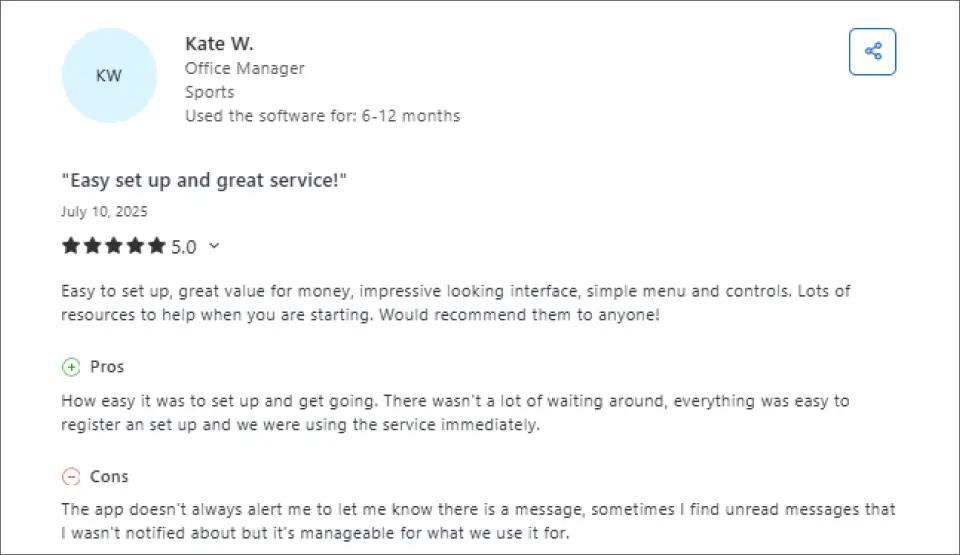
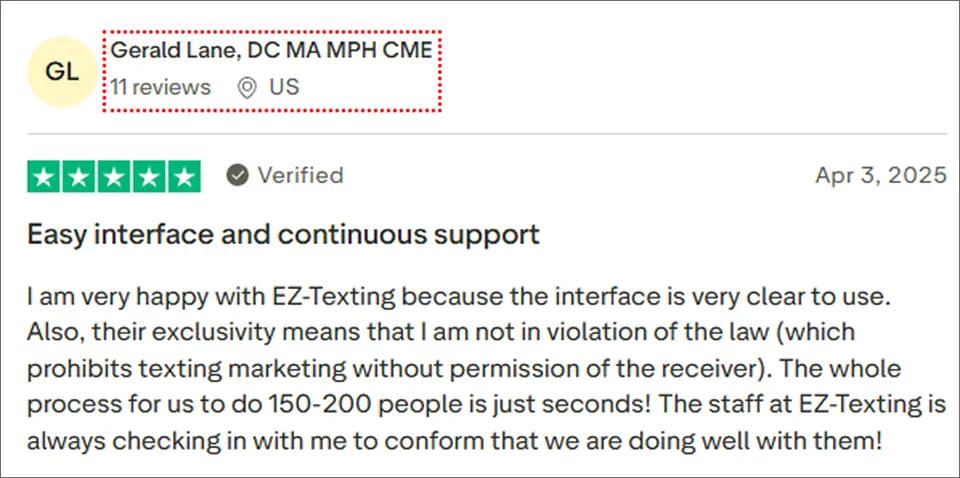
2. Proactive & responsive support:
EZ Texting’s team regularly checks in with users to ensure campaigns run smoothly and stay compliant, providing guidance and peace of mind for ongoing marketing efforts.
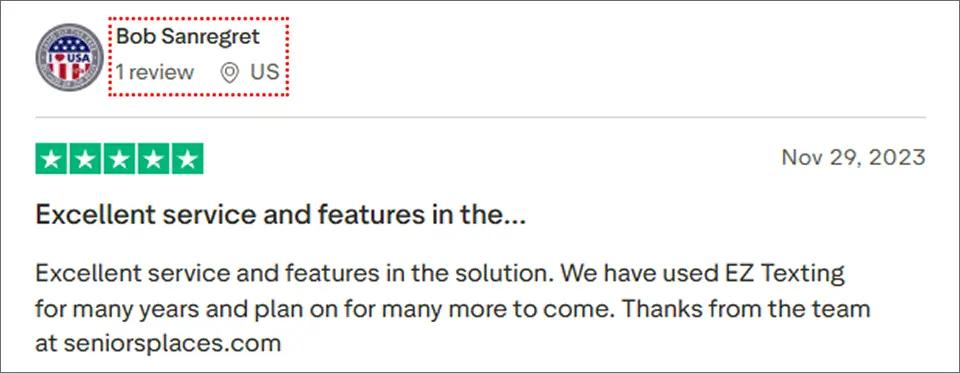
3. Long-Term Reliability & Feature-Rich Platform
Some EZ Texting users praise the platform for its reliability and robust feature set. One reviewer, with years of experience using the service, described it as “excellent service and features” and emphasized plans to continue using it for many more years. This suggests that EZ Texting is trusted by businesses for consistent performance and ongoing marketing needs.
4. Established Reputation
Operating since 2004 gives EZ Texting credibility that newer platforms lack. Businesses trust the platform’s longevity as evidence of reliability and stability.
5. Built-in Compliance
TCPA compliance features are built into the platform:
- Automatic opt-in mechanisms
- Required opt-out instructions
- A2P registration included at no extra cost
- STOP keyword handling
Common EZ Texting Complaints and Issues
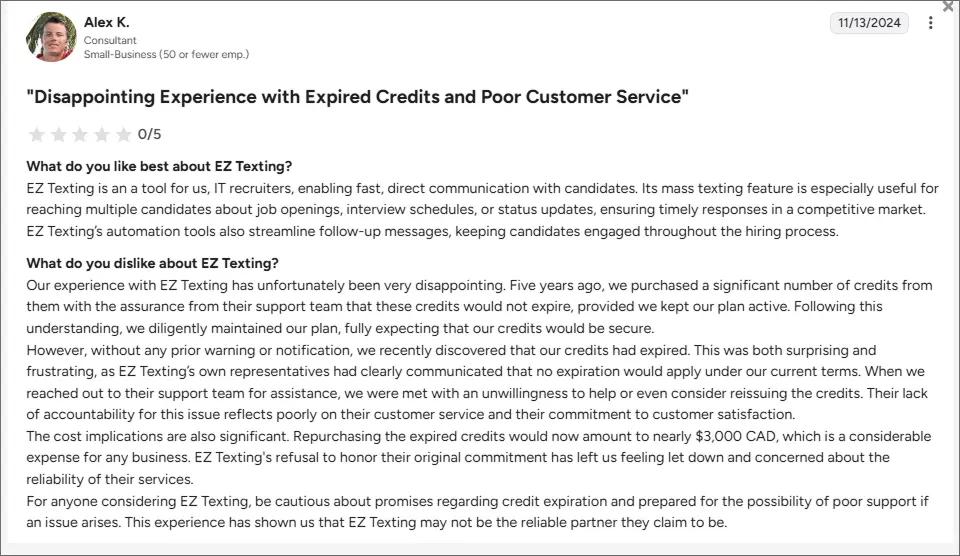
1. Credit Expiration Policy
The most frustrating issue for many users: unused credits expire after 12 months. If you purchase more credits than needed or have slow periods, those credits vanish at year-end.
Compare this to TextMagic where credits never expire, or pay-as-you-go platforms that only charge for what you use. For businesses with variable messaging volumes, this policy can result in significant waste.
2. Limited Customer Support Options
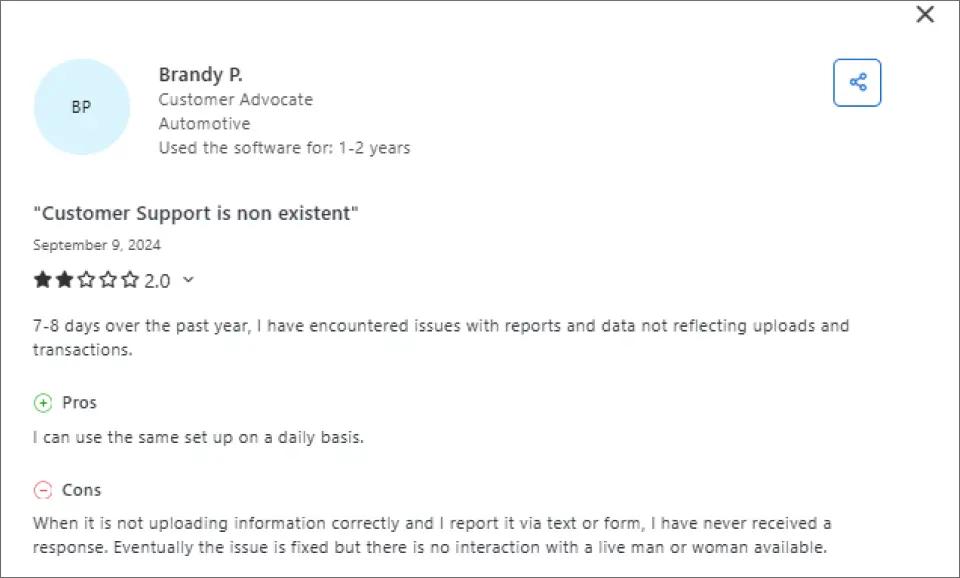
EZ Texting offers live chat support from 8 a.m. to 8 p.m. ET only. Notably absent:
- 24/7 support availability
- Phone support for complex issues
- Weekend coverage
For businesses operating outside Eastern time or requiring urgent after-hours assistance, this limitation creates significant friction. Users report: “When something goes wrong at 9 PM, you’re on your own until morning.”
3. Scaling Costs Increase Quickly
While the $25/month entry price seems affordable, costs escalate rapidly:
- Moving from Launch ($25) to Boost ($75) represents a 200% increase
- The jump from Boost to Scale ($125) adds another $50/month
- Enterprise pricing starts at $3,000/month
For high-volume senders, per-message costs may be more economical on alternative platforms.
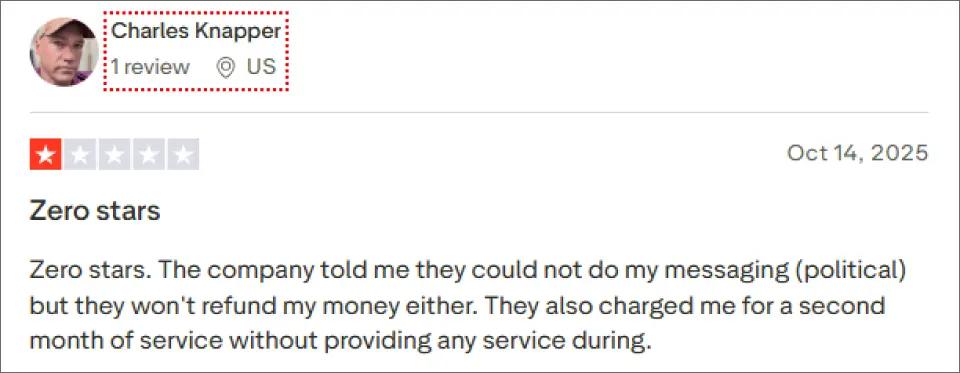
4. Political Messaging Restrictions & Refund Issues
Some users report frustration with EZ Texting’s content restrictions around political messaging. In at least one case, a customer stated that after being informed their political messages could not be sent, the company did not issue a refund and continued billing for an additional month, despite no messaging service being provided during that period.
This experience has led to concerns around billing transparency, refund policies, and how restricted-use cases are handled after payment is collected.
5. No HIPAA Compliance
Healthcare organizations requiring HIPAA-compliant messaging should look elsewhere. EZ Texting doesn’t offer the specific security certifications healthcare providers need.
Sending Time Sensitive Reminders or Alerts?
Skip dashboards and send texts directly from your email with up to 98% delivery rates.
Is EZ Texting Good for Your Business?
EZ Texting May Be a Good Fit If
- You’re new to SMS marketing and prioritize ease of use over advanced features
- You primarily run promotional/marketing campaigns rather than time-critical alerts
- You’re a single user or small team without complex collaboration needs
- You prefer visual dashboard interfaces over email-based or API-driven workflows
- You have predictable monthly messaging volumes that align with credit allotments
- You operate during Eastern time business hours when support is available
- You value built-in compliance features and want to minimize regulatory risk
EZ Texting May Not Be Ideal If
- You send time-sensitive messages where delivery delays matter (alerts, reminders, notifications)
- You need 24/7 customer support availability due to after-hours operations
- You’re migrating from carrier gateways (AT&T, Verizon, T-Mobile) and prefer email-based SMS workflows
- You require HIPAA compliance for healthcare communications
- You have variable messaging volumes where unused credits would waste money
- You need extensive CRM integrations beyond Zapier connections
- You operate internationally (EZ Texting primarily supports US and Canada)
- You’re a high-volume sender where per-message costs become significant
- You prefer email-based workflows over logging into separate platforms
If several of these apply to you, explore our guide to EZ Texting alternatives for better-fit options.
EZ Texting vs TextBolt: Feature Comparison
We built TextBolt to solve problems that platforms like EZ Texting weren’t addressing particularly for businesses that need reliable SMS for operations rather than marketing campaigns. Here’s how the two platforms compare:
| Feature | TextBolt | EZ Texting |
| Works from email (Gmail/Outlook) | ✓ Yes | ✗ Dashboard only |
| Starting price | $29/month | $25/month (+$5 telecom fee on Launch) |
| Messages included | 500 | 500 |
| Additional team members | Included free (Standard: up to 10) | $10/month per user |
| Setup time | 30 minutes | 1-2 hours |
| Learning curve | Zero (uses existing email) | Low (intuitive dashboard) |
| 10DLC registration | ✓ Included | ✓ Included |
| Delivery rate | Up to 98% | 95-99% (varies by plan) |
| Two-way messaging | ✓ Yes | ✓ Yes |
| Credit expiration | Never | 12 months (annual) / 30 days (monthly) |
| Mobile access | Via email app | Dedicated app (iOS only) |
| Best for | Notifications, reminders, alerts | Marketing campaigns |
If you want to read a detailed guide on EZ Texting vs TextBolt, check out our guide.
Why Businesses Choose TextBolt Over EZ Texting
1. No New Platform to Learn
TextBolt email to text service works from your existing email. Send a text by composing an email to phonenumber@textbolt.com. Your team already knows how to use email, so there’s zero training required and no additional dashboard to monitor.
With EZ Texting, you need to learn a new interface, manage separate login credentials, and train your team on a new system. For businesses where SMS is supplementary rather than central to operations, this overhead may not justify the investment.
We’ve seen this firsthand with our 285,000+ Google Workspace users who chose TextBolt specifically because they didn’t want another platform cluttering their workflow.
2. No Expiring Credits
Unlike EZ Texting’s 12-month credit expiration, TextBolt doesn’t penalize you for variable messaging volumes. You pay for what you use without worrying about losing unused credits at year-end. For businesses with seasonal patterns or unpredictable messaging needs, this flexibility can represent significant savings.
We hear from customers regularly who switched after losing hundreds of dollars in expired EZ Texting credits. That shouldn’t happen.
3. Email-Based Workflow Integration
For professionals who live in their inbox and that describes most knowledge workers. TextBolt’s email-based approach means SMS becomes part of existing workflows rather than an additional system to check. Replies arrive in your inbox, threading naturally into email conversations.
EZ Texting’s dashboard approach works well for dedicated marketing teams but creates friction for professionals who need to send occasional texts without context-switching between applications. Learn how to send email to text in minutes.
4. Time-Sensitive Message Focus
TextBolt is purpose-built for operational messaging appointment reminders, alerts, notifications where reliable delivery and workflow integration matter more than marketing features. EZ Texting’s strength is marketing campaigns where templates, AI composition, and visual content creation add value.
Different tools for different jobs. If you’re running promotional campaigns with images and need AI help writing copy, EZ Texting might be your better fit. If you’re sending appointment reminders, server alerts, or time-sensitive notifications and want them flowing through email, that’s exactly what we built TextBolt to do.
5. Migration-Friendly for Carrier Gateway Users
If you’re migrating from discontinued carrier gateways (AT&T, Verizon VText, T-Mobile), TextBolt’s email-to-SMS approach mirrors what you’re already used to. The workflow feels familiar, just with better deliverability and full 10DLC compliance.
EZ Texting requires adopting an entirely new workflow paradigm—fine if you want that, but unnecessary friction if you just need your existing process to keep working.
Final Verdict: Is EZ Texting Worth It?
EZ Texting delivers what it promises: a user-friendly SMS marketing platform with solid core features and a reputable track record since 2004. The template library and AI compose features genuinely help beginners get started quickly.
However, the credit expiration policy, limited support hours, and scaling costs create friction for many businesses. If you’re a small operation running occasional marketing campaigns and don’t mind the dashboard approach, EZ Texting works well.
For businesses with different needs, alternatives exist.
Choose EZ Texting If
- You’re running primarily promotional/marketing texts
- You’re new to SMS and want hand-holding with templates
- You prefer a visual dashboard interface
- You operate during Eastern time business hours
Choose TextBolt If
- You’re sending time-sensitive messages (appointments, alerts)
- You want to work from existing email (Gmail/Outlook)
- You have variable messaging volumes (no expiring credits)
- You need reliable delivery (up to 98%)
- You’re migrating from carrier gateways
- You need support outside business hours
See TextBolt pricing starting at $29/month or start a free 7-day trial.
Frequently Asked Questions
Does EZ Texting have hidden fees?
EZ Texting charges several fees beyond the base subscription:
- $5/month telecom fee on the Launch plan (waived on higher tiers)
- $10/month per additional team member beyond the first seat
- Extra keyword fees for multiple text-to-join keywords
- Additional phone number fees for multiple textable numbers
- Overage charges when you exceed included credits
Calculate your likely total cost before committing, especially if you need multiple team members or anticipate exceeding included credits regularly.
TextBolt pricing is straightforward $29, $49, or $99/month depending on message volume, with team members included on Standard and Professional plans and no telecom fees. What you see is what you pay.
Is EZ Texting HIPAA compliant?
No. EZ Texting is not HIPAA compliant and should not be used to transmit protected health information (PHI). Healthcare organizations requiring compliant messaging should evaluate alternatives like OhMD, Klara, Textline, or Spruce Health that offer specific healthcare compliance features.
EZ Texting recommends medical professionals use its service only for generic appointment reminders, promoting open days, and staff communication—not for patient-specific health information.
Can I cancel EZ Texting anytime?
Yes, but with important caveats that have frustrated many users:
- No refunds for unused portions of your billing cycle
- Annual plans may not be refunded if canceled mid-term
- Credit expiration means unused credits are lost upon cancellation
- Some users report continued billing after cancellation requests—monitor your statements carefully
To cancel, navigate to Plan Details and select “Cancel My Account” or contact support directly. Based on Trustpilot complaints, we recommend confirming cancellation in writing and monitoring your payment method for unexpected charges.
With TextBolt, you can cancel anytime, no hassle. We don’t believe in making cancellation difficult if we’re not serving you well, you should be free to leave. We’d rather earn your business through quality.
How long does an EZ Texting setup take?
Most users report 1-2 hours for initial setup, including account creation, 10DLC registration, and learning the dashboard. The interface is intuitive, but there’s still a learning curve for new users.
TextBolt setup: 30 minutes from signup to sending your first text. Since you’re working from Gmail, there’s no new interface to learn—just install the add-on, complete business verification, and start sending.