
- Why Message Delivery Proof Remains a Persistent Problem in Healthcare
- Why Traditional Communication Channels Leave Documentation Gaps
- How Email-to-SMS Creates Automatic Proof for Healthcare Teams
- How to Document Patient Messages Without Manual Logging
- What Message Documentation Actually Looks Like
- Examples: How Clinics Document Patient Communication
- How TextBolt Helps Healthcare Providers Document Patient Messages
- Frequently Asked Questions
Every Message Tracked and Confirmed
How to Confirm Patient Message Delivery with Email-to-Text

Your front desk texts a patient about tomorrow’s appointment. The patient doesn’t show up. When you call to follow up, they say, “I never got any text.”Without delivery proof, you can’t verify what happened. Was the message sent? Did it reach their phone? Was the number correct? You have no evidence either way.
This documentation gap creates three immediate problems:
- lost revenue per no-show
- compliance audit failures when you can’t prove communication attempts
- liability exposure during patient disputes about critical instructions
Email-to-SMS platform designed for healthcare solve this. They automatically document every message sent, timestamp, delivery status, and recipient confirmation—inside your existing email system. No manual logging. No separate tracking tools. No workflow changes.
This guide shows you how to build an automatic message proof in 3 steps using TextBolt. But first, let’s understand exactly why documentation gaps exist, so you can eliminate them permanently.
Why Message Delivery Proof Remains a Persistent Problem in Healthcare
Patient disputes about communication create immediate documentation challenges. When someone claims they never received appointment details, prescription instructions, or test result notifications, practices without delivery records have no evidence to reference during the dispute.
1. Missed Appointments Drain Revenue When You Can’t Prove Notification
Missed appointments cost hundreds of dollars approx each time when patients claim they weren’t notified. Practices that reduce missed appointments with documented SMS reminders significantly decrease both no-show rates and communication disputes. Compliance audits require practices to demonstrate patient communication attempts. Without documentation systems, practices fail these audits and face penalties.
2. Staff Accountability Disappears Without Message Logs
Without message logs, staff can’t verify who sent specific messages or when they were delivered. When a patient says “nobody told me,” managers have no records to investigate.This eliminates accountability for staff communication quality and makes resolving disputes impossible.
3. Critical Patient Instructions Vanish Without Documentation Trails
Critical post-procedure instructions disappear without documentation trails. Medication changes aren’t recorded. Follow-up appointment reminders have no verification of delivery. When communication fails and practices can’t prove communication attempts were made, liability increases significantly. Healthcare teams need reliable ways to send urgent patient updates when emails are slow with verifiable delivery confirmation.
According to research published in the Journal of Medical Internet Research, 60 to 80% of clinical staff exchange text messages related to patient care without proper documentation systems, creating unnecessary risk exposure.
Now that you understand what’s causing documentation gaps, let’s look at why current communication methods fail to solve this problem.
Why Traditional Communication Channels Leave Documentation Gaps
Phone calls and standard email systems create documentation gaps that leave practices exposed during disputes.
1. Phone Calls Require Manual Documentation That Staff Forget
Phone-based patient communication requires manual documentation in the EMR. Staff members should note “called patient at 2 pm, left voicemail about appointment change” after each call, but during busy clinic hours, many calls go unlogged. When patients claim they were never called, practices have no evidence either way.
2. Email Proves Sending But Not Receiving
Standard email proves a message was sent, but can’t prove the patient received it. Emails get caught in spam filters, patients change email addresses without updating practice records, and messages bounce silently for days before anyone notices the delivery failure.
3. Patient Portals Show Posting Time, Not When Patients Read Messages
Portal messages show when content was posted but not when patients logged in and read it. Since most patients check portals infrequently, critical messages sit unread for weeks while practices assume delivery occurred.
4. Personal Staff Phones Make Message History Disappear When Employees Leave
When medical assistants text patients from personal iPhones, those conversation histories belong to the staff member, not the practice. When the assistant quits or gets a new phone, message history disappears entirely. The practice loses all documentation of patient communication that occurred through personal devices.
When the assistant quits or gets a new phone, message history disappears entirely. The practice loses all documentation of patient communication that occurred through personal devices. This is why practices need to stop staff personal phone texting to patients and centralize communication through business-owned systems.
Ready to Build Automatic Message Documentation?
Stop relying on manual logging that creates gaps during disputes and audits. See how TextBolt documents communication without extra work for your staff.
How Email-to-SMS Creates Automatic Proof for Healthcare Teams
Email-to-SMS solves the documentation problem by routing patient texts through your business email system. This creates permanent records without changing how your staff works.
The workflow:
- Staff composes message in Gmail or Outlook (the email system they already use)
- Patient receives it as a normal text message on their phone
- Complete record automatically saves in email sent folder (no manual logging required)
- Practice owns all documentation (stays in business email, not personal devices)
Why this eliminates documentation gaps:
| Personal Phone Texting | Email-to-SMS (TextBolt) |
| Record belongs to staff member’s phone | Record belongs to practice email system |
| Disappears when staff leaves | Permanent and searchable |
| No timestamp verification | Automatic timestamp and delivery tracking |
| Not accessible to management | Accessible to authorized staff |
This creates verifiable proof without requiring staff to learn new systems or remember to document manually. Healthcare teams can send SMS notifications from work email while automatically building complete audit trails.
How to Document Patient Messages Without Manual Logging
Documentation gaps exist because practices rely on communication channels that require manual record-keeping. Routing communication through systems that document automatically solves this problem without adding work for staff.
According to Paubox research on healthcare communication, proper messaging systems improve patient adherence and satisfaction by enabling timely, documented communication.
1. Use Communication Channels That Self-Document
Communication channels like email-to-text service create automatic records for every message sent: timestamp, sender identification, recipient confirmation, all without manual entry requirements. Email creates sent records automatically. Business-grade text messaging platforms generate delivery logs. Phone systems log call records when properly configured.
TextBolt automatically logs every SMS sent via email with timestamps and delivery confirmation. When your staff sends appointment reminders or follow-up instructions from Gmail or Outlook, complete message records are saved to the sent folder without additional documentation steps. This creates audit trails automatically while staff work through familiar email workflows. Healthcare practices can send appointment reminders via email that convert to text messages with complete documentation.
Staff send messages normally while documentation happens in the background. Automatic logging eliminates reliance on staff remembering to document communication manually.
2. Centralize Communication Through Business-Owned Channels
Personal phone texting creates documentation gaps because message history belongs to staff, not the practice. When employees leave, patient conversations disappear, eliminating accountability and audit evidence.
TextBolt centralizes patient texting through business email and a shared business number, ensuring the organization owns all message records. Multiple staff members can text patients from one number while keeping conversations visible, searchable, and retained by the practice.
All messages are automatically logged with timestamps and delivery confirmation, creating reliable documentation for audits, disputes, and staff oversight without changing existing workflows.
3. Prioritize Message Delivery Confirmation Over Read Receipts
Delivery confirmation proves messages reached the patient’s device. Read receipts prove the patient opened the message. For documentation purposes, delivery confirmation is sufficient to demonstrate good-faith communication efforts.
TextBolt automatically saves every SMS in your email sent folder. When your staff sends appointment reminders or post-visit follow-up instructions from Gmail or Outlook, complete message records are saved without additional documentation steps. This creates verifiable records showing what was communicated, when it was sent, and to which phone number—sufficient to demonstrate good-faith communication efforts during disputes and audits.
Delivery confirmation focuses on what practices can control: ensuring messages reach the contact information patients provide.
Build Your Documentation System Today
Healthcare practices need proof of patient communication for disputes, audits, and accountability. Stop manual logging and build complete message records automatically.
What Message Documentation Actually Looks Like
When a patient disputes communication or an auditor requests proof, email-to-SMS provides complete documentation instantly accessible from your sent folder.
Each message record includes:
- Date and time sent: “January 15, 2025, 2:34 PM EST”
- Recipient phone number: “Patient name (555-123-4567)”
- Complete message content: Full text of what was communicated
- Delivery status: Confirmation the message reached the phone number
- Sender identification: Which staff member sent it
During a Patient Dispute:
Patient claims: “I never got a reminder about my appointment.”
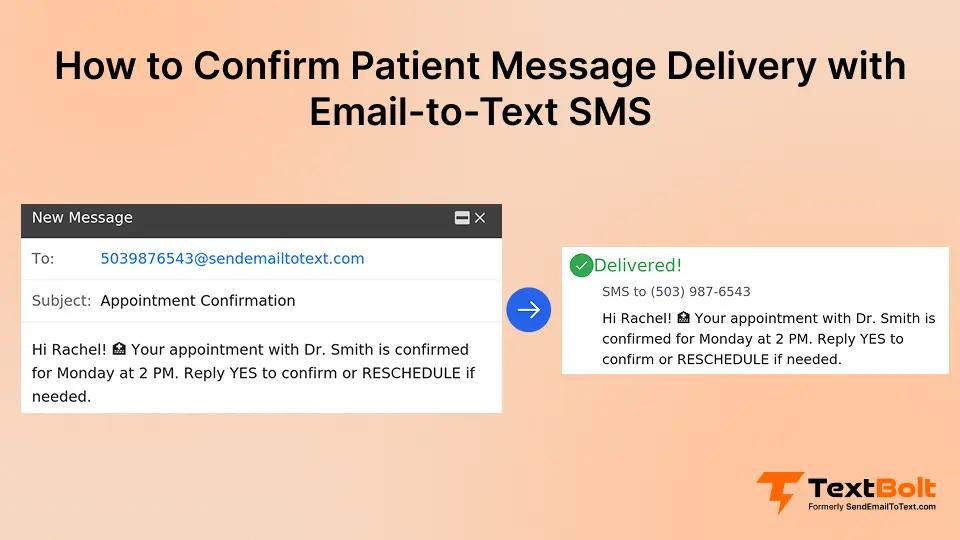
You provide: Gmail screenshot showing message sent January 15 at 2:34 PM to the phone number in their patient record, with “Delivered” status.
This proves you attempted communication using the contact information the patient provided.
During a Compliance Audit:
Auditor requests: “Show proof of patient communication attempts for January 2025.”
You provide: Filtered sent folder showing all patient messages with timestamps and delivery confirmations.
This is the documentation standard email-to-SMS creates automatically—no manual logs, no separate systems, no gaps.
Examples: How Clinics Document Patient Communication
The following scenarios are illustrative examples reflecting common documentation patterns that practices achieve with automatic message logging systems.
1. Solo Family Medicine Practice
A solo family medicine practice sends appointment reminders and follow-up messages via email-to-SMS. Every message automatically saves in the Gmail sent folder with full timestamp and delivery confirmation. When a patient disputed an appointment time, the front desk accessed the exact message sent with date, time, and delivery status, resolving the dispute quickly through documented evidence.
2. Multi-Provider Dental Practice
Three dentists share a front desk team. All patient texts go through a shared business number sent via email, with messages saved to a shared inbox. Complete communication history remains accessible to any staff member. When a dental assistant left, message history remained intact. The new hire had immediate access to all prior patient conversations from day one.
3. Physical Therapy Clinic
Patients receive post-visit exercise instructions via text. Every message logs automatically in email. During an insurance audit, the clinic produced six months of patient communication records with all messages timestamped and all delivery confirmations included, satisfying audit requirements efficiently.
How TextBolt Helps Healthcare Providers Document Patient Messages
Patient communication disputes create stress when practices can’t prove what was sent. Manual logging creates gaps. Automatic documentation through email-to-SMS solves this problem.
TextBolt creates automatic proof of communication by delivering your messages as SMS while keeping complete records in your email. Your staff sends from Gmail or Outlook using familiar workflows. Patients receive professional texts with up to 98% delivery rates. Every message automatically saves in your email sent folder with timestamps and delivery confirmation.
Setup takes 30 minutes. Test with your own number. Start building automatic proof of every patient message today. Start your free 7-day trial today.
Frequently Asked Questions
How do automatic message records help during patient disputes?
Automatic message logging creates timestamped records of what was sent, when it was delivered, and to which phone number. During disputes, practices can reference these records to demonstrate that communication attempts were made using the contact information the patient provided.
What documentation do compliance audits typically require for patient communication?
Most compliance audits require practices to demonstrate patient communication attempts with timestamps, message content, and delivery confirmation. Email-based messaging systems create these records automatically without requiring manual documentation or separate reporting tools.
Can message delivery records demonstrate HIPAA-appropriate communication practices?
Message delivery records show communication attempts occurred through documented channels. For appointment reminders without Protected Health Information, automatic logging through business email systems provides appropriate documentation. Consult your compliance team to ensure any messaging approach fits your specific requirements.
How should practices handle situations where patients claim non-receipt of messages?
Documentation showing the message was sent to the contact information the patient provided demonstrates good-faith communication effort. Delivery records can show whether messages reached the patient’s device or if technical issues (incorrect number, phone off) prevented delivery.
What retention period should practices maintain for patient message records?
Most practices retain patient communication records for 7 years to align with medical record retention requirements. Email-based messaging systems follow your organization’s existing email retention policies, making compliance with retention requirements straightforward.
How do team-based messaging systems maintain accountability across multiple staff members?
Email-based messaging systems identify exactly which staff member sent each message through their email sender information. Message records in individual sent folders or shared inboxes let managers review communication quality and investigate patient concerns with complete visibility into who communicated what and when.