
- What is ClickSend?
- ClickSend Pricing: What You’ll Actually Pay
- ClickSend Features: What You Actually Get
- Pros: What Users Love About ClickSend
- Cons: What Users Don’t Like About ClickSend
- Who Should Use ClickSend?
- ClickSend vs TextBolt: A Detailed Comparison
- ClickSend Reviews: Final Verdict
- Why TextBolt is the Smarter ClickSend Alternative
- Frequently Asked Questions
TextBolt — A Simpler Alternative to ClickSend
ClickSend Reviews 2026: Features, Pricing, Pros and Cons

Choosing a business SMS platform often comes down to how well it performs in real-world use, not just what is listed on the feature page. User reviews provide valuable insight into reliability, ease of use, support quality, and overall value.
ClickSend is a multi-channel communication platform offering SMS alongside email, voice, and other messaging options. While it is known for its global reach and developer-focused capabilities, user feedback highlights both strengths and limitations depending on business size and use case.
This article reviews ClickSend based on real user experiences, covering what customers like, where they face challenges, and how the platform performs for everyday business messaging. If you are comparing ClickSend with simpler email-to-SMS solutions, this review will help you decide whether it is the right fit for your team.
What is ClickSend?
ClickSend is an Australian-based cloud communication platform founded in 2006. They provide multi-channel messaging services including SMS, MMS, voice, email, fax, and even postal mail.
The platform serves businesses in 200+ countries with a pay-as-you-go pricing model. Unlike monthly subscription services, ClickSend charges per message sent, which can be attractive for businesses with variable messaging needs.
Quick Snapshot of ClickSend
| Metric | Details |
| Best For | Global SMS, multi-channel communication needs |
| Starting Price | $0.0226 per SMS |
| Monthly Fee | None (pay-as-you-go) |
| Free Trial | Yes (limited credits) |
| Setup Time | 30 minutes to basic setup |
| G2 Rating | 4.1/5 |
| Capterra Rating | 4.3/5 |
ClickSend’s Ratings Across Review Platform
| Platform | Rating | Review Count |
| G2 | 4.1/5 | 49 reviews |
| Capterra | 4.3/5 | 93 reviews |
| Trustpilot | 4.0/5 | 3,200+ reviews |
ClickSend positions itself as a versatile platform for businesses needing to reach customers through multiple channels from a single dashboard.
ClickSend Pricing: What You’ll Actually Pay
Understanding ClickSend pricing is critical before signing up. Their pay-as-you-go model sounds simple, but the reality is more complex.
SMS Pricing Tiers
ClickSend’s U.S. SMS pricing decreases as your monthly message volume increases. The table below shows the current rates per tier.
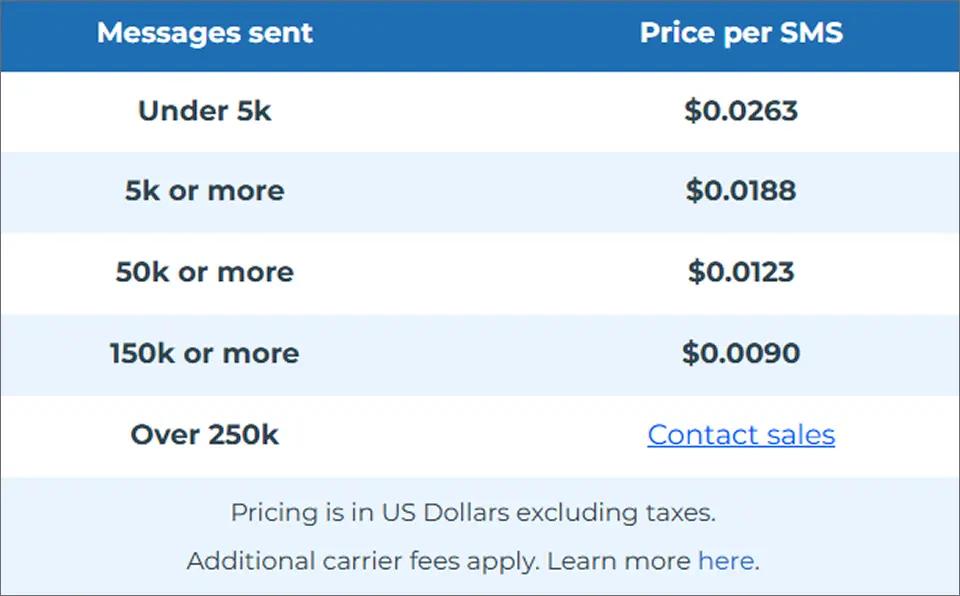
Volume discounts are significant, but you need substantial messaging volume to access lower rates.
Other Services
| Service | Cost |
| MMS messages | $0.0355/message |
| Outbound voice calls | $0.0137/call |
| Inbound SMS | Free |
| Inbound voice | Free |
| Outbound fax | $0.0321/page |
| Email campaigns | Starting at $0.0067/email |
Try TextBolt — Built for Teams That Text From Email
Unlike ClickSend’s API-first approach, TextBolt works directly from Gmail and Outlook with no setup complexity.
ClickSend Features: What You Actually Get
ClickSend offers a broad feature set across multiple communication channels. Here’s what’s included:
1. SMS and MMS Messaging
Send text messages to 200+ countries via direct carrier routes. MMS support allows images, audio, and video attachments for richer communication.
Businesses that prefer a simpler workflow can also send SMS directly from Outlook or email instead of managing complex messaging dashboards.
2. Two-Way Messaging
Receive replies from customers with free inbound messages. Conversations appear in a unified inbox for easy management.
3. Voice Calls (Text-to-Speech)
Convert text into automated voice calls. Useful for appointment reminders, alerts, and notifications when SMS isn’t appropriate.
4. Transactional Email
SMTP gateway for automated emails with a claimed 97% delivery rate. Handles order confirmations, receipts, and notifications.
5. Fax Gateway
Send faxes digitally without physical hardware. Popular with healthcare, legal, and government organizations that still require fax communication.
6. Developer APIs
RESTful APIs with SDKs for Node.js, Python, Java, C#, PHP, Ruby, and Swift. Also supports HTTP, FTP, and SMPP protocols.
7. Delivery Reports
Track message status and delivery confirmation. Monitor campaign performance in real-time.
Pros: What Users Love About ClickSend
Based on ClickSend user reviews across multiple platforms, here are the consistent positives:
1. No Monthly Fees or Contracts
The pay-as-you-go model is genuinely appealing. You’re not locked into expensive monthly subscriptions, and there are no setup fees or contracts.
This flexibility works well for businesses with unpredictable messaging volumes or seasonal fluctuations.
2. Free Inbound Messages
All inbound SMS messages are free. This is a significant cost saver for businesses running two-way conversations with customers.
If you receive high volumes of customer replies, this alone can offset ClickSend’s higher per-message costs compared to some competitors
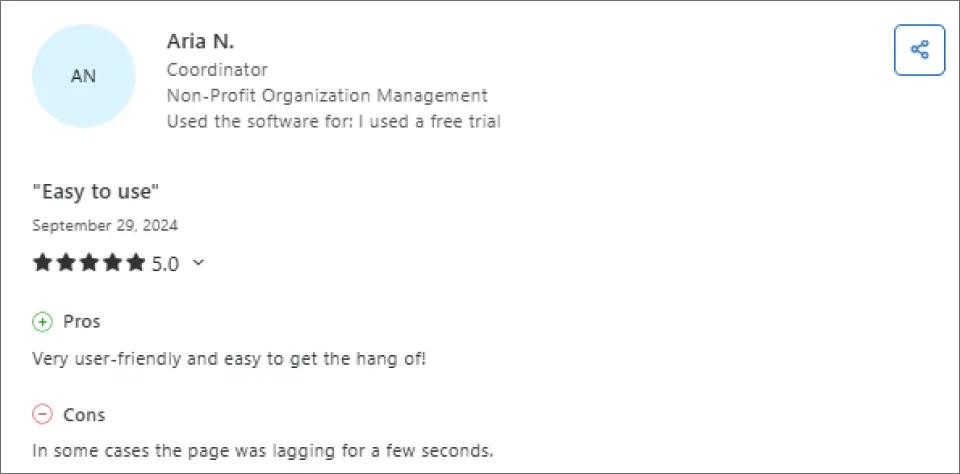
3. Easy to Use
ClickSend is designed with simplicity in mind, making it accessible even for first-time users. Its intuitive interface allows teams to navigate key features like creating campaigns, managing contact lists, and sending messages without a steep learning curve.
Users can quickly set up SMS or MMS campaigns, monitor delivery status, and access reporting tools all from a single dashboard. This reduces the need for extensive training or IT support and helps businesses save time while getting campaigns running faster.
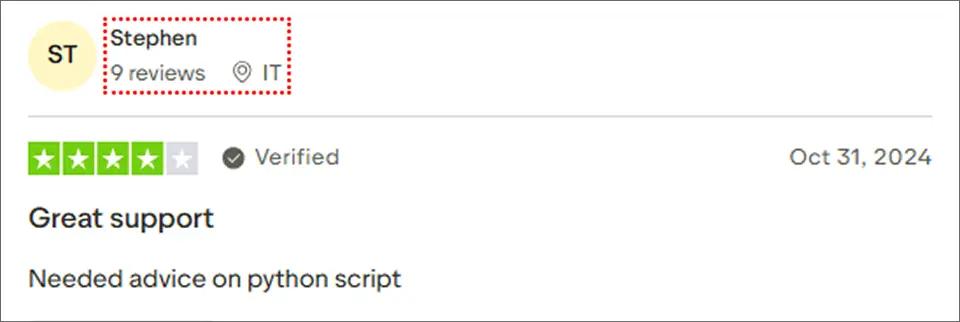
4. Helpful Support for Technical Issues
ClickSend’s support team assists users with technical questions, including guidance on scripts, integrations, and platform setup, making it easier for teams to implement advanced workflows.
Cons: What Users Don’t Like About ClickSend
Now for the honest part. Based on documented ClickSend complaints, here’s what users consistently criticize:
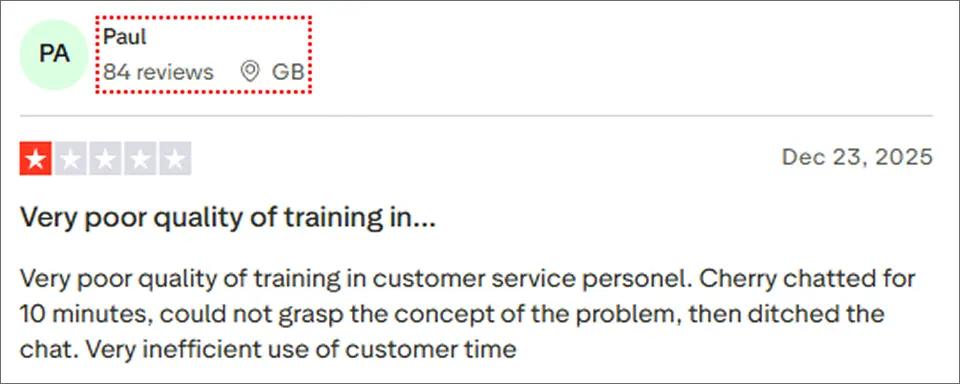
1. Inconsistent Support Quality
While ClickSend offers customer support, some users report that the quality can be inconsistent. In particular, training for support personnel appears to be lacking, with staff sometimes unable to fully understand or resolve user issues.
This can lead to long, unproductive chat sessions, unresolved problems, and wasted time for businesses that rely on timely support for messaging campaigns.
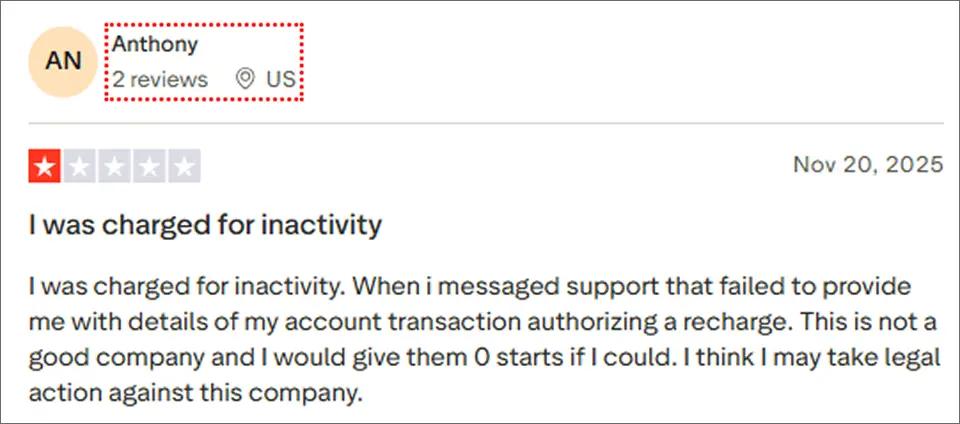
2. Inactivity Fees and Poor Transparency
Some users report being charged for account inactivity, often without clear communication about why the fee was applied.
In these cases, support may fail to provide detailed explanations or transaction authorization information, leaving businesses frustrated and questioning the reliability and transparency of the company.
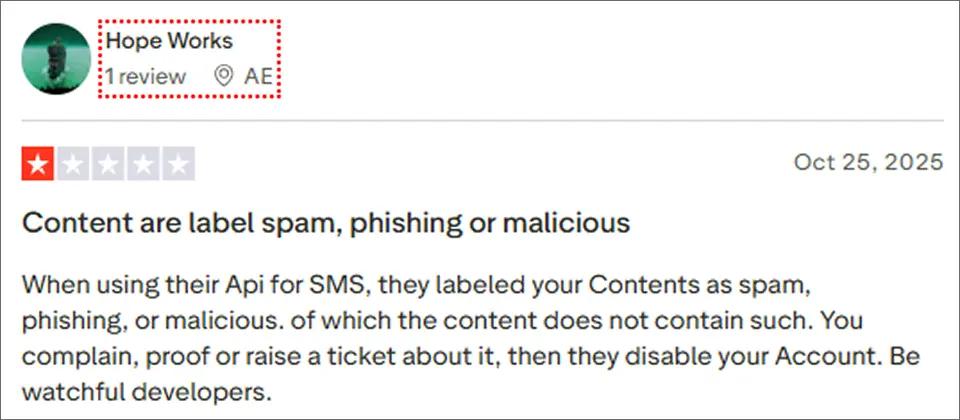
3. Content Moderation Challenges
Some users note that ClickSend’s system may occasionally flag legitimate SMS content as spam, phishing, or malicious, even when it meets guidelines.
In such cases, resolving these flags can take time, and accounts may be temporarily restricted while under review. This can cause delays for developers and businesses that rely on timely SMS delivery.
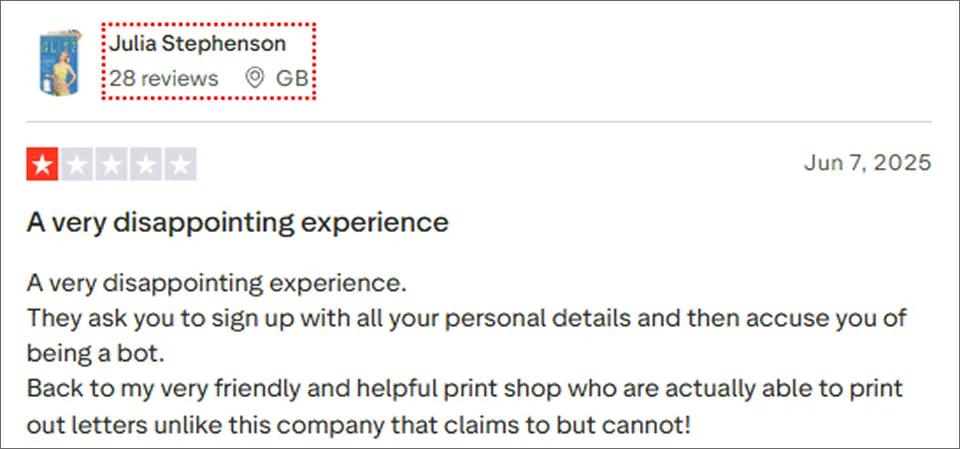
4. Account Verification Frustrations
Some users report a lengthy sign-up process requiring extensive personal information, followed by account verification steps that may mistakenly flag legitimate users as bots.
This can be frustrating for businesses relying on quick setup and efficient communication, potentially delaying campaigns or messaging workflows.
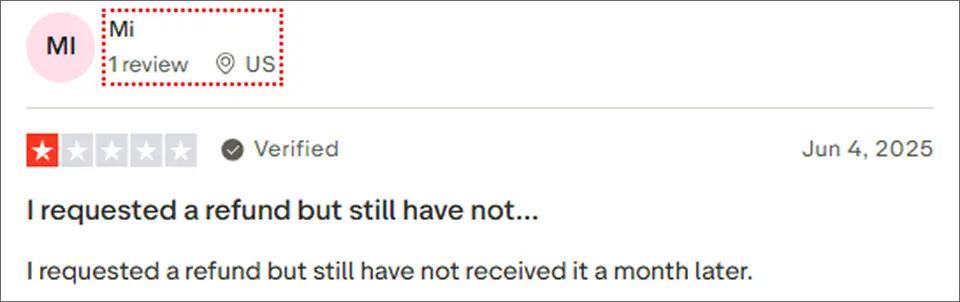
5. Delayed Refunds
Some users report delays in receiving refunds, with requests sometimes taking weeks to process. This can create frustration for businesses expecting timely resolution of payment issues.
Who Should Use ClickSend?
Based on user feedback, ClickSend works best for specific business types.
Good Fit
- Multi-channel communicators wanting SMS, voice, email, and fax in one platform
- Developer teams with custom integration requirements
- Low-volume senders who benefit from pay-as-you-go flexibility
- Organizations needing fax/mail for legal, healthcare, or government documents
Poor Fit
- Budget-conscious small businesses where per-message costs add up
- High-volume senders who’d save significantly with competitors
- Businesses needing advanced automation (ClickSend’s workflows are basic)
- Time-sensitive marketers who can’t wait for campaign approvals
- Teams wanting modern interfaces (ClickSend feels dated)
- Organizations needing AI features (sentiment detection, smart drafting not available)
For small businesses wanting straightforward SMS without complexity, simpler alternatives often provide better value.
ClickSend vs TextBolt: A Detailed Comparison
If ClickSend’s escalating costs, character limit frustrations, or outdated interface have you searching for alternatives, you’re not alone. Many businesses find that while ClickSend’s multi-channel approach sounds appealing, they primarily need reliable SMS without the complexity.
TextBolt email to sms gateway takes a fundamentally different approach to business messaging. Instead of learning a new platform, you send texts directly from Gmail or Outlook the tools your team already uses daily.
| Feature | ClickSend | TextBolt |
| Technology | Multi-channel platform | Native email-to-SMS |
| Starting Price | $0.0226/SMS | $29/month (500 credits included) |
| Monthly Fee | None (pay-as-you-go) | Yes (predictable) |
| Setup Time | 30+ minutes | Under 30 minutes |
| Email-to-SMS | Complex configuration | Native Gmail/Outlook |
| Learning Curve | Medium | None |
| 10DLC Compliance | Self-managed | Handled during onboarding |
| Hidden Fees | Multiple fees, carrier surcharges, and message splitting | None |
| Coding Required | Optional | No |
Choose ClickSend if: You need a multi-channel platform with SMS, voice, fax, and postal mail in one dashboard. You have developer resources for custom API integrations. Your messaging volume is unpredictable and pay-as-you-go flexibility matters more than cost predictability.
Choose TextBolt if: You want straightforward SMS without learning new software. Your team already lives in Gmail or Outlook. You prefer predictable monthly pricing over per-message surprises. You need to start sending texts in minutes, not hours.
For a detailed breakdown of all options, see our complete ClickSend vs TextBolt guide.
Switch To TextBolt — Built for Business Texting, Not Developers
If ClickSend feels too technical, TextBolt offers a more straightforward email-to-SMS experience.
ClickSend Reviews: Final Verdict
ClickSend is a legitimate, functional SMS platform with genuine strengths in multi-channel communication and global reach. The pay-as-you-go model works well for businesses with variable messaging needs.
However, ClickSend user reviews consistently highlight concerns about escalating costs, outdated interface design, campaign approval delays, and character limit frustrations.
When to Choose TextBolt
- You need SMS, voice, email, fax, and mail in one platform
- International messaging is a core requirement
- Your development team wants robust API access
- Message volumes are low enough that per-message costs don’t compound
When to Look for Alternatives
- Budget is tight, and per-message costs matter
- You need a quick campaign turnaround without approval delays
- Your team wants a modern, intuitive interface
- Advanced automation and AI features are important
These ClickSend reviews should help you make an informed decision. If you want to explore other options, this comparison of ClickSend competitors breaks down tools worth considering.
Why TextBolt is the Smarter ClickSend Alternative
Zero learning curve: Your team already knows how to use email. With TextBolt, sending a text is as simple as composing an email. No new dashboards to learn, no complex configuration required.
Predictable pricing with no surprises: Unlike ClickSend’s per-message model, where emojis cost double and long messages are split into multiple charges, TextBolt’s pricing plans include credits with transparent pricing. You know exactly what you’ll pay.
Set up in under 30 minutes: While ClickSend requires 30+ minutes for basic setup (and longer for toll-free number approval), TextBolt gets you sending texts almost immediately. 10DLC compliance is handled during onboarding, not left for you to figure out.
Start a free trial to experience the difference.
Frequently Asked Questions
What is ClickSend’s delivery rate?
ClickSend claims delivery rates of 95-98% for SMS, which aligns with industry averages. However, some users report inconsistent delivery and links being flagged as spam. Delivery depends on message content, carrier policies, and compliance factors.
How long does ClickSend setup take?
Basic account setup takes approx. 30 minutes. However, toll-free number approval can take significant additional time, according to user reviews. Some users report struggling with initial configuration and email-to-text setup.
Can I cancel ClickSend anytime?
Yes. ClickSend operates on a pay-as-you-go basis with no contracts. You can stop using the service anytime without cancellation fees. However, unused credit balances may have refund limitations.