
ClickSend Pricing: Cost Breakdown & Comparison

ClickSend pricing starts at $0.02-$0.03 per SMS for businesses sending under 5,000 messages monthly in the United States. The platform uses a pay-as-you-go model with no monthly fees, volume discounts at higher thresholds.
But the per-message rate only tells part of the story.
Between dedicated number fees, carrier surcharges, character limit charges, and emoji-induced message splitting, the actual cost of using ClickSend often exceeds initial estimates.
This guide breaks down the complete pricing structure, shares real user reviews, and compares ClickSend with alternatives that may offer better value for your specific use case.
What Is ClickSend?
ClickSend is a cloud-based business communication platform headquartered in Australia. The company provides SMS, MMS, voice, email, fax, and direct mail services to businesses through direct carrier routes.
The platform targets:
- Developer teams requiring robust API integrations
- Global businesses needing international messaging capabilities
- Multi-channel organizations wanting SMS, voice, fax, and email in one platform
- Companies preferring pay-as-you-go over monthly subscription commitments
ClickSend positions itself as a versatile business text messaging solution for companies that need flexibility across communication channels without long-term contracts.
How Much Does ClickSend Cost?
ClickSend operates on a pay-as-you-go pricing model with no setup fees, no monthly minimums, and no contracts. You only pay for messages sent, with costs decreasing as volume increases.
ClickSend SMS Pricing (United States)
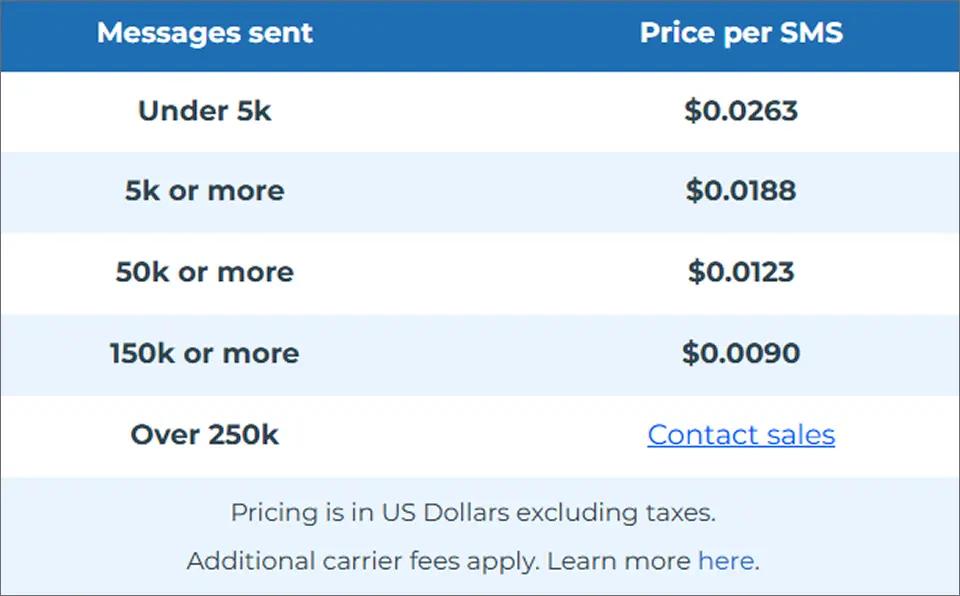
ClickSend SMS pricing in the United States is based on message volume, with per-SMS rates decreasing as your monthly usage increases. The more messages you send, the lower your cost per text, though additional carrier fees may still apply. The table below outlines ClickSend’s current SMS pricing tiers for U.S. businesses.
Other ClickSend Services Pricing
| Service | Price | Notes |
| MMS messages | $0.0355/message | Flat rate |
| Outbound voice (mobile) | $0.0137/call | Text-to-speech |
| Outbound voice (landline) | $0.0137/call | Text-to-speech |
| Inbound SMS | Free | All plans |
| Inbound voice | Free | All plans |
| Outbound fax | $0.0322/page | Global coverage |
| Inbound fax | Free | All plans |
| Transactional email | $0.0067+/email | Volume discounts |
Free inbound messaging is a genuine advantage. Many competitors charge for receiving messages, providing meaningful savings for businesses with high reply volumes.
ClickSend Pricing Explained: Hidden Costs
The advertised per-message rate is just the starting point. Several additional costs can significantly increase your total ClickSend bill:
Dedicated Phone Numbers
Every business sending SMS needs a phone number. ClickSend’s dedicated number fees vary by region:
| Number Type | Monthly Cost | Notes |
| US toll-free | Varies | Requires carrier approval |
| US local | Varies | 10DLC registration required |
| International | Up to $194.50/month | Philippines example |
Toll-free number approval can take days to weeks, delaying your ability to start sending messages.
Character Limit Charges
This is where costs multiply unexpectedly. Understanding SMS character limits is crucial for accurate cost estimation:
| Message Type | Character Limit | Cost Impact |
| Standard SMS | 160 characters | 1 credit |
| SMS with emojis | 70 characters | Often 2+ credits |
| Long messages | 160+ characters | Multiple credits |
Example: A 200-character message costs 2 credits. Add one emoji to a 150-character message? Now it’s counted as 2 messages because Unicode encoding reduces your character allowance to 70.
Carrier Surcharges
ClickSend passes carrier fees through at cost. While transparent, this means your final cost per message exceeds the advertised rate. These surcharges vary by carrier and message type, making exact cost prediction difficult.
Failed Message Charges
ClickSend may still charge for SMS messages that fail to reach recipients if those messages are accepted and passed on to the carrier. While messages blocked before sending (such as those with clearly invalid numbers) are not billed, delivery failures that occur after carrier submission are typically still charged, with no automatic refund process.
This billing approach has been a common point of frustration in user reviews, especially for businesses sending high volumes of time-sensitive messages.
Looking for an Affordable Alternative to ClickSend?
TextBolt keeps costs simple with no carrier surcharges or hidden fees.
ClickSend Reviews: What Users Say
Before committing to any SMS platform, understanding real user experiences helps set realistic expectations. Here’s what ClickSend users report across major review platforms:
ClickSend Ratings Overview
| Review Platform | Rating | Number of Reviews |
| G2 | 4.1/5 | 49 reviews |
| Capterra | 4.3/5 | 50+ reviews |
| Trustpilot | 4.0/5 | 3,400+ reviews |
| GetApp | 4.3/5 | 50+ reviews |
Overall, ClickSend maintains positive ratings with an average of 4.2/5 across platforms. However, the distribution reveals mixed experiences worth examining.
What Users Like About ClickSend
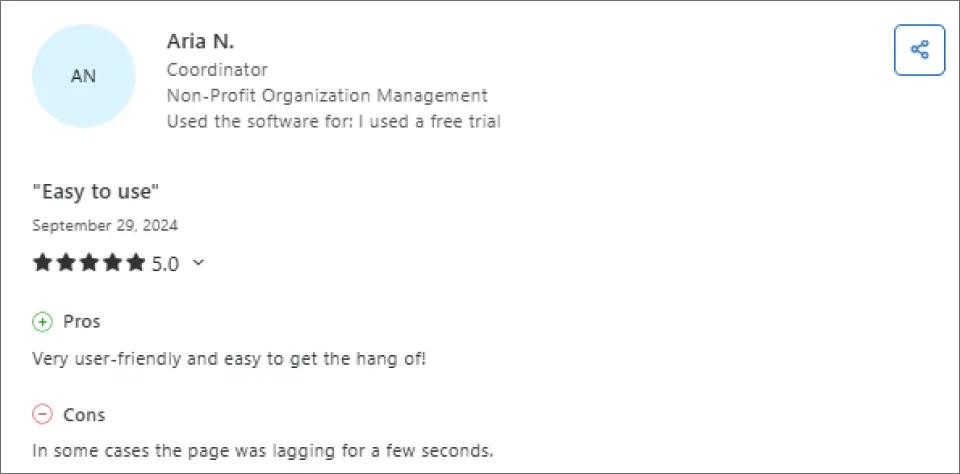
Easy to use: ClickSend is user-friendly and simple to learn, even for first-time users, with an intuitive interface that helps teams get started quickly.
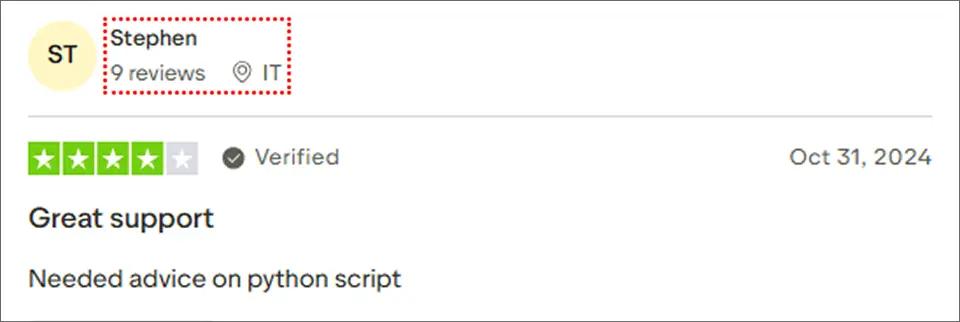
Reliable customer support: Users highlight ClickSend’s responsive support team and report minimal technical issues during day to day use.
No monthly commitments: ClickSend’s pay-as-you-go model lets businesses pay only for what they use, with no startup or monthly fees. Inbound texts are free.
What Users Complain About ClickSend
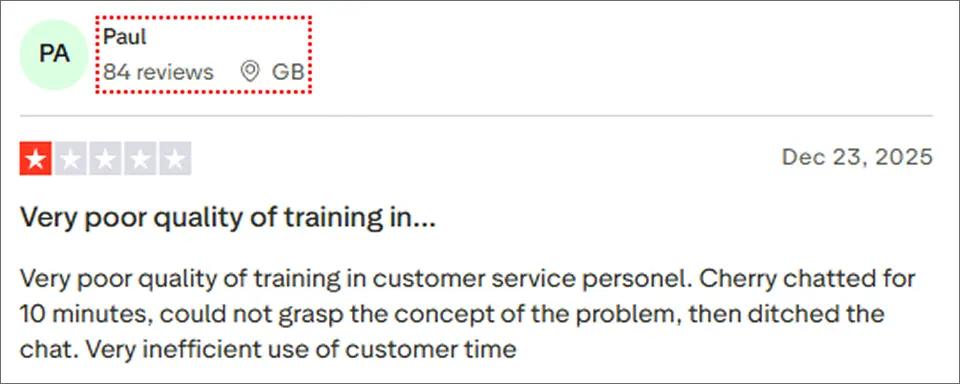
Inconsistent support quality: Some users report poorly trained customer service agents, long chat times, and unresolved issues, leading to wasted time.
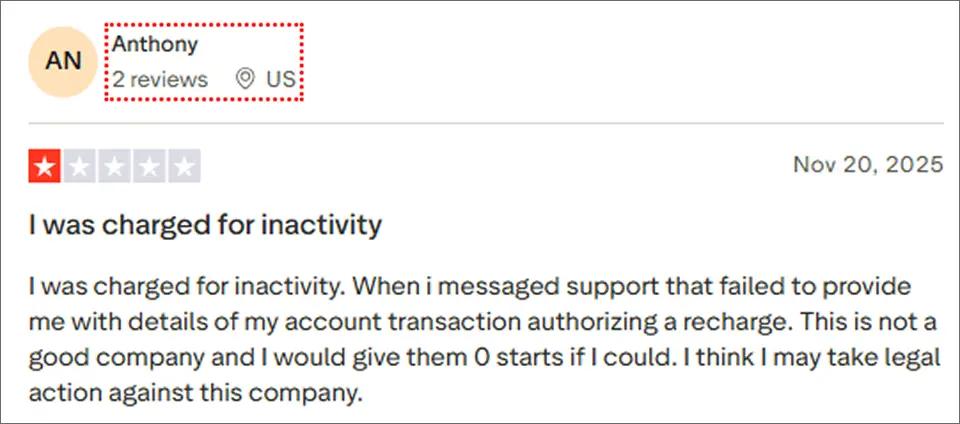
Inactivity fees: Some users report being charged for account inactivity, with unclear communication from support about these charges.
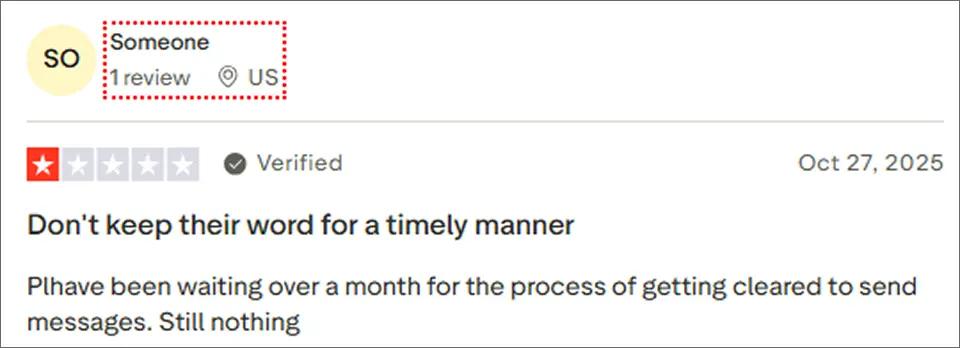
Slow approval process: Some users report long delays over a month before accounts are cleared to send messages.
For a comprehensive analysis of user feedback, see our detailed ClickSend reviews guide.
Affordable Alternatives to ClickSend
How does ClickSend stack up against the competition? Let’s compare it to other popular, more affordable alternatives like TextBolt, Twilio, and SimpleTexting.
| Feature | ClickSend | TextBolt | Twilio | SimpleTexting |
| Starting Price | $0.0263/SMS | $29/month | $0.0083/SMS | $39/month |
| Pricing Model | Pay-as-you-go | Monthly subscription | Pay-as-you-go | Monthly subscription |
| Free Trial | Yes | Yes (7 days) | Yes (credits) | Yes (14 days) |
| Email-to-SMS | Yes (setup required) | Yes (native) | No | No |
| Two-Way SMS | Yes | Yes | Yes | Yes |
| 10DLC Compliance | Yes | Yes (included) | Yes | Yes |
| API Available | Yes | No (email-native) | Yes | Yes |
| Setup Time | 30+ minutes | 20-30 minutes | Hours (development) | 15 minutes |
| Best For | Global multi-channel | Email-based workflows | Developers | Marketing campaigns |
See Why Businesses Prefer TextBolt
Send SMS directly from Gmail or Outlook with simple, predictable pricing and no hidden fees.
ClickSend Alternatives: Better Options by Use Case
Based on the pricing comparison and user reviews, here are the best ClickSend alternatives for different business needs:
Best for Email-Native Workflows: TextBolt
Why choose TextBolt: If you want to send texts directly from Gmail or Outlook without learning new software, TextBolt offers the simplest workflow.
- Price: Starting at $29/month for 500 credits
- Best for: Healthcare practices, small businesses, and teams wanting simplicity
- Key advantage: Zero learning curve – send texts by sending emails
- Setup time: 20-30 minutes
Compare TextBolt with ClickSend to see how email-native SMS compares.
Best for Developers: Twilio
Why choose Twilio: The industry standard for programmable SMS with extensive documentation and flexible APIs.
- Price: $0.0083/SMS outbound, plus carrier fees
- Best for: Development teams, custom integrations, enterprise applications
- Key advantage: Robust APIs, extensive documentation, and broad ecosystem support
- Limitation: Requires development resources and ongoing code maintenance
Best for Marketing Campaigns: SimpleTexting
Why choose SimpleTexting: Purpose-built for SMS marketing with user-friendly campaign tools and automation.
- Price: Starting at $39/month for 500 credits
- Best for: Marketing teams, promotional campaigns, customer engagement
- Key advantage: Intuitive campaign builder, autoresponders, and CRM integrations
- Free trial: 14 days included
Choosing the Right SMS Platform for Your Business
ClickSend delivers multi-channel communication with global reach and pay-as-you-go flexibility, making it a practical choice for businesses that need SMS, voice, fax, and email in one platform. Its volume-based pricing rewards high-volume senders, and the lack of monthly commitments appeals to companies with variable messaging needs.
That said, per-message pricing is just one piece of the cost equation. If your business also deals with hidden fees from dedicated numbers, carrier surcharges, message splitting, and failed delivery charges, the actual monthly spend can exceed initial estimates by 20-40%.
Tools like TextBolt, for example, handle business SMS through your existing email workflow, eliminating the need to learn new software or manage separate dashboards. The pricing remains predictable with flat monthly rates that include message credits, and 10DLC compliance is handled during onboarding rather than requiring separate registration.
Ultimately, the best SMS platform depends on your communication needs. ClickSend works well if you need global reach or multi-channel capabilities like fax and voice. But if you are a US-based business looking for simpler workflows and predictable costs, platforms designed for email-native SMS TextBolt may offer better long-term value and flexibility.
Frequently Asked Questions
Why are my ClickSend messages being charged double?
Messages exceeding 160 characters (or 70 characters with emojis) automatically split into multiple segments. Each segment is charged separately. Review your message length and emoji usage to avoid unexpected charges.
Is ClickSend good for small businesses?
It depends. ClickSend works well for businesses needing multi-channel communication (SMS, voice, fax, email) or global reach. However, for US-based small businesses sending primarily domestic SMS, subscription platforms like TextBolt, or EZ Texting often provide better value and predictability.
How do I cancel my ClickSend account?
Contact support to request cancellation. Your account is disabled but unused credits are forfeited. There are no cancellation fees, but credits do not roll over to other services.